
Samsung WB1100F Camera Lens Replacement

Jesse Lindsey and 3 other contributors
Last updated on Aug 29, 2016
Views: 3.9K
View statistics:
- Past 24 Hours:
- 4
- Past 7 Days:
- 21
- Past 30 Days:
- 115
- All Time:
- 3,868
Comments: 0
No one has left comments on this guide. Will you be first?
Go to guide commentsCompleted: 0 1
No one has marked this guide "completed." Will you be the first?
1 person has marked this guide "completed." It's you — great job!
Favorites: 0 1
No one has favorited (and subscribed to) this guide. Will you be the first?
1 person has favorited (and subscribed to) this guide — and that's you!
Needs More Images
A few more images would make this guide's procedures crystal clear.
Introduction
Go to step 1 ↓This guide will show you how to replace the lens assembly on the Samsung WB1100F. It will show you a step by step replacement guide of how to remove parts leading up to and including the lens successfully.
What you need
Tools


-
-
-
Remove six 1.2 mm Phillips #00 screws connected to the tripod dock and adjacent screws.
-
Remove six 1.2 mm Phillips #00 screws from the side of the camera.
 Ask FixBot
-
-
-
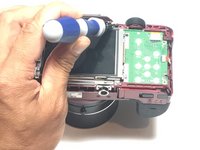
Using the flat end of a spudger, loosen the connection between the back panel and the device. Remove the back panel using your hands.
-
-
-
-
-
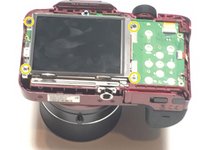
Remove four 1.2 mm Phillips #1 screws connected to the LCD screen.
-
-
Tool used on this step:Tweezers$4.99
-
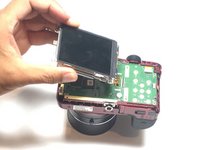
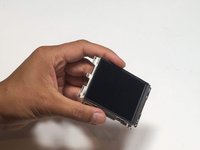
Flip the LCD screen over to reveal the display cable.
-
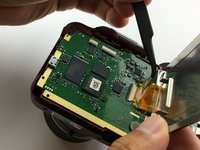
Use the tip of a spudger or your fingernail to flip up the small retaining flap on the display cable ZIF connector.
-
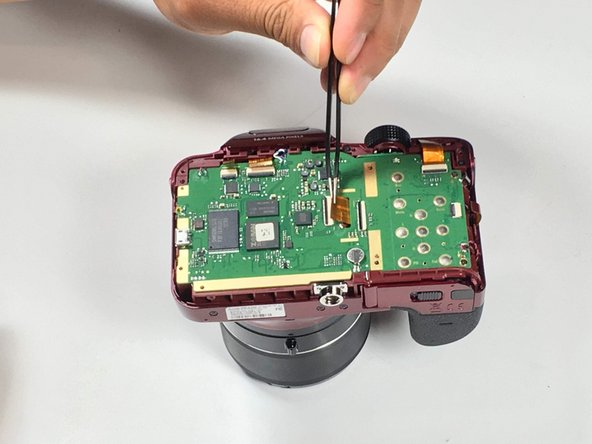
Using a pair of tweezers, remove the ribbon cable from its socket on the motherboard.
-
-
-
-
-
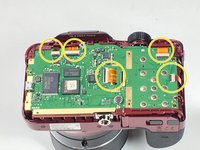
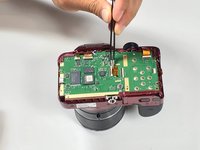
Use the tip of a spudger or your fingernail to flip up the small retaining flaps on the five ZIF connectors on the motherboard.
-
Detach the five ribbon cables from the camera motherboard.
-
-
-
-
-
Remove the three 1.5 mm Phillips #1 screws connected to the lens assembly.
-
-
-
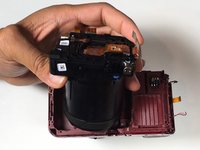
Pull the lens assembly from main body of the camera, using a spudger to pry if necessary.
-
-








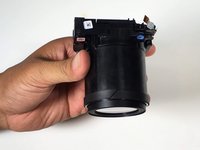
To reassemble your device, follow these instructions in reverse order.

Team

Metro State, Team 1-1, Carpenter SU 2016 Member of Metro State, Team 1-1, Carpenter SU 2016
MSU-CARPENTER-SU16S1G1
3 Members
60 Guides authored
