
Samsung UBD-M8500 Fan Replacement

Enrique Howell and 2 other contributors
Last updated on Dec 22, 2023
Views: 562
View statistics:
- Past 24 Hours:
- 5
- Past 7 Days:
- 21
- Past 30 Days:
- 64
- All Time:
- 562
Comments: 0
No one has left comments on this guide. Will you be first?
Go to guide commentsCompleted: 0 1
No one has marked this guide "completed." Will you be the first?
1 person has marked this guide "completed." It's you — great job!
Favorites: 0 1
No one has favorited (and subscribed to) this guide. Will you be the first?
1 person has favorited (and subscribed to) this guide — and that's you!
Introduction
Go to step 1 ↓
If you're encountering overheating issues or unusual noise from your Samsung UBD-M8500 Blu-ray player, it might be time to replace the internal fan using a Phillips #1 screwdriver head. The fan is a critical component responsible for maintaining optimal operating temperatures and ensuring the longevity of your device. This step-by-step guide will assist you in the seamless replacement of the fan.
What you need
Parts
Tools

-
-
-
On the back of the device, remove the three 8.1 mm screws with a Phillips #1 screwdriver.
 Ask FixBot
-
-
-
From the back lift the case of the device upwards then forward, releasing the clips from the front.
-
-
-
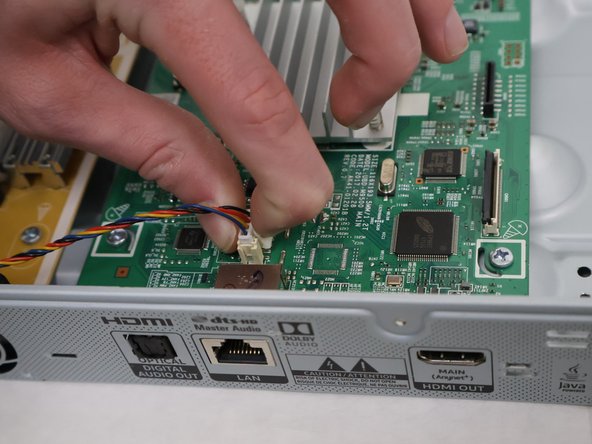
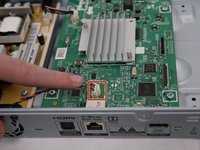
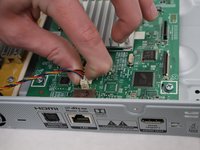
Using two fingers in a pinching motion, release the wire from the clip that is attached to the outer shell and disconnect it.
-
-
-
-
-
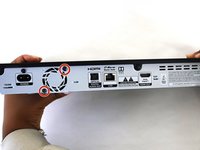
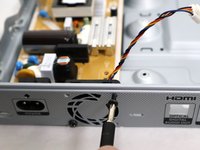
Remove the two screws on the back of the device, using a Phillips #1 screwdriver.
-
-
-




To reassemble your device, follow these instructions in reverse order.

Team

University of North Texas, Team 6-3, Kilpatrick Fall 2023 Member of University of North Texas, Team 6-3, Kilpatrick Fall 2023
UNT-KILPATRICK-F23S6G3
4 Members
72 Guides authored
