Introduction
This guide will assist you to open up the monitor and remove the motherboard. Useful if the monitor does not power on after replacing power supply, or is turning on/ off repeatedly.
What you need
-
-
-
Start by removing the screen bezel.
-
Use a pair of spudgers to pry between the cover and the rest of the monitor.
-
Lay monitor on its back and pull off screen cover.
 Ask FixBot
-
-
-
Flip the monitor over so that it is facedown.
-
Remove the single screw in the middle using a #2 Phillips screwdriver.
-
Remove backing to reveal signal/power board in center.
-
-
-
-
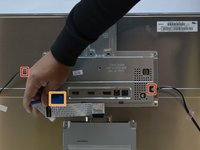
Unplug wires connected to supply (one on the left and one on right).
-
Disconnect the signal ribbon cable.
-
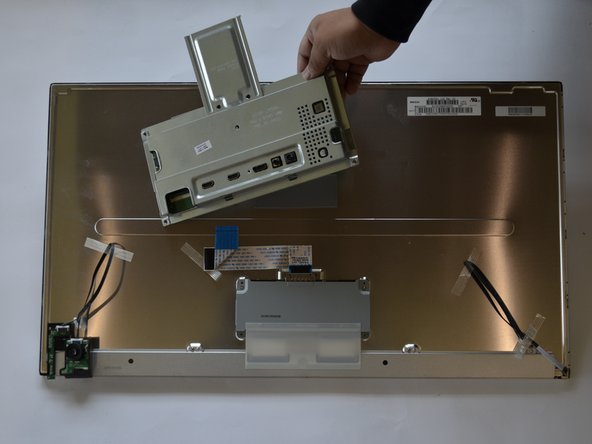
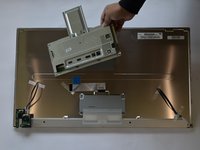
Pull the motherboard shield off—it's adhered in place by tape, so some force may be needed.
-
-
-
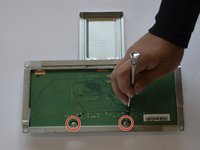
Lay piece upside down.
-
Use a #2 Phillips screwdriver to remove the two screws that secure the motherboard.
-
Lift the motherboard out of the metal shield.
-
-




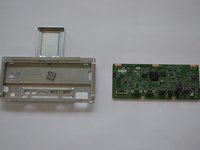
To reassemble your device, follow these instructions in reverse order. Ensure the bezel snaps in place all around monitor.
Cancel: I did not complete this guide.
3 other people completed this guide.

Team

Cal Poly, Team S11-G1, Banghart Winter 2018 Member of Cal Poly, Team S11-G1, Banghart Winter 2018
CPSU-BANGHART-W18S11G1
4 Members
36 Guides authored
