Free Shipping on Domestic Orders $75+

Samsung ST76 Motherboard Replacement

What you need

  1. Samsung ST76 Motherboard Replacement, Back Panel: step 1, image 1 of 3 Samsung ST76 Motherboard Replacement, Back Panel: step 1, image 2 of 3 Samsung ST76 Motherboard Replacement, Back Panel: step 1, image 3 of 3
    • Use a Phillips head screwdriver to remove 5 screws from the camera. There are 2 4mm screws on the left side, 2 2mm screws on the right side and 1 4mm screw on the bottom.

    • Do not mix the 5 screws; they are different sizes.

    Ask FixBot

    Add Comment

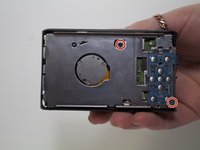
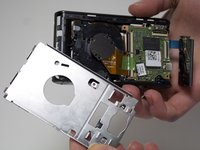
  2. Samsung ST76 Motherboard Replacement: step 2, image 1 of 2 Samsung ST76 Motherboard Replacement: step 2, image 2 of 2
    • Use your fingers to pull the back cover off.

    Ask FixBot

    Add Comment

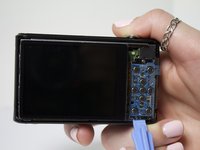
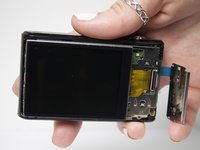
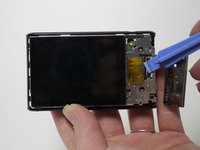
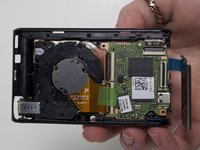
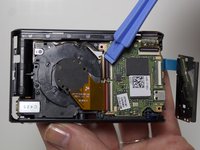
  3. Samsung ST76 Motherboard Replacement, Screen: step 3, image 1 of 2 Samsung ST76 Motherboard Replacement, Screen: step 3, image 2 of 2
    • Separate the button panel to reveal the port holding the screen on.

    • Use a plastic opening tool to help with this task.

    Ask FixBot

    Add Comment

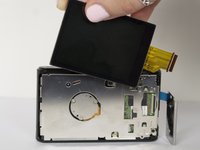
  4. Samsung ST76 Motherboard Replacement: step 4, image 1 of 2 Samsung ST76 Motherboard Replacement: step 4, image 2 of 2
    • Remove the yellow cable by pulling gently upwards, away from the inside of the camera, until it separates from its port.

    Ask FixBot

    Add Comment

  5. Samsung ST76 Motherboard Replacement, Motherboard: step 5, image 1 of 3 Samsung ST76 Motherboard Replacement, Motherboard: step 5, image 2 of 3 Samsung ST76 Motherboard Replacement, Motherboard: step 5, image 3 of 3
    • Remove 2 3mm screws from the metal plate covering the motherboard and lens using a Phillips #00 screw driver.

    Ask FixBot

    Add Comment

  6. Samsung ST76 Motherboard Replacement: step 6, image 1 of 3 Samsung ST76 Motherboard Replacement: step 6, image 2 of 3 Samsung ST76 Motherboard Replacement: step 6, image 3 of 3
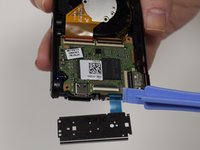
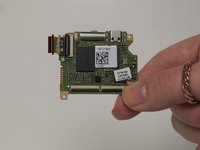
    • Remove the 4 cables connecting the motherboard to the camera body.

    • Use a plastic opening tool to help with this task.

    Ask FixBot

    Add Comment

Conclusion

To reassemble your device, follow these instructions in reverse order.

Cancel: I did not complete this guide.

2 other people completed this guide.

Jessica Bain

Member since: 03/11/15

408 Reputation

2 Guides authored

Team

Marist, Team 1-6, Laflen Spring 2015 Member of Marist, Team 1-6, Laflen Spring 2015

MARS-LAFLEN-S15S1G6

2 Members

8 Guides authored

3 Guide Comments

Thanks for great info. I should add that one can also clean the sensor. Sensor is circular plate with 3 screws at back of the lens. Now the camera is like new!

compand - Reply Share

Where can you buy a replacement motherboard?

Demaree Wiitala - Reply Share

ST76 and ST77 are very close relatives.

As it can be seen on the parts, some are marked: ”ST77”

Paul

Paul Cohen - Reply Share

Add Comment

View Statistics:

Past 24 Hours: 0

Past 7 Days: 9

Past 30 Days: 47

All Time: 1,782