
Samsung SPH-A660 Display Screen Replacement

Mike Buerli and 13 other contributors
Last updated on Mar 29, 2023
Views: 4.3K
View statistics:
- Past 24 Hours:
- 1
- Past 7 Days:
- 12
- Past 30 Days:
- 43
- All Time:
- 4,322
Comments: 0
No one has left comments on this guide. Will you be first?
Go to guide commentsCompleted: 1 2
1 person has marked this guide "completed." Will you be next?
2 people have marked this guide "completed." Including you — great job!
Favorites: 1 2
1 person has favorited (and subscribed to) this guide. Will you be next?
2 people have favorited (and subscribed to) this guide — including you!
Needs Better Images
Better photos will improve this guide. Help out by taking, editing, or uploading new ones!
Better Introduction
Improve this guide by completing or revising its introduction.
Missing Details
Some of this guide's details are missing. Help users by adding tools, difficulty, or time.
Introduction
Go to step 1 ↓Is your display screen cracked or not operating correctly? Replace it by following these steps.
What you need
Tools


-
-
-
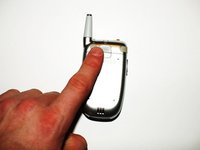
To remove the battery, push up with your finger on the tab located on the top center of the back of the phone.
-
Next, pull the battery off the back of the phone.
-
-
-
-
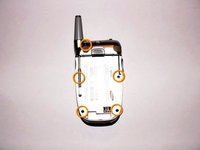
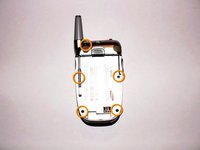
Once the battery pack is removed from the phone, remove the five indicated screws with a size #00 Philips screwdriver.
-
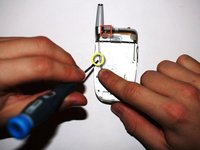
Bend back the antenna to access the indicated left middle screw in order to unscrew it.
-
-
-
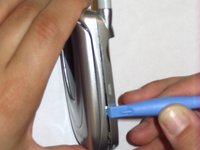
Place the phone on its side.
-
Insert the small plastic opening tool into the slot that runs along the side of the phone.
-
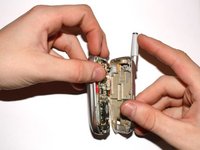
Slowly pry open the phone by working your way around its edges with the opening tool.
-
-
-
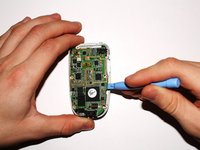
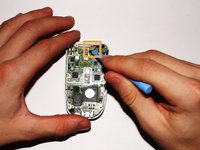
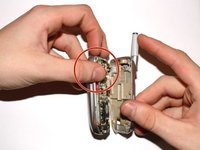
Carefully lift the highlighted connector between the logic board and the screen by using either your fingers or a plastic opening tool as shown in the picture.
-
-
-
Remove the green logic board from the phone by gently lifting it up with the plastic opening tool. Be cautious to not break the logic board.
-
-
-
-
-
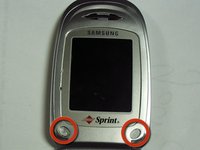
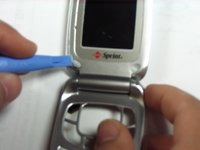
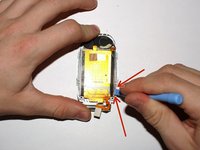
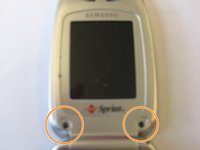
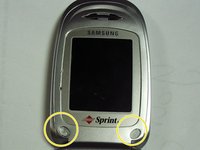
To start, remove the two highlighted sticky covers using the blue prying tool or your finger. Prying off the stickers allows access to the screws underneath.
-
Slide the tool or your fingernail under the stickers and they should come off with relative ease.
-
-
-
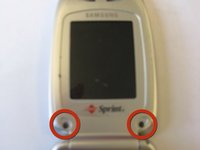
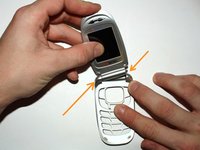
In order to open the display area, remove the two highlighted screws with a size #00 Philips screwdriver,
-
-
-
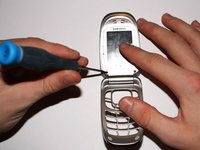
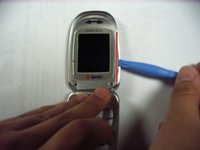
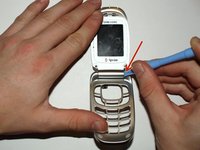
Next, insert a plastic opening tool into the crack that runs along the side of the phone display under the screws. Doing so will start lift the display screen.
-
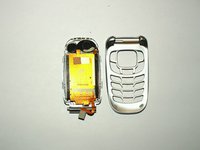
Once you have the display cover open, use your fingers to pry the whole outside cover off. Only do so to the top half of the phone.
-
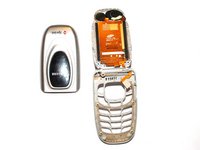
Set the outside display cover aside. The two separate parts should look like the third picture.
-
-
-
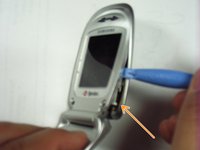
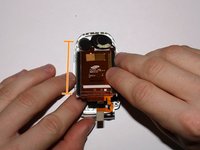
Carefully wedge a plastic opening tool between the hinge on the body of the phone.
-
Slowly pry the hinge from the body, as shown in the second picture. Set the phone down after when finished with this step.
-
Next, slide the connector cable out of the slot on the back side of the phone and the screen will be disconnected from the key pad body.
-
-
-
Use a plastic opening tool to pry the display screen from the cell phone cover.
-
Replace the screen by adding your new LCD screen back onto the clear cover.
-
-
-
-
After replacing the display screen in the display screen cover, thread the connector strip through the slot in the bottom half of the phone.
-
Snap both halves of the phone back together by inserting the right side of the top half of display, then snapping the left side together.
-
-
-
Snap the display screen cover on the back of the top half of the phone by sliding the two pieces together and then snapping it together around the edges.
-
Replace the two screws that were removed in step 8 to secure the top half of the phone.
-
Put the sticky covers back on the screws.
-
-
-
Flip the phone over so the back is facing you.
-
Put the keyboard back in the its spot. The white side is the back of the keyboard and it should be up and facing you.
-
-
-
Place the logic board on top of the keyboard with the green side facing up towards you.
-
Push the rectangular connector piece that was thread through the slot of the bottom half of the phone to connect the logic board to the display screen.
-
-
-
Insert the volume key into the right side of the phone with the larger part of the volume key towards the top.
-
Snap on the back of the phone onto the logic board.
-
Screw in the five screws that were removed in step 3 to secure the back of the phone.
-
Put the battery back on the phone.
-
-


 Ask FixBot




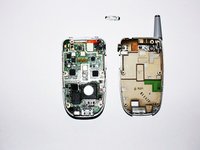


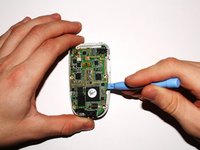
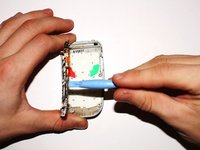
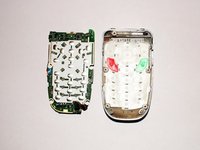










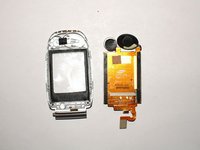


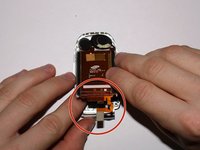
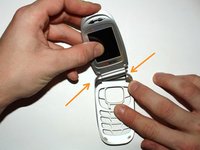


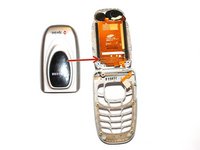




To reassemble your device, follow these instructions in reverse order.
Cancel: I did not complete this guide.
One other person completed this guide.

Team

Cal Poly, Team 13-26, Maness Winter 2010 Member of Cal Poly, Team 13-26, Maness Winter 2010
CPSU-MANESS-W10S13G26
3 Members
60 Guides authored
