
Samsung SPEX SCH-R210 antenna Replacement

Susan and 3 other contributors
Last updated on May 7, 2024
Views: 704
View statistics:
- Past 24 Hours:
- 2
- Past 7 Days:
- 15
- Past 30 Days:
- 86
- All Time:
- 704
Comments: 0
No one has left comments on this guide. Will you be first?
Go to guide commentsCompleted: 0 1
No one has marked this guide "completed." Will you be the first?
1 person has marked this guide "completed." It's you — great job!
Favorites: 0 1
No one has favorited (and subscribed to) this guide. Will you be the first?
1 person has favorited (and subscribed to) this guide — and that's you!
Needs Better Images
Better photos will improve this guide. Help out by taking, editing, or uploading new ones!
Step Trimmer
This guide has unnecessary steps. Trim them to be more concise!
Introduction
Go to step 1 ↓This is an easy DIY guide on how to replace the antenna. It involves removing the back cover, the battery and the plastic cover over the motherboard. You will need a screwdriver to remove screws and tweezers to remove the antenna.
What you need
Tools


-
-
-
Lay the phone on its front side so the back is visible.
-
Use your thumb to gently and firmly press down on the triangle arrow found on the cover of the phone.
-
Press down on the arrow until you hear a popping sound, which will remove the cover of the phone.
-
Slide the cover down from the phone to remove it. Set the cover aside.
 Ask FixBot
-
-
-
-
-
Place your thumb on the edge of the battery near the access notch.
-
Lift the battery to remove it from the phone. Set the battery aside.
-
-
-
-
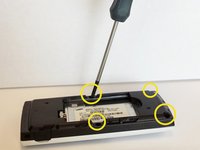
After removing the battery, unscrew the 4 3/16" screws on the black plastic cover with the Phillips #00 screwdriver.
-
-
-
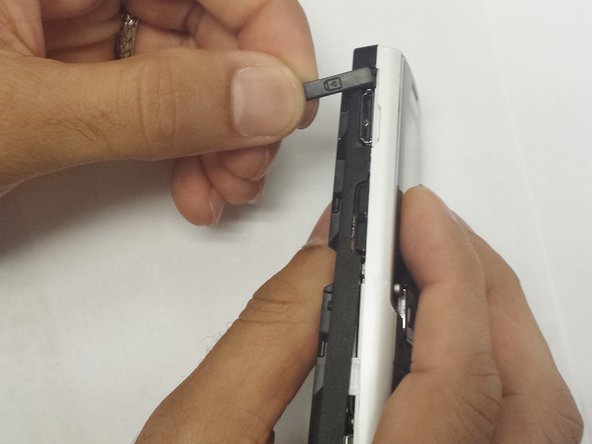
Remove the headphone cover from the left side and the volume cover from the right side of the phone.
-
-
-
Tool used on this step:Tweezers$4.99
-
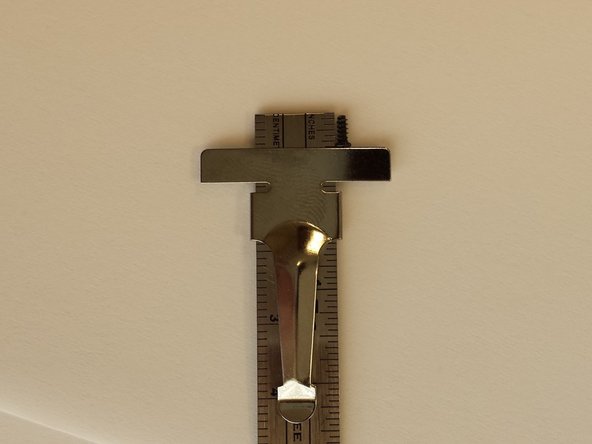
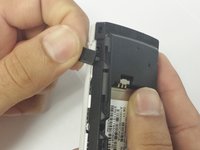
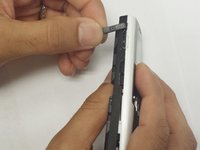
The antenna is located on the opposite side of the black plastic cover. Use the tweezers to remove the antenna.
-
-
-
The gray rubber antenna cover will need to come out as well. Use the tweezers to remove the gray cover.
-
-





To reassemble your device, follow these instructions in reverse order.

Team

WRI115, Team 1-4, Ruszkiewicz Spring 2013 Member of WRI115, Team 1-4, Ruszkiewicz Spring 2013
WRI115-RUSZKIEWICZ-S13S1G4
3 Members
60 Guides authored
