Free Shipping on Domestic Orders $75+

Samsung SCH-A950 Keyboard Replacement

What you need

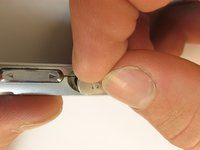
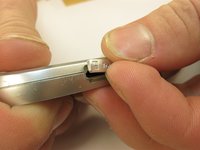
  1. Samsung SCH-A950 Keyboard Replacement, Battery: step 1, image 1 of 2 Samsung SCH-A950 Keyboard Replacement, Battery: step 1, image 2 of 2
    • Slide the the battery release tab upwards while simultaneously lifting the back cover straight up.

    Ask FixBot

    Add Comment

  2. Samsung SCH-A950 Keyboard Replacement, Volume and Camera Buttons: step 2, image 1 of 1
    • Remove the four Phillips #00 screws underneath the battery.

    Ask FixBot

    Add Comment

  3. Samsung SCH-A950 Keyboard Replacement: step 3, image 1 of 2 Samsung SCH-A950 Keyboard Replacement: step 3, image 2 of 2
    • Pull open the earphone tab and the Trans Flash tab using your fingers.

    Ask FixBot

    Add Comment

  4. Samsung SCH-A950 Keyboard Replacement: step 4, image 1 of 1
    • Using a plastic opening tool, pry off the phone casing near the speakers as shown. Tabs located on the inside of the phone may make this difficult and some force may be required.

    • Slide the casing slightly forward towards the top of the phone to remove.

    Ask FixBot

    Add Comment

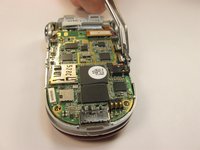
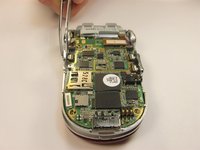
  5. Samsung SCH-A950 Keyboard Replacement: step 5, image 1 of 3 Samsung SCH-A950 Keyboard Replacement: step 5, image 2 of 3 Samsung SCH-A950 Keyboard Replacement: step 5, image 3 of 3
    Tool used on this step:
    Tweezers
    $4.99
    Buy
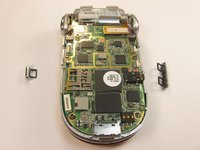
    • Using tweezers or your fingers, lift off buttons from logic board.

    • The buttons can be replaced if needed.

    Ask FixBot

    Add Comment

  6. Samsung SCH-A950 Keyboard Replacement, Speakers: step 6, image 1 of 2 Samsung SCH-A950 Keyboard Replacement, Speakers: step 6, image 2 of 2
    Tool used on this step:
    Tweezers
    $4.99
    Buy
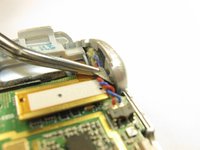
    • Use tweezers to peel back the sticker on the backside of the speaker to reveal a screw that holds the speaker in place.

    • Using a phillips #00 screwdriver, remove the screw holding the speaker. On each side.

    Ask FixBot

    Add Comment

  7. Samsung SCH-A950 Keyboard Replacement: step 7, image 1 of 1
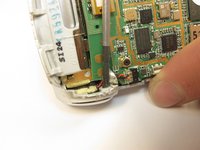
    • Using the tweezers, grasp the plastic connector that connects the speaker to the logic board and pull the connector off of the logic board.

    Ask FixBot

    Add Comment

  8. Samsung SCH-A950 Keyboard Replacement: step 8, image 1 of 1
    • Push the speaker out of the phone using the spudger.

    Ask FixBot

    Add Comment

  9. Samsung SCH-A950 Keyboard Replacement: step 9, image 1 of 1
    • Remove the speaker from the decorative housing by pulling on the wires.

    • The speaker can be replaced if needed.

    Ask FixBot

    Add Comment

  10. Samsung SCH-A950 Keyboard Replacement, Logic Board: step 10, image 1 of 1
    • Using a plastic opening tool, disconnect the display cable from the motherboard.

    Ask FixBot

    Add Comment

  11. Samsung SCH-A950 Keyboard Replacement: step 11, image 1 of 1
    • Use a plastic opening tool to pry the motherboard away from the phone housing at the tabs on both sides of the phone at the pictured location. Some force may be required.

    Ask FixBot

    Add Comment

  12. Samsung SCH-A950 Keyboard Replacement: step 12, image 1 of 1
    • The logic board will pop out.

    • The logic board can be replaced if needed.

    Ask FixBot

    Add Comment

  13. Samsung SCH-A950 Keyboard Replacement, Keyboard: step 13, image 1 of 2 Samsung SCH-A950 Keyboard Replacement, Keyboard: step 13, image 2 of 2
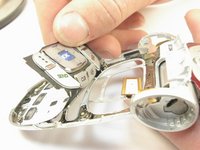
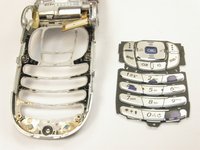
    • Once the logic board has been removed, the keyboard is exposed and can be removed by simply lifting the keyboard out of the phone housing.

    • The keyboard can be replaced if needed.

    Ask FixBot

    Add Comment

Conclusion

To reassemble your device, follow these instructions in reverse order.

Cancel: I did not complete this guide.

Alan Cook

Member since: 01/13/10

44 Reputation

3 Guides authored

Team

Cal Poly, Team 11-5, Forte Winter 2010 Member of Cal Poly, Team 11-5, Forte Winter 2010

CPSU-FORTE-W10S11G5

5 Members

15 Guides authored

0 Guide Comments

Add Comment

View Statistics:

Past 24 Hours: 1

Past 7 Days: 4

Past 30 Days: 36

All Time: 1,921