
Samsung Refrigerator Wi-Fi Card Replacement

nicO and one other contributor
Last updated on Jun 27, 2023
Views: 2.9K
View statistics:
- Past 24 Hours:
- 2
- Past 7 Days:
- 36
- Past 30 Days:
- 160
- All Time:
- 2,944
Comments: 13
13 guide comments.
Go to guide commentsCompleted: 1 2
1 person has marked this guide "completed." Will you be next?
2 people have marked this guide "completed." Including you — great job!
Favorites: 0 1
No one has favorited (and subscribed to) this guide. Will you be the first?
1 person has favorited (and subscribed to) this guide — and that's you!
Introduction
Go to step 1 ↓This guide shows how to remove and replace the Wi-Fi card in your Samsung refrigerator.
The Wi-Fi card resides in the top hinge cover. If your fridge has trouble connecting to the local Wi-Fi network, first make sure that the hinge cover doesn't have any metallic items placed over it (which can severely block wireless signals). If the fridge can't pick up any Wi-Fi signals, you may need to replace the Wi-Fi card.
This guide will work for most Samsung Refrigerators . This guide is based on a model RF28R7201SG Refrigerator. If you have a different model, you may encounter some minor disassembly differences, but the overall repair process will be the same.
What you need
Tools

-
-
-
Unplug your refrigerator before you begin your repair.
-
Condenser fan motor
-
Compressor motor and thermal overload device
-
Water supply valve assembly
 Ask FixBot
-
-
-
-
-
Remove the screws securing the hinge cover (aka top table) on the top of the refrigerator.
-
-
-
Lift the edges of the hinge cover to loosen it from the refrigerator.
-
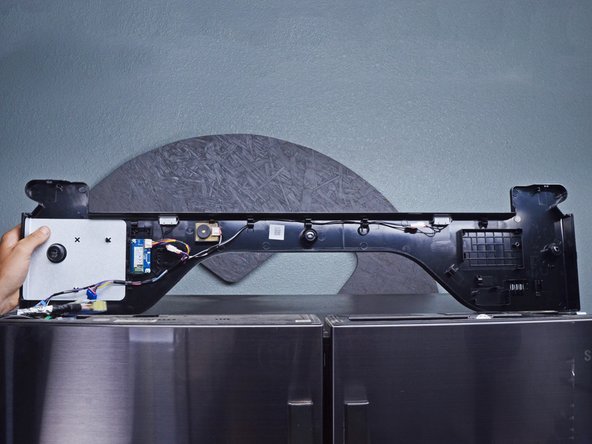
Flip the hinge cover over to access the cables underneath.
-
-
-
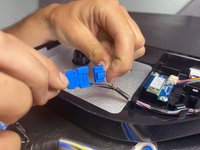
Use your fingers to release the wire connectors under the hinge cover.
-
Disconnect the wiring so you can remove the hinge cover.
-
-
-
-
-
The Wi-Fi card is attached to the hinge cover.
-
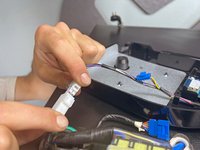
Use your fingers to squeeze and slide the Wi-Fi cable connector out of its socket.
-
-
-


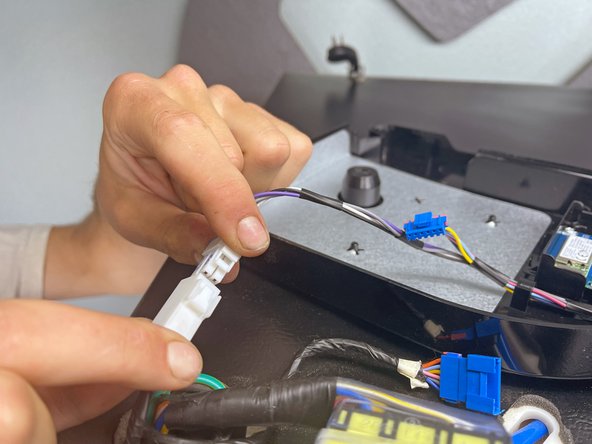


To reassemble your device, follow these instructions in reverse order.
Take your e-waste to an R2 or e-Stewards certified recycler.
Repair didn’t go as planned? Ask our Answers Community for help.
Cancel: I did not complete this guide.
One other person completed this guide.

Team

13 Guide Comments
Hi nico, can you share pictures for the cables of this wifi module? pin colors and order please in both sides ? Thank you.
Thank-you for this Detailed replacement step. I do have one question: I am currently having an issue with my Refrigerator dropping its WIFI connection when the refrigerator door is opened or closed (same model). When it drops it goes back into AP mode and constantly chimes. If I wanted to just 'disable' WIFI all together on this refrigerator, could I just unplug the WIFI cable from the card and leave it unplugged? Would the refrigerator still function normal without this card and stop chiming to setup WIFI?
I have this model RS27T5561SR the WiFi is not working at all. Where can I purchase the WiFi chip from? Thanks
I have a Samsung Refrigerator w/ Family Hub model RF265BEAESR and the wi-fi adaptor is not working and is not located as shown above...do you know where it is located?
Hi Nico, can you possibly answer Brad's question? I want to unplug my wifi board too! I have disabled the wifi through the control panel but my EMF meter shows that it is constantly sending out pulses that register quite high and hot on my meter.
