Free Shipping on Domestic Orders $75+

Samsung Rant Motherboard Replacement

What you need

  1. Samsung Rant Motherboard Replacement, Motherboard: step 1, image 1 of 1
    • Start by removing the back plate and battery of the phone.

    Ask FixBot

    Add Comment

  2. Samsung Rant Motherboard Replacement: step 2, image 1 of 2 Samsung Rant Motherboard Replacement: step 2, image 2 of 2
    • Using a Phillip’s #00 screwdriver, unscrew the 6 screws located on the back of the device.

    Ask FixBot

    Add Comment

  3. Samsung Rant Motherboard Replacement: step 3, image 1 of 2 Samsung Rant Motherboard Replacement: step 3, image 2 of 2
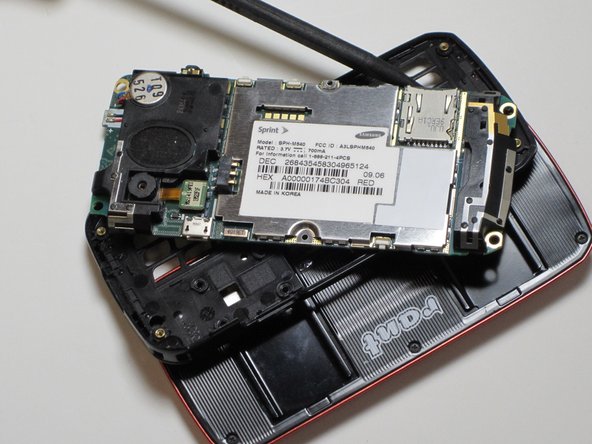
    • Remove the casing from the back of the device.

    Ask FixBot

    Add Comment

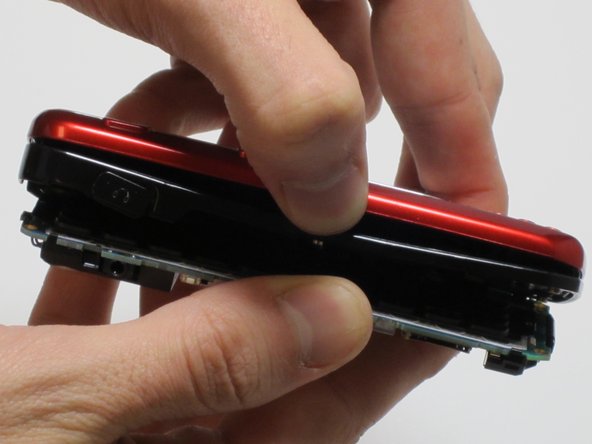
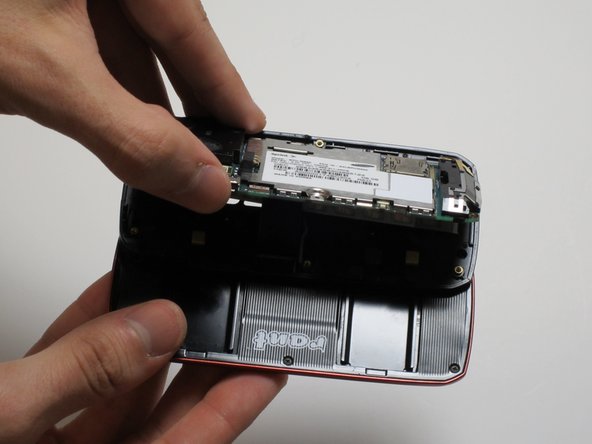
  4. Samsung Rant Motherboard Replacement: step 4, image 1 of 2 Samsung Rant Motherboard Replacement: step 4, image 2 of 2
    • Next, separate the back component from the keyboard and screen, exposing the middle of the phone and keyboard pad.

    Ask FixBot

    Add Comment

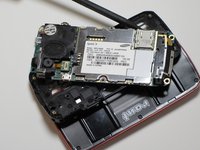
  5. Samsung Rant Motherboard Replacement: step 5, image 1 of 3 Samsung Rant Motherboard Replacement: step 5, image 2 of 3 Samsung Rant Motherboard Replacement: step 5, image 3 of 3
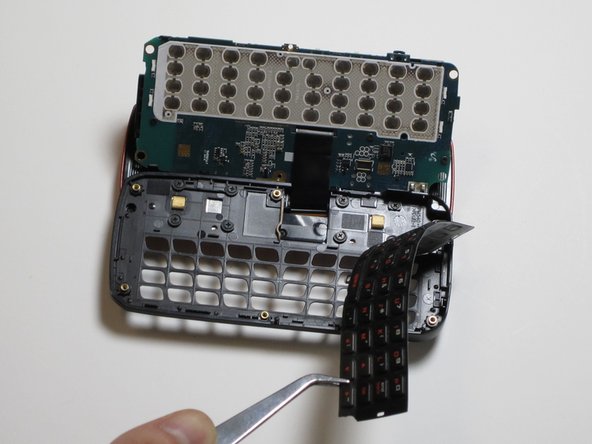
    • Last, unscrew the remaining screws and remove the keyboard padding, exposing the motherboard.

    Ask FixBot

    Add Comment

Conclusion

To reassemble your device, follow these instructions in reverse order.

Cancel: I did not complete this guide.

Katelynn Lee

Member since: 10/18/11

1 Reputation

1 Guide authored

Team

James Madison, Team 1-6, Allen Fall 2011 Member of James Madison, Team 1-6, Allen Fall 2011

JMU-ALLEN-F11S1G6

4 Members

21 Guides authored

1 Guide Comment

Est ce que ce téléphone a une puce ?

Allassane Diawara - Reply Share

Add Comment

View Statistics:

Past 24 Hours: 0

Past 7 Days: 5

Past 30 Days: 42

All Time: 4,512