Free Shipping on Domestic Orders $75+

Samsung RF28R7201SG Refrigerator Fuse Block Replacement

What you need

    1. Samsung RF28R7201SG Refrigerator Fuse Block Replacement, Unplug your refrigerator: step 1, image 1 of 1
      • Unplug your refrigerator before you begin your repair.

      Ask FixBot

      Add Comment

    1. Samsung RF28R7201SG Refrigerator Fuse Block Replacement, Remove the board access panel: step 2, image 1 of 1
      • Use a Phillips screwdriver to remove the five screws securing the board access panel to the back of the refrigerator:

      • Four 14.8 mm-long screws

      • One 12.3 mm-long screw

      Ask FixBot

      Add Comment

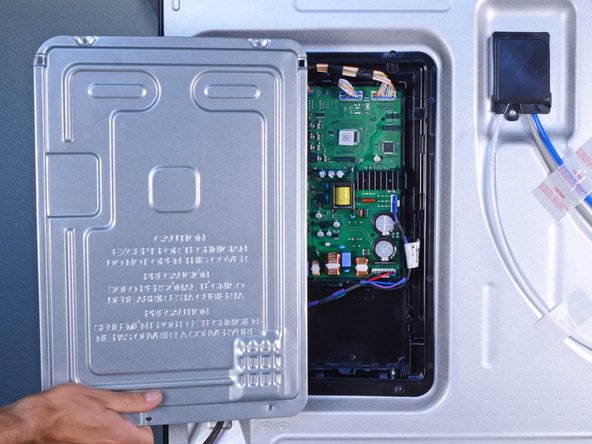
    2. Samsung RF28R7201SG Refrigerator Fuse Block Replacement: step 3, image 1 of 2 Samsung RF28R7201SG Refrigerator Fuse Block Replacement: step 3, image 2 of 2
      • Remove the board access panel.

      Ask FixBot

      Add Comment

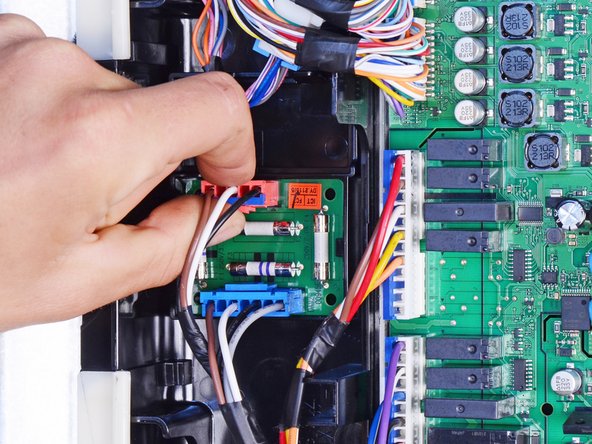
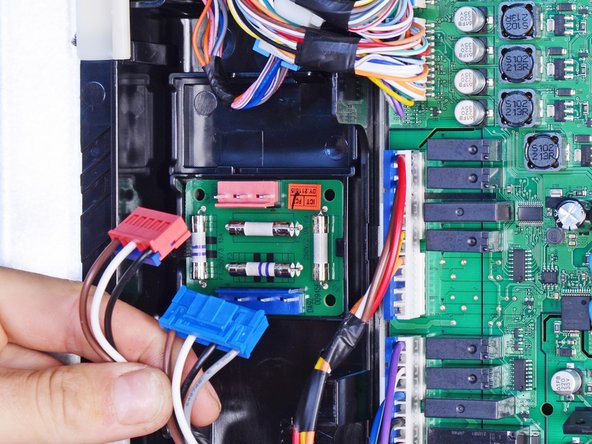
    1. Samsung RF28R7201SG Refrigerator Fuse Block Replacement, Remove the fuse block: step 4, image 1 of 3 Samsung RF28R7201SG Refrigerator Fuse Block Replacement, Remove the fuse block: step 4, image 2 of 3 Samsung RF28R7201SG Refrigerator Fuse Block Replacement, Remove the fuse block: step 4, image 3 of 3
      • Squeeze the wide sides of the red connector to unlatch it from the fuse block.

      • Pull to disconnect the connector.

      • Repeat the procedure to disconnect the blue connector.

      • During reassembly, make sure the connectors lock in place. If they don't, you may need to flip their orientation.

      Ask FixBot

      Add Comment

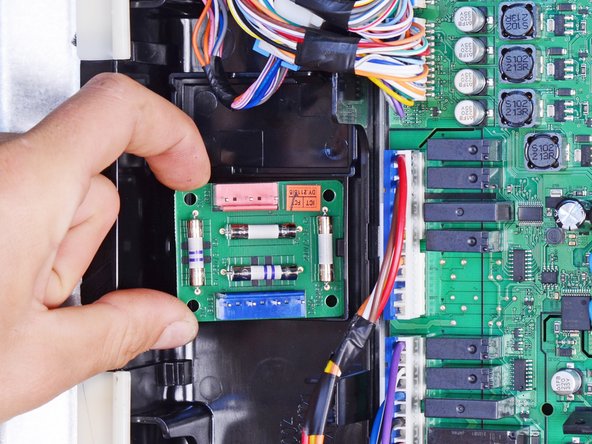
    2. Samsung RF28R7201SG Refrigerator Fuse Block Replacement: step 5, image 1 of 3 Samsung RF28R7201SG Refrigerator Fuse Block Replacement: step 5, image 2 of 3 Samsung RF28R7201SG Refrigerator Fuse Block Replacement: step 5, image 3 of 3
      • Use your fingers to pry and release the black plastic clip holding the left edge of the fuse block.

      • Lift out and remove the fuse block.

      Ask FixBot

      Add Comment

Conclusion

To reassemble your device, follow these instructions in reverse order.

Take your e-waste to an R2 or e-Stewards certified recycler.

Repair didn’t go as planned? Ask our Answers community for help.

Cancel: I did not complete this guide.

2 other people completed this guide.

nicO

Member since: 04/14/15

15,990 Reputation

89 Guides authored

0 Guide Comments

Add Comment

View Statistics:

Past 24 Hours: 0

Past 7 Days: 6

Past 30 Days: 35

All Time: 642