What you need
-
-
-
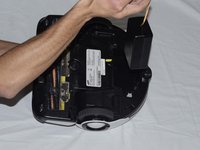
On the bottom of the bot, locate the battery lid along the curved edge of the bot.
 Ask FixBot
-
-
-
-
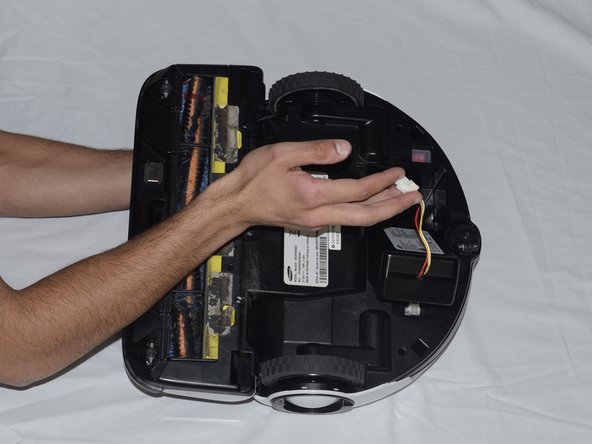
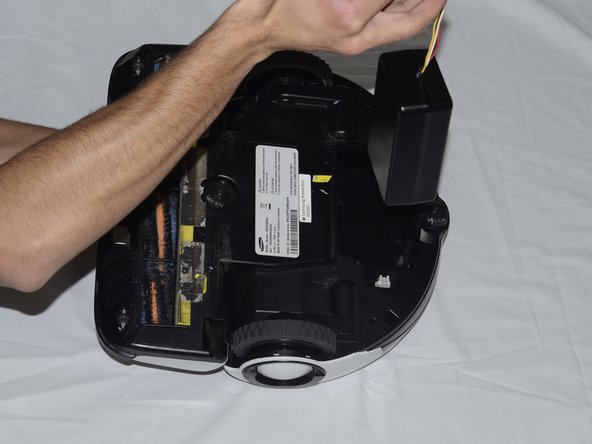
Push this tab into the white box, and pull the wires up. This releases the wire from the white box, allowing you to fully remove the battery.
-
-


To reassemble your device, follow these instructions in reverse order.
Cancel: I did not complete this guide.
2 other people completed this guide.

Team

Cal Poly, Team 10-3, Banghart Winter 2017 Member of Cal Poly, Team 10-3, Banghart Winter 2017
CPSU-BANGHART-W17S10G3
3 Members
60 Guides authored
5 Guide Comments
This is what I needed to know. You are my life saver.
thank you.
How do you know it’s time for a battery replacement? Mine starts up fine, but after 5 minutes suction drops to lowest setting.
Where can we a get a replacement battery, I could not find one anywhere.
I am looking for one also!
I found one voltage but slightly higher wattage and it said that it was an upgrade but it lasted maybe 6 months and now doesn't want to take a charge. It tries to charge it. It's you know doing the lights pattern uphill but all it ever achieves is one Mark and if you tell it manually move or whatever with the remote control it doesn't do anything. It just sits there and perpetually tries to charge but only achieves one. Mark charge tried unplugging it for a long time and was an expensive battery like 140 bucks so I am reluctant to it did great while it ran but I couldn't find the exact battery. They were both I think 21.6 volts but the wattage was different. Who knows the battery just didn't last or won't take a charge now and I don't know maybe I mean it's trying too.
