
Samsung Portable Dualband Tri-Mode Keypad Replacement

Barbara and 2 other contributors
Last updated on Jun 18, 2014
Views: 760
View statistics:
- Past 24 Hours:
- 1
- Past 7 Days:
- 13
- Past 30 Days:
- 75
- All Time:
- 760
Comments: 0
No one has left comments on this guide. Will you be first?
Go to guide commentsCompleted: 0 1
No one has marked this guide "completed." Will you be the first?
1 person has marked this guide "completed." It's you — great job!
Favorites: 0 1
No one has favorited (and subscribed to) this guide. Will you be the first?
1 person has favorited (and subscribed to) this guide — and that's you!
Inconsistent Images
Updating the images on this guide to be more consistent with the prerequisites would increase its awesomeness.
Introduction
Go to step 1 ↓If the keypad buttons are not responding or are functioning in a way that is different from their intended purpose, then it is possible that the keypad may be damaged. This guide shows how to check the keypad and, if necessary, replace it.
What you need
Tools


-
-
-
Slide the battery out from the battery compartment on the back of the phone.
 Ask FixBot
-
-
-
-
Tool used on this step:Tweezers$4.99
-
Clasp the antenna with tweezers and push toward the top.
-
Remove the antenna.
-
-
-
-
Remove the four screws (3 mm) from the battery compartment.
-
Press the release buttons located on the side of the phone while gently prying the back plate off.
-
-
-
-
-
Press the release tabs on the sides of the back casing.
-
Gently pry the motherboard loose and remove it.
-
-
-
-
-
-
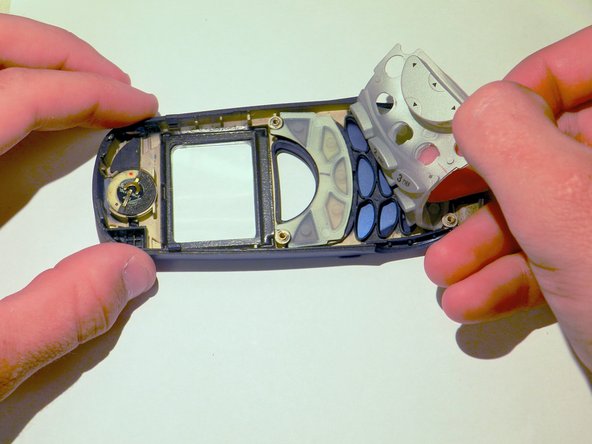
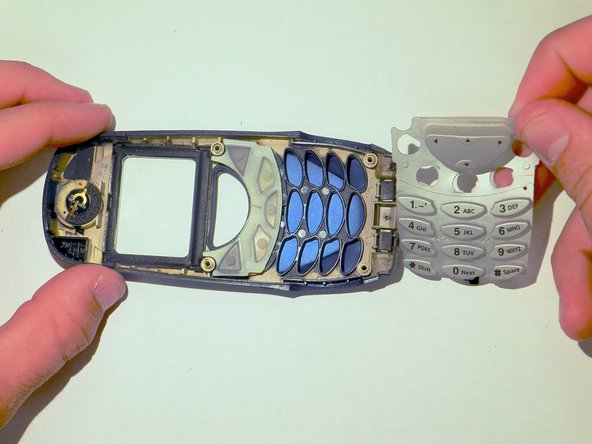
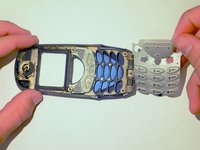
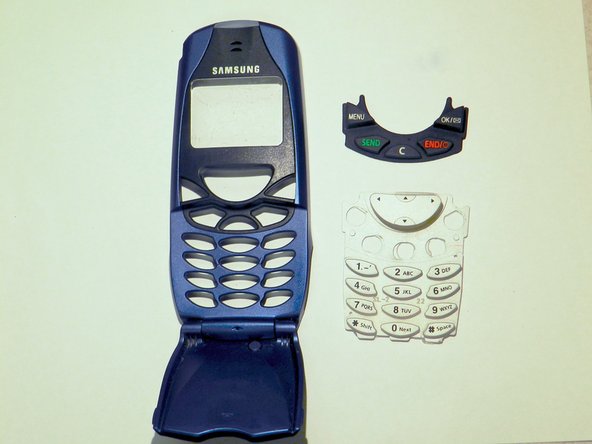
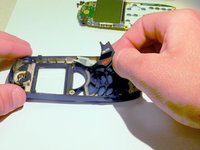
Remove the black keypad from the phone casing.
-
Clean the keypad and check for any damage. If the keypad is damaged, then replace it with a new one.
-



To reassemble your device, follow these instructions in reverse order.

Team

Clemson, Team 6-2, Benson Spring 2014 Member of Clemson, Team 6-2, Benson Spring 2014
CLEM-BENSON-S14S6G2
4 Members
84 Guides authored
