Free Shipping on Domestic Orders $75+

Samsung POWERbot VR9000 Powerbrush Replacement

  1. Samsung POWERbot VR9000 Powerbrush Replacement, Powerbrush: step 1, image 1 of 2 Samsung POWERbot VR9000 Powerbrush Replacement, Powerbrush: step 1, image 2 of 2
    • Turn off the emergency switch located at the bottom right of the POWERbot.

    Ask FixBot

    Add Comment

  2. Samsung POWERbot VR9000 Powerbrush Replacement: step 2, image 1 of 2 Samsung POWERbot VR9000 Powerbrush Replacement: step 2, image 2 of 2
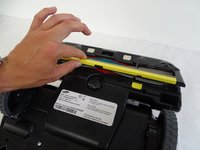
    • Press the two yellow tabs immediately below the POWERbrush.

    Ask FixBot

    Add Comment

  3. Samsung POWERbot VR9000 Powerbrush Replacement: step 3, image 1 of 2 Samsung POWERbot VR9000 Powerbrush Replacement: step 3, image 2 of 2
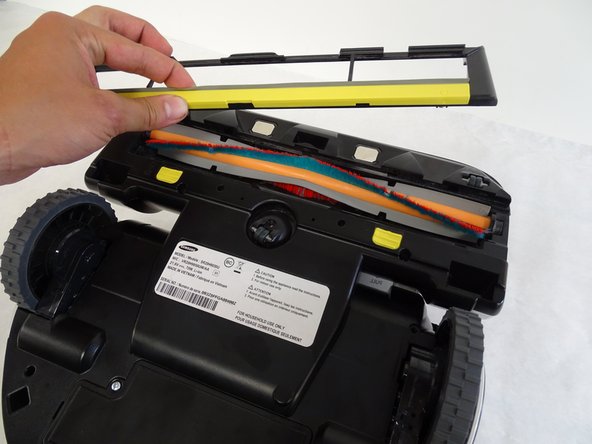
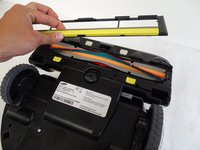
    • Lift the brush cover, indicated by the yellow strip located above the yellow tabs.

    Ask FixBot

    Add Comment

  4. Samsung POWERbot VR9000 Powerbrush Replacement: step 4, image 1 of 2 Samsung POWERbot VR9000 Powerbrush Replacement: step 4, image 2 of 2
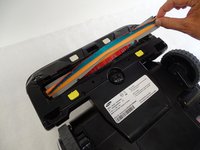
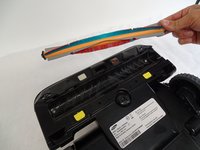
    • Remove the power brush starting with the unhinged right side of the brush.

    Ask FixBot

    Add Comment

Conclusion

To reassemble your device, follow these instructions in reverse order.

Cancel: I did not complete this guide.

Harrison Fugate

Member since: 04/24/17

102 Reputation

1 Guide authored

Team

Cal Poly, Team S15-G3, Banghart Spring 2017 Member of Cal Poly, Team S15-G3, Banghart Spring 2017

CPSU-BANGHART-S17S15G3

4 Members

14 Guides authored

2 Guide Comments

The brush is wobbly in position. Is there an insert on the right side of the brush at the bearing. This position, the bearing look too small for the opening of the cover and the upper plastic.

Charlie nguyen - Reply Share

Did you lose the rubber cover/ washer that goes over the bearing? You can replace it from Samsung if you did.

hawkswhispertwh - Reply Share

Add Comment

View Statistics:

Past 24 Hours: 1

Past 7 Days: 7

Past 30 Days: 32

All Time: 2,525