Free Shipping on Domestic Orders $75+

Samsung POWERbot R7070 Battery Replacement

What you need

    1. Samsung POWERbot R7070 Battery Replacement, Battery: step 1, image 1 of 1
      • Turn the emergency switch off.

      Ask FixBot

      Add Comment

    2. Samsung POWERbot R7070 Battery Replacement: step 2, image 1 of 2 Samsung POWERbot R7070 Battery Replacement: step 2, image 2 of 2
      • Remove the two exposed screws on the top right of the device.

      Ask FixBot

      Add Comment

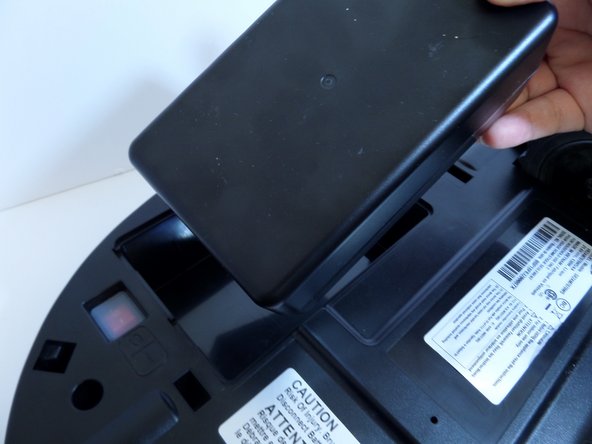
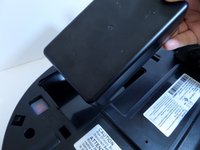
    3. Samsung POWERbot R7070 Battery Replacement: step 3, image 1 of 1
      • Lift the cover plate to expose the battery.

      Ask FixBot

      Add Comment

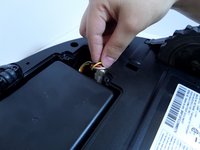
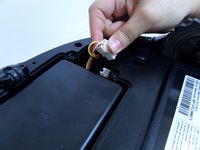
    4. Samsung POWERbot R7070 Battery Replacement: step 4, image 1 of 2 Samsung POWERbot R7070 Battery Replacement: step 4, image 2 of 2
      • Using one hand, pinch the white plastic connector where the battery's wiring connects the POWERbot. Pull up to disconnect.

      Ask FixBot

      Add Comment

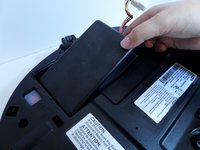
    5. Samsung POWERbot R7070 Battery Replacement: step 5, image 1 of 2 Samsung POWERbot R7070 Battery Replacement: step 5, image 2 of 2
      • Lift the battery from the right side, up and out of its compartment.

      Ask FixBot

      Add Comment

Conclusion

To reassemble your device, follow these instructions in reverse order.

Cancel: I did not complete this guide.

5 other people completed this guide.

Lauren Nubla

Member since: 09/11/17

289 Reputation

2 Guides authored

Team

CSU Fullerton, Team S2-G8, Bruce Fall 2017 Member of CSU Fullerton, Team S2-G8, Bruce Fall 2017

CSUF-BRUCE-F17S2G8

3 Members

60 Guides authored

1 Guide Comment

Have a hard time to find a replacement battery for model SR2AM7070WS.

Can you recommend a good site? Thanks

phohle@gmail.com

Pho Le - Reply Share

Add Comment

View Statistics:

Past 24 Hours: 2

Past 7 Days: 9

Past 30 Days: 35

All Time: 6,345