
Samsung PL200 Battery Replacement

Austin Fitzpatrick and 2 other contributors
Last updated on Jun 23, 2015
Views: 2.4K
View statistics:
- Past 24 Hours:
- 4
- Past 7 Days:
- 22
- Past 30 Days:
- 118
- All Time:
- 2,388
Comments: 2
2 guide comments.
Go to guide commentsCompleted: 0 1
No one has marked this guide "completed." Will you be the first?
1 person has marked this guide "completed." It's you — great job!
Favorites: 0 1
No one has favorited (and subscribed to) this guide. Will you be the first?
1 person has favorited (and subscribed to) this guide — and that's you!
Step Trimmer
This guide has unnecessary steps. Trim them to be more concise!
Introduction
Go to step 1 ↓This is a simple replacement, requiring no tools.
-
-
-
Flip Samsung PL200 over to access battery/SD card compartment on the bottom. There is a sliding release button (labeled 'OPEN') that can be slid sideways to open the battery/SD card compartment.
-
Slide this button in the direction that the arrow is pointing to release and open the spring loaded battery/SD card compartment door. Once opened, the battery should be visible.
 Ask FixBot
-
-
-
Once the battery/SD card compartment is opened, in order to remove the battery, you must push the small blue release button.
-
This will release the spring loaded battery.
-
Use your fingers to remove the old battery.
-
-
-
-
Insert the new battery into the battery slot.
-
Push it down with your finger until the blue release switch re-engages over top of the battery.
-
Close the battery/SD card compartment.
-
-


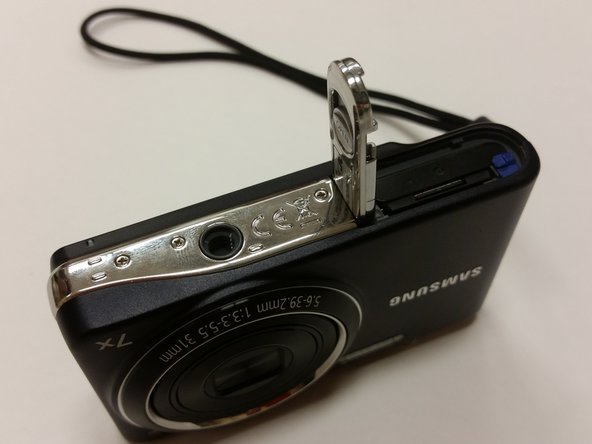
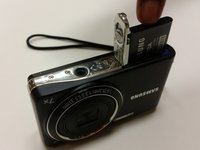
After replacing the battery, be sure to connect your charger cable and charge the new battery fully before using it.

Team

Clemson, Team 15-7, Shirley Winter 2015 Member of Clemson, Team 15-7, Shirley Winter 2015
CLEM-SHIRLEY-W15S15G7
5 Members
60 Guides authored
2 Guide Comments
Is the battery dead? Can Samsung indicate wher new batteries are sold? Camera retailers are rare, these days
No-one can find a contact address for Samsung spares. New smartphones, no problem! Thank you for trying. I just have to keep looking! Reg
