
Samsung P241 Power Cable Replacement

Sarah Wachtfogel and 2 other contributors
Last updated on Feb 19, 2016
Views: 1.8K
View statistics:
- Past 24 Hours:
- 4
- Past 7 Days:
- 18
- Past 30 Days:
- 99
- All Time:
- 1,760
Comments: 0
No one has left comments on this guide. Will you be first?
Go to guide commentsCompleted: 0 1
No one has marked this guide "completed." Will you be the first?
1 person has marked this guide "completed." It's you — great job!
Favorites: 0 1
No one has favorited (and subscribed to) this guide. Will you be the first?
1 person has favorited (and subscribed to) this guide — and that's you!
Introduction
Go to step 1 ↓Make sure you look at the Samsung P241 Troubleshooting Guide first to see if you can solve your problem without taking the DVD player apart.
This guide will help you figure out if the problem is with your current power cable or the motherboard, and show you how to replace the power cable if the current power cable is broken.
What you need
Tools


-
-
-
With the back of the DVD player facing you, remove the three 1 cm black screws on the right, left, and top sides using a Phillips #1 screwdriver.
 Ask FixBot
-
-
-
-
-
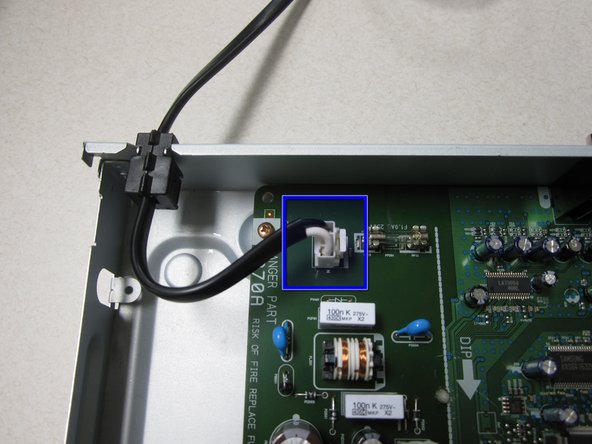
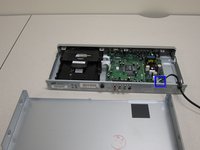
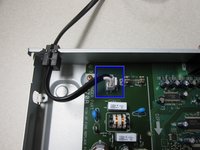
Unclip the power cable from the motherboard and gently pull up to remove.
-
-
-
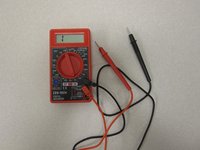
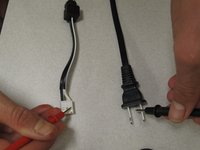
Once you have unclipped the power cable, use a multimeter (left) to test if the cable is still functional.
-
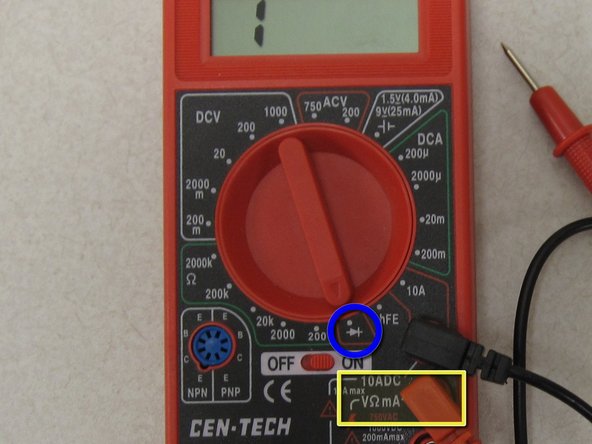
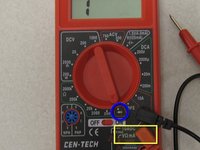
Turn the dial on the multimeter to continuity test mode.
-
Make sure the positive lead is plugged into the voltmeter/ohmeter outlet.
-
-
-
-
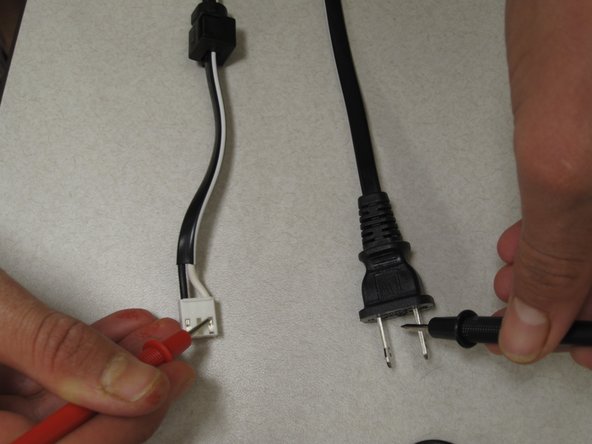
Use one multimeter lead to touch one of the prongs on the AC side of power cable. Use the other lead to touch one end of the clip side of the power cable.
-
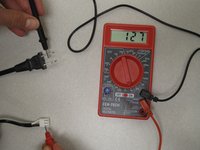
The multimeter will show numbers if there is a good electrical connection. If it does not show any numbers the first time, try using the lead to touch the other prong.
-
Repeat the above directions with the other prong and clip side of the power cable.
-
If the multimeter does not show numbers during any of the connections, your power cable is dead and you will need to replace it.
-
-
-
If you found that the power cable has a good electrical connection, you will have to test that the cable has not shorted out.
-
To do this, touch each prong on the AC side of the power cable. If numbers show on the screen, your power cable is bad and must be replaced.
-
If the cable works, the problem is with the motherboard.
-
-





To reassemble your device, follow these instructions in reverse order.

Team

Cal Poly, Team 14-7, Forte Winter 2011 Member of Cal Poly, Team 14-7, Forte Winter 2011
CPSU-FORTE-W11S14G7
5 Members
84 Guides authored
