Introduction
RAM replacement for the Samsung Notebook 7 Spin NP740U3M-KO1US. RAM will potentially need to be upgraded during the normal life cycle of your device. RAM sticks for replacement can be found in the replacement parts link in the Additional Information section on the device page.
If you’re experiencing any issues with your RAM, you may need to get it replaced. Follow the instructions in this guide to successfully remove the RAM from the device.
What you need
-
-
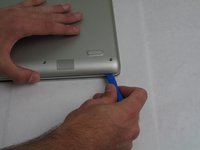
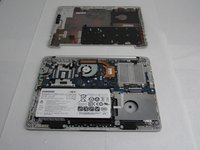
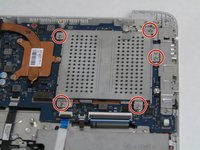
Use a Phillips #00 screwdriver to remove the four 6.5mm screws and the six 4.5mm screws that secure the back plate.
-
-
-
-
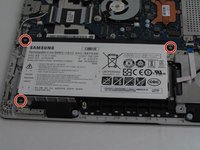
Use a Phillips #00 screwdriver to remove the three 4.5 mm screws holding the battery in place.
-
-
-
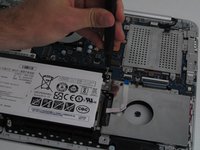
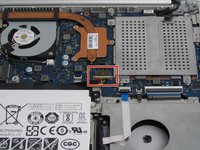
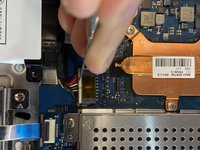
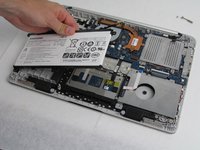
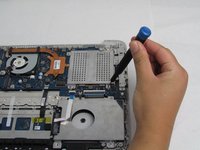
Use a spudger to pry the battery connecting cable from the laptop and remove the battery.
-
-
-
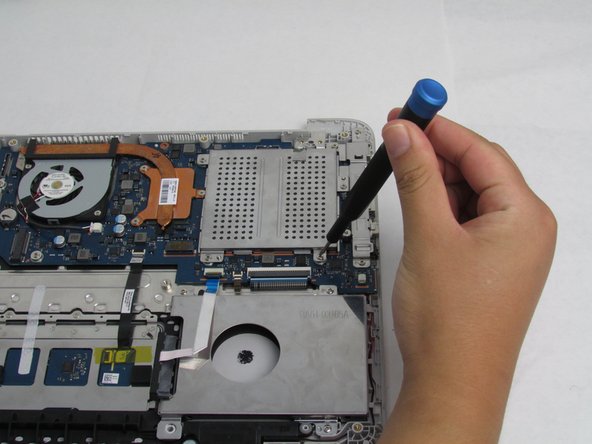
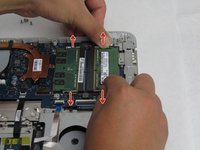
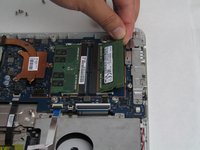
Push these clamps outwards away from the RAM. The RAM should pop out.
-
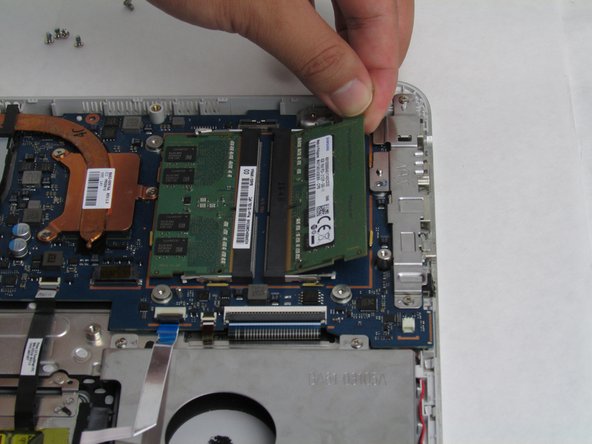
Remove the RAM from the device. Repeat the same step for any additional RAM.
-

 Ask FixBot








To reassemble your device, follow these instructions in reverse order.
Cancel: I did not complete this guide.
2 other people completed this guide.

Team

Embry-Riddle Aeronautical University, Team S23-G3, McClure Fall 2019 Member of Embry-Riddle Aeronautical University, Team S23-G3, McClure Fall 2019
ERAU-MCCLURE-F19S23G3
4 Members
5 Guides authored
1 Guide Comment
If my laptop already has 12 GB of RAM, is it possible to increase it to 24 GB? what would the limit be? I have read somewhere else it is 12 GB.
In that case, would the remaining slot be useless, or does my laptop come with two 6 GB RAM boards, one for each slot
