
Samsung NX2000 Menu Buttons Replacement

Katarina Raic and 4 other contributors
Last updated on May 7, 2024
Views: 911
View statistics:
- Past 24 Hours:
- 2
- Past 7 Days:
- 29
- Past 30 Days:
- 95
- All Time:
- 911
Comments: 1
1 comment on steps.
Completed: 1 2
1 person has marked this guide "completed." Will you be next?
2 people have marked this guide "completed." Including you — great job!
Favorites: 0 1
No one has favorited (and subscribed to) this guide. Will you be the first?
1 person has favorited (and subscribed to) this guide — and that's you!
Introduction
Go to step 1 ↓If your home and play buttons are not working on your Samsung NX2000, we are here to show you step-by-step how you can replace them yourself. It will connect with the previous LCD display replacement guide and show you the correct way to remove this button.
What you need
Tools
-
Spudger4.9
-
-


-
-
-
First begin by flipping your camera upside down.
-
Remove the seven 4mm screws from indicated circles shown using a Y0 screwdriver. There are three on the bottom, and two on each side
 Ask FixBot
-
-
-
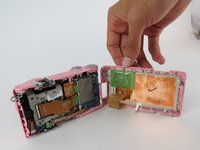
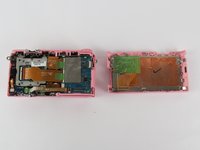
Insert a plastic opening tool into the gab between the camera body and the back panel. Carefully pry open the camera and separate the back panel.
-
-
-
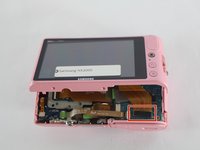
Before taking it apart you'll have to detach the display ribbon cable.
-
Use a plastic opening tool, lift up the black strip to release the ribbon cable from the connector.
-
-
Tool used on this step:Tweezers$4.99
-
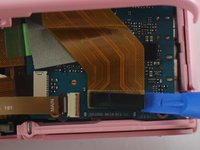
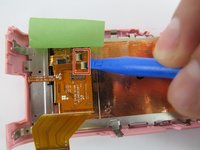
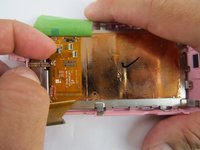
Use a plastic opening tool or tweezers to lift the green tape located on top of the LCD controller board.
-
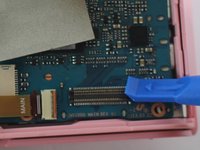
Detach the two ribbon cables, by first lifting the black tab on top of the connector.
-
Pull the ribbon cables out of the connectors with tweezers or two fingers.
-
-
-
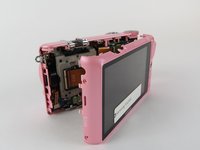
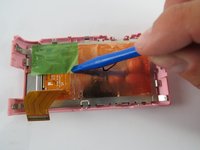
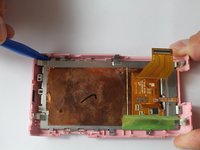
Place blue plastic spudger in between LCD screen and plastic surrounding.
-
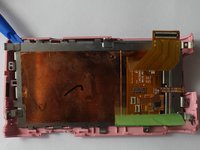
Begin to lift up slowly, removing the LCD screen from the main frame.
-
-
-
-
-
Tool used on this step:Tweezers$4.99
-
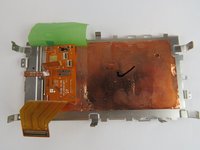
Use the tweezers to pull out the home and playback buttons from the camera frame.
-
-










To reassemble your device, follow these instructions in reverse order.
Cancel: I did not complete this guide.
One other person completed this guide.

Team

USF Tampa, Team 7-4, Cheng Spring 2016 Member of USF Tampa, Team 7-4, Cheng Spring 2016
USFT-CHENG-S16S7G4
4 Members
60 Guides authored
