Free Shipping on Domestic Orders $75+

Samsung NX1 Back Cover Replacement

What you need

    1. Samsung NX1 Back Cover Replacement, Viewfinder Focus Dial: step 1, image 1 of 2 Samsung NX1 Back Cover Replacement, Viewfinder Focus Dial: step 1, image 2 of 2
      • Push the rubber viewfinder grip upward.

      Ask FixBot

      Add Comment

    2. Samsung NX1 Back Cover Replacement: step 2, image 1 of 2 Samsung NX1 Back Cover Replacement: step 2, image 2 of 2
      • Use the Phillips #00 screwdriver to remove one 6.4 mm screw in the center of the dial.

      • Remove the dial by lifting upward with your fingers.

      Ask FixBot

      Add Comment

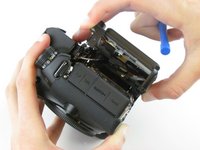
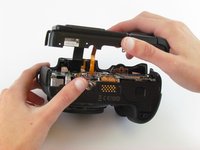
    1. Samsung NX1 Back Cover Replacement, Back Cover: step 3, image 1 of 3 Samsung NX1 Back Cover Replacement, Back Cover: step 3, image 2 of 3 Samsung NX1 Back Cover Replacement, Back Cover: step 3, image 3 of 3
      • Use the Phillips #00 screwdriver to remove the four 5.5 mm screws surrounding the viewfinder.

      • Use your fingers to lift the plastic viewfinder cover upward.

      Ask FixBot
      Add Comment

    2. Samsung NX1 Back Cover Replacement: step 4, image 1 of 2 Samsung NX1 Back Cover Replacement: step 4, image 2 of 2
      • Use the Phillips #00 screwdriver to remove the two 5.5 mm screws from the right side of the camera above the SD card port.

      Ask FixBot
      Add Comment

    3. Samsung NX1 Back Cover Replacement: step 5, image 1 of 1
      • Use the Phillips #00 screwdriver to remove one 5.5 mm screw on the left, above the HDMI port.

      Ask FixBot
      Add Comment

    4. Samsung NX1 Back Cover Replacement: step 6, image 1 of 1
      • Use the Phillips #00 screwdriver to remove the five 5.5 mm screws from the bottom, near the battery compartment.

      • Use the Phillips #00 screwdriver to remove one 3.8 mm screw from the bottom of the hand grip, below the battery compartmen.

      Ask FixBot

      Add Comment

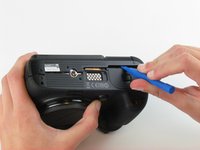
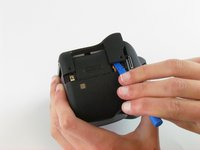
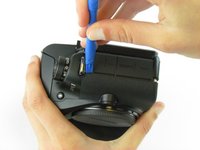
    5. Samsung NX1 Back Cover Replacement: step 7, image 1 of 3 Samsung NX1 Back Cover Replacement: step 7, image 2 of 3 Samsung NX1 Back Cover Replacement: step 7, image 3 of 3
      • Use a plastic opening tool to separate the back cover from the front cover.

      • Pry the back cover in this order: bottom, right side, left side.

      Ask FixBot

      Add Comment

    6. Samsung NX1 Back Cover Replacement: step 8, image 1 of 2 Samsung NX1 Back Cover Replacement: step 8, image 2 of 2
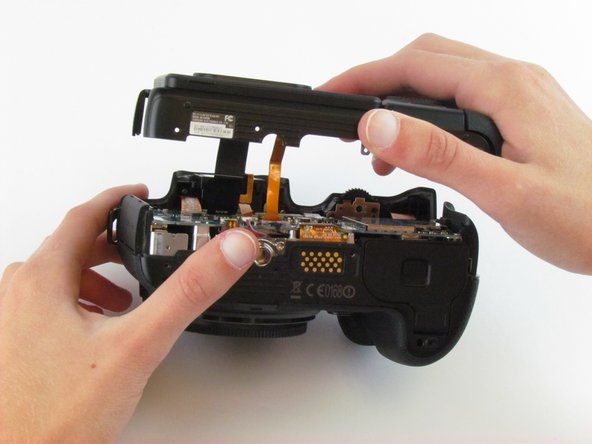
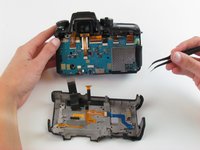
      • Use your fingers to pull the back cover away from the front cover.

      • Do not completely separate the back cover from the front cover as two cables hold these components together.

      Ask FixBot

      Add Comment

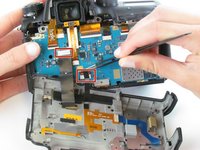
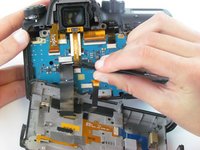
    7. Samsung NX1 Back Cover Replacement: step 9, image 1 of 3 Samsung NX1 Back Cover Replacement: step 9, image 2 of 3 Samsung NX1 Back Cover Replacement: step 9, image 3 of 3
      Tool used on this step:
      Tweezers
      $4.99
      Buy
      • Use tweezers to pull the two ribbon cables horizontally out of their clips.

      Ask FixBot

      Add Comment

Conclusion

To reassemble your device, follow these instructions in reverse order.

Cancel: I did not complete this guide.

One other person completed this guide.

Hannah Patrick

Member since: 02/24/16

903 Reputation

6 Guides authored

Team

USF Tampa, Team 1-4, Leahy Spring 2016 Member of USF Tampa, Team 1-4, Leahy Spring 2016

USFT-LEAHY-S16S1G4

3 Members

72 Guides authored

0 Guide Comments

Add Comment

View Statistics:

Past 24 Hours: 0

Past 7 Days: 2

Past 30 Days: 16

All Time: 1,429