Free Shipping on Domestic Orders $75+

Samsung NP700Z5AH Battery Replacement

What you need

    1. Samsung NP700Z5AH Battery Replacement, Battery: step 1, image 1 of 1
      • Remove the ten 6.6mm Philips#00 screws securing the lower case to the upper case.

      Ask FixBot

      Add Comment

    2. Samsung NP700Z5AH Battery Replacement: step 2, image 1 of 3 Samsung NP700Z5AH Battery Replacement: step 2, image 2 of 3 Samsung NP700Z5AH Battery Replacement: step 2, image 3 of 3
      • Using your fingers, pinch the edge of the SD card and pull to remove it.

      Ask FixBot

      Add Comment

    3. Samsung NP700Z5AH Battery Replacement: step 3, image 1 of 2 Samsung NP700Z5AH Battery Replacement: step 3, image 2 of 2
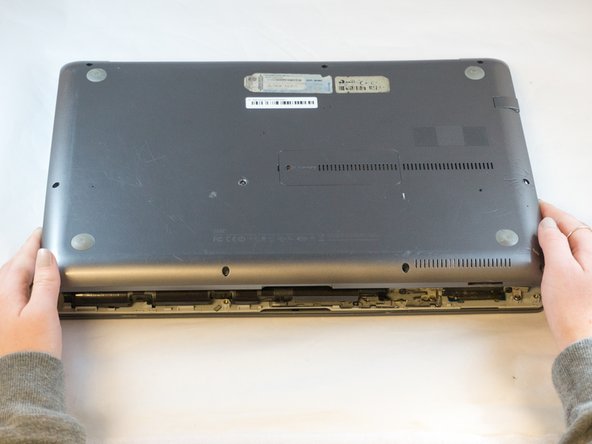
      • Wedge your fingers in between the upper case and the lower case

      • Gently pull the lower case away from the upper case to remove it

      Ask FixBot

      Add Comment

    4. Samsung NP700Z5AH Battery Replacement: step 4, image 1 of 2 Samsung NP700Z5AH Battery Replacement: step 4, image 2 of 2
      Tool used on this step:
      Tweezers
      $4.99
      Buy
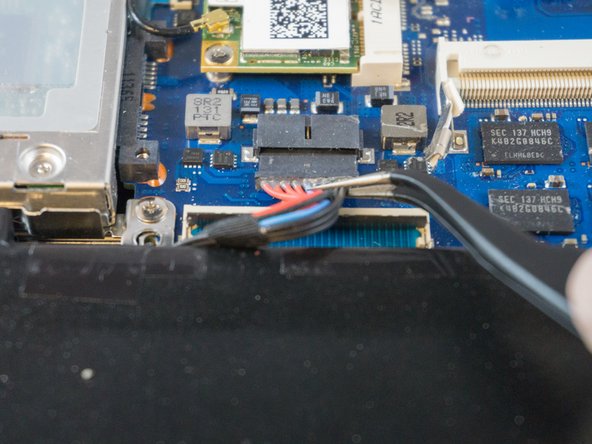
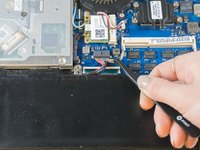
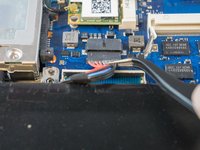
      • Using tweezers or your fingertips, carefully pull on the battery connector to disconnect it from the motherboard.

      • Be sure to pull straight backwards, or you risk damaging the wires.

      Ask FixBot

      Add Comment

    5. Samsung NP700Z5AH Battery Replacement: step 5, image 1 of 1
      • Remove the two 4.4mm Phillips#00 screws from the battery case.

      Ask FixBot

      Add Comment

    6. Samsung NP700Z5AH Battery Replacement: step 6, image 1 of 2 Samsung NP700Z5AH Battery Replacement: step 6, image 2 of 2
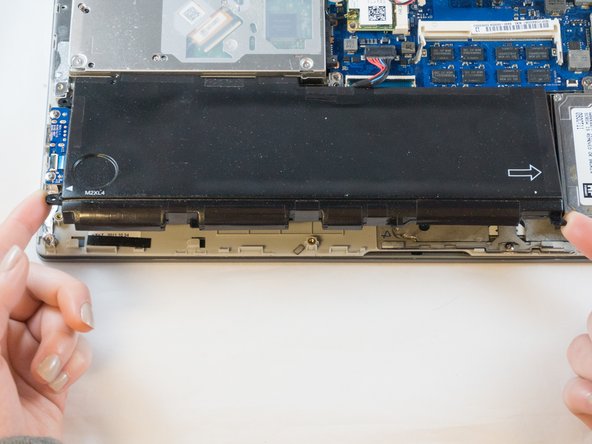
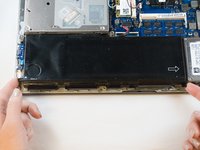
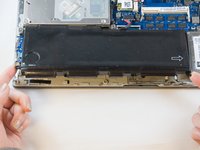
      • Place your fingers on the corner sections of the battery.

      • Lift to remove the battery.

      • If you choose to use tools to remove the battery be careful not to damage it. A damaged lithium-ion battery may leak dangerous chemicals and/or catch fire. Use only plastic pry tools.

      Ask FixBot

      Add Comment

Conclusion

To reassemble your device, follow these instructions in reverse order.

Cancel: I did not complete this guide.

5 other people completed this guide.

1 Guide Comment

ifixit@distinctlydifferent.co.uk

Jacqueline - Reply Share

Add Comment

View Statistics:

Past 24 Hours: 0

Past 7 Days: 11

Past 30 Days: 44

All Time: 1,689