Free Shipping on Domestic Orders $75+

Samsung NP-130-JA01US RAM Replacement

What you need

  1. Samsung NP-130-JA01US RAM Replacement, Battery: step 1, image 1 of 1
    • Turn off the computer.

    • Disconnect the charger cable from the computer.

    • Failure to disconnect the charger cable from the computer could result in an electric shock.

    • Flip the computer over so the underside is facing up.

    Ask FixBot

    Add Comment

  2. Samsung NP-130-JA01US RAM Replacement: step 2, image 1 of 2 Samsung NP-130-JA01US RAM Replacement: step 2, image 2 of 2
    • Slide the left and right slider buttons fully away from each other.

    Ask FixBot

    Add Comment

  3. Samsung NP-130-JA01US RAM Replacement: step 3, image 1 of 1
    • Pull the battery out of the computer.

    Ask FixBot

    Add Comment

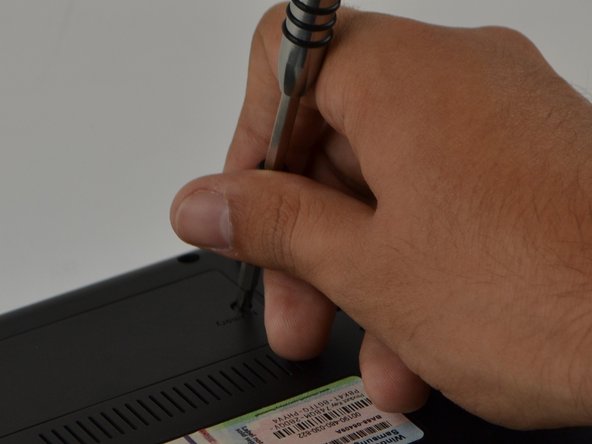
  4. Samsung NP-130-JA01US RAM Replacement, RAM: step 4, image 1 of 2 Samsung NP-130-JA01US RAM Replacement, RAM: step 4, image 2 of 2
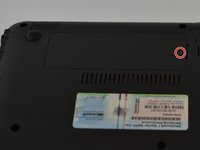
    • Locate the "Memory" panel on the bottom right corner.

    • Use the Phillips 01 screwdriver to remove the screw.

    • The screw is a Phillips 1 (PH 1) with a length of 60 millimeters (mm)

    Ask FixBot

    Add Comment

  5. Samsung NP-130-JA01US RAM Replacement: step 5, image 1 of 1
    • With your hand, lift panel and remove it.

    Ask FixBot

    Add Comment

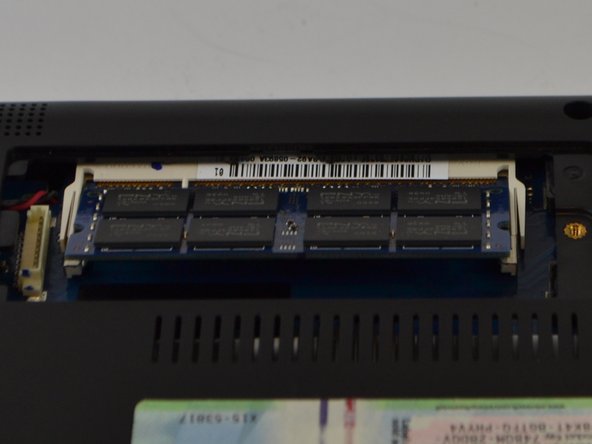
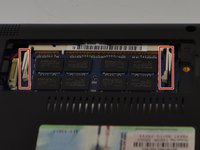
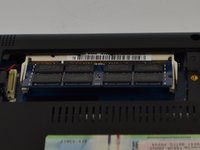
  6. Samsung NP-130-JA01US RAM Replacement: step 6, image 1 of 2 Samsung NP-130-JA01US RAM Replacement: step 6, image 2 of 2
    • Slide metal prongs (marked in red squares) away from each other with your fingers.

    • The RAM chip will automatically lift up at an angle for easy ejection.

    Ask FixBot

    Add Comment

  7. Samsung NP-130-JA01US RAM Replacement: step 7, image 1 of 1
    • With your hands, carefully slide the RAM chip out to remove.

    • The RAM chip is delicate, do not force it when removing it.

    Ask FixBot

    Add Comment

Conclusion

To reassemble your device, follow these instructions in reverse order.

Cancel: I did not complete this guide.

One other person completed this guide.

Jason Schnebelen

Member since: 09/18/16

267 Reputation

2 Guides authored

Team

USF Tampa, Team 9-6, Lacy Fall 2016 Member of USF Tampa, Team 9-6, Lacy Fall 2016

USFT-LACY-F16S9G6

3 Members

5 Guides authored

0 Guide Comments

Add Comment

View Statistics:

Past 24 Hours: 0

Past 7 Days: 4

Past 30 Days: 23

All Time: 510