
Samsung MV900F Screen Replacement

Ethan Rowland and 3 other contributors
Last updated on May 7, 2024
Views: 1.8K
View statistics:
- Past 24 Hours:
- 5
- Past 7 Days:
- 28
- Past 30 Days:
- 131
- All Time:
- 1,828
Comments: 2
1 comment on steps, 1 guide comment.
Go to guide commentsCompleted: 0 1
No one has marked this guide "completed." Will you be the first?
1 person has marked this guide "completed." It's you — great job!
Favorites: 0 1
No one has favorited (and subscribed to) this guide. Will you be the first?
1 person has favorited (and subscribed to) this guide — and that's you!
Introduction
Go to step 1 ↓This guide will demonstrate eight steps on how to replace the flip screen on a Samsung MV900F Smart Camera.
What you need
Parts
Tools


-
-
-
Slide the lock towards the middle of the camera, in the same direction of the arrow.
 Ask FixBot
-
-
-
-
Tool used on this step:Tweezers$4.99
-
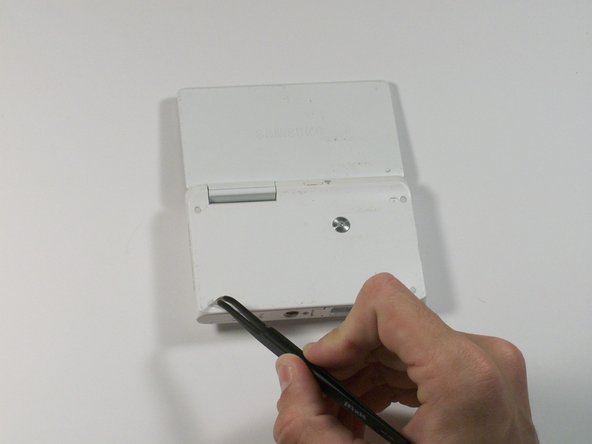
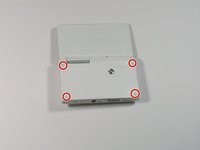
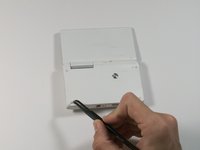
Use tweezers to remove the four rubber screw covers.
-
-
-
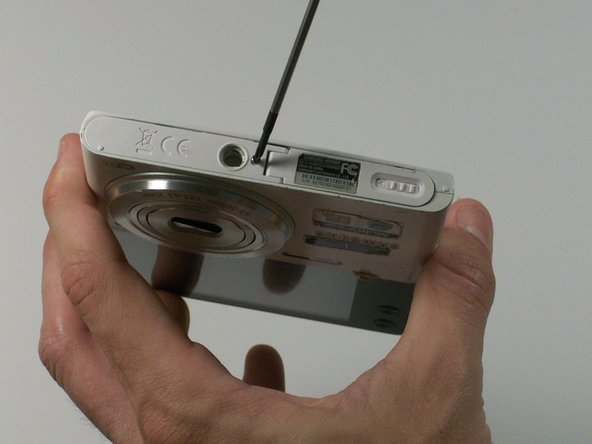
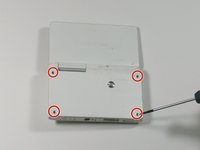
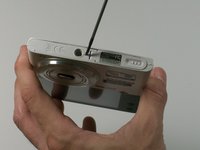
Remove the four Phillips 2.381 mm screws on back side of camera and one Phillips 2.381 mm screw on the bottom of the camera, using a Phillips #00 screwdriver.
-
-
-
Remove the back casing by just carefully pulling the casing off of the camera.
-
-
-
-
Use the Phillips #00 screw driver to remove the four 2.381 mm screws next to the screen hinge.
-
-
-
Use plastic opening tool to disconnect screen connector from the control board.
-
-





To reassemble your device, follow these steps in reverse order.

Team

Sam Houston State, Team 13-2, Blackburne Winter 2015 Member of Sam Houston State, Team 13-2, Blackburne Winter 2015
SHSU-BLACKBURNE-W15S13G2
3 Members
48 Guides authored
1 Guide Comment
Anyone an Idea where I can buy a cheap new display for that cam?
