Free Shipping on Domestic Orders $75+

Samsung MV900F Flash Bulb Assembly Replacement

What you need

  1. Samsung MV900F Flash Bulb Assembly Replacement, Battery: step 1, image 1 of 1
    • Slide the lock towards the middle of the camera, in the same direction of the arrow.

    Ask FixBot

    Add Comment

  2. Samsung MV900F Flash Bulb Assembly Replacement: step 2, image 1 of 1
    • Push the blue battery holder up in the direction of the arrow.

    Ask FixBot

    Add Comment

  3. Samsung MV900F Flash Bulb Assembly Replacement: step 3, image 1 of 1
    • Pull the battery out of the battery slot.

    Ask FixBot

    Add Comment

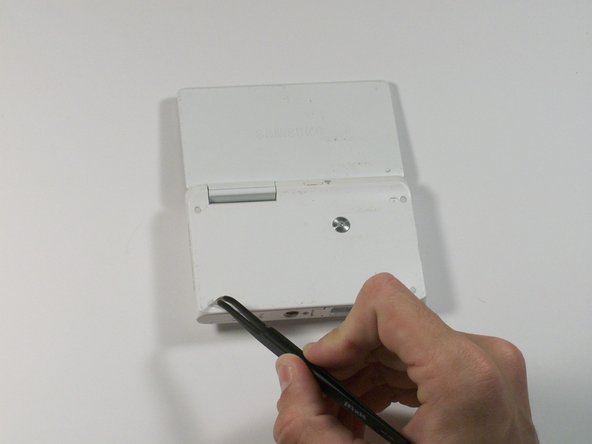
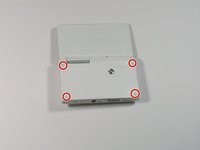
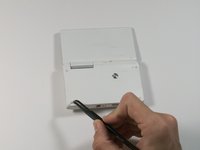
  4. Samsung MV900F Flash Bulb Assembly Replacement, Screen: step 4, image 1 of 2 Samsung MV900F Flash Bulb Assembly Replacement, Screen: step 4, image 2 of 2
    Tool used on this step:
    Tweezers
    $4.99
    Buy
    • Use tweezers to remove the four rubber screw covers.

    Ask FixBot

    Add Comment

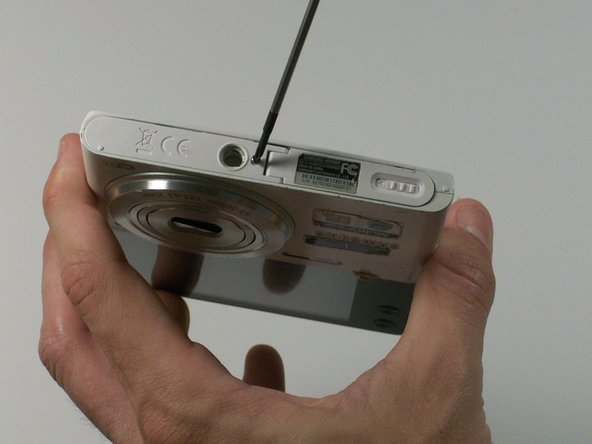
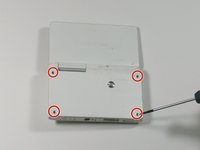
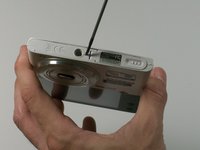
  5. Samsung MV900F Flash Bulb Assembly Replacement: step 5, image 1 of 2 Samsung MV900F Flash Bulb Assembly Replacement: step 5, image 2 of 2
    • Remove the four Phillips 2.381 mm screws on back side of camera and one Phillips 2.381 mm screw on the bottom of the camera, using a Phillips #00 screwdriver.

    Ask FixBot

    Add Comment

  6. Samsung MV900F Flash Bulb Assembly Replacement: step 6, image 1 of 1
    • Remove the back casing by just carefully pulling the casing off of the camera.

    Ask FixBot

    Add Comment

  7. Samsung MV900F Flash Bulb Assembly Replacement: step 7, image 1 of 1
    • Use the Phillips #00 screw driver to remove the four 2.381 mm screws next to the screen hinge.

    Ask FixBot

    Add Comment

  8. Samsung MV900F Flash Bulb Assembly Replacement: step 8, image 1 of 1
    • Use plastic opening tool to disconnect screen connector from the control board.

    Ask FixBot

    Add Comment

  9. Samsung MV900F Flash Bulb Assembly Replacement: step 9, image 1 of 1
    • Remove the old screen.

    Ask FixBot

    Add Comment

  10. Samsung MV900F Flash Bulb Assembly Replacement, Lens Assembly: step 10, image 1 of 1
    • Remove the 2.381 mm screw with a Phillips #00 screwdriver.

    Ask FixBot

    Add Comment

  11. Samsung MV900F Flash Bulb Assembly Replacement: step 11, image 1 of 1
    • Use the plastic opening tool to remove the silver metal lens cover.

    Ask FixBot

    Add Comment

  12. Samsung MV900F Flash Bulb Assembly Replacement: step 12, image 1 of 1
    Tool used on this step:
    Tweezers
    $4.99
    Buy
    • Use the tweezers to remove the black electrical tape covering the copper connector to the control board.

    Ask FixBot

    Add Comment

  13. Samsung MV900F Flash Bulb Assembly Replacement: step 13, image 1 of 1
    • From the front of the camera, push the lens through the back of the camer.a

    Ask FixBot

    Add Comment

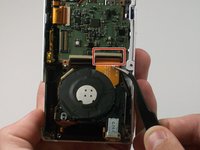
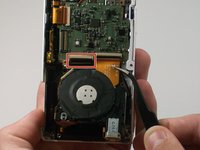
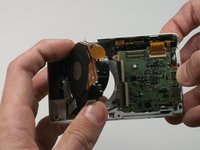
  14. Samsung MV900F Flash Bulb Assembly Replacement: step 14, image 1 of 2 Samsung MV900F Flash Bulb Assembly Replacement: step 14, image 2 of 2
    • Use a pair of tweezers to flip up the black retaining bar on each of the two ZIF connectors.

    Ask FixBot

    Add Comment

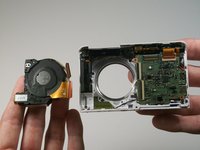
  15. Samsung MV900F Flash Bulb Assembly Replacement: step 15, image 1 of 2 Samsung MV900F Flash Bulb Assembly Replacement: step 15, image 2 of 2
    • Remove the lens assembly from the camera.

    Ask FixBot

    Add Comment

  16. Samsung MV900F Flash Bulb Assembly Replacement, Flash Bulb Assembly: step 16, image 1 of 1
    • Remove the 2.381 mm screw that is holding the copper to the control board with a Phillips #00 screw driver.

    Ask FixBot

    Add Comment

  17. Samsung MV900F Flash Bulb Assembly Replacement: step 17, image 1 of 1
    Tool used on this step:
    Tweezers
    $4.99
    Buy
    • Use tweezers to pull copper connector from the control board.

    Ask FixBot

    Add Comment

  18. Samsung MV900F Flash Bulb Assembly Replacement: step 18, image 1 of 1
    • Use the plastic opening tool to pry the control board up, thus allowing the flash bulb assembly to be removed.

    Ask FixBot

    Add Comment

  19. Samsung MV900F Flash Bulb Assembly Replacement: step 19, image 1 of 1
    • Beginning with the battery on the side, gently pull upwards to remove the entire flash bulb assembly.

    Ask FixBot

    Add Comment

Conclusion

To reassemble your device, follow these instructions in reverse order.

Cancel: I did not complete this guide.

Justin Smith

Member since: 03/03/15

122 Reputation

1 Guide authored

0 Guide Comments

Add Comment

View Statistics:

Past 24 Hours: 1

Past 7 Days: 13

Past 30 Days: 50

All Time: 717