Free Shipping on Domestic Orders $75+

Samsung HMX-W300 Front Case Replacement

What you need

    1. Samsung HMX-W300 Front Case Replacement, Disassembling Samsung HMX-W300: step 1, image 1 of 3 Samsung HMX-W300 Front Case Replacement, Disassembling Samsung HMX-W300: step 1, image 2 of 3 Samsung HMX-W300 Front Case Replacement, Disassembling Samsung HMX-W300: step 1, image 3 of 3
      • To remove the wristband of the device, grab the middle loop and pull the band through.

      Ask FixBot

      Add Comment

    2. Samsung HMX-W300 Front Case Replacement: step 2, image 1 of 2 Samsung HMX-W300 Front Case Replacement: step 2, image 2 of 2
      • Remove four screws with a Hex 1.5 mm screwdriver.

      Ask FixBot

      Add Comment

    3. Samsung HMX-W300 Front Case Replacement: step 3, image 1 of 3 Samsung HMX-W300 Front Case Replacement: step 3, image 2 of 3 Samsung HMX-W300 Front Case Replacement: step 3, image 3 of 3
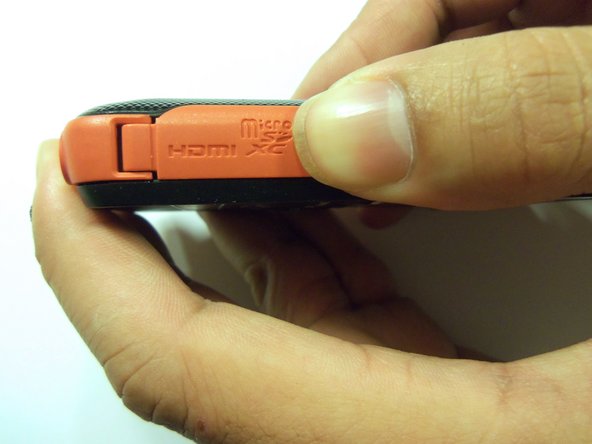
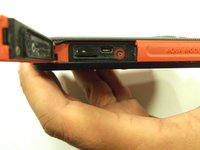
      • Open the HDMI door on the side of the camera.

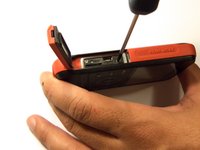
      • Remove the single screw using a Phillips #00 screwdriver.

      Ask FixBot

      Add Comment

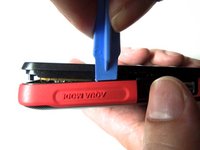
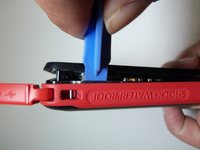
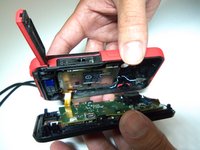
    4. Samsung HMX-W300 Front Case Replacement: step 4, image 1 of 3 Samsung HMX-W300 Front Case Replacement: step 4, image 2 of 3 Samsung HMX-W300 Front Case Replacement: step 4, image 3 of 3
      • Use the iFixit opening tool on both sides on the device. Pry apart both sections with light force.

      • Do not apply too much force. There is a wire that attaches the front case with the rear case that can be damaged.

      Ask FixBot

      Add Comment

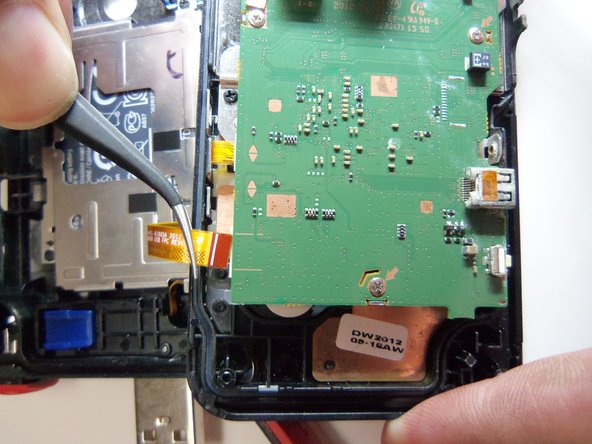
    5. Samsung HMX-W300 Front Case Replacement: step 5, image 1 of 3 Samsung HMX-W300 Front Case Replacement: step 5, image 2 of 3 Samsung HMX-W300 Front Case Replacement: step 5, image 3 of 3
      Tool used on this step:
      Tweezers
      $4.99
      Buy
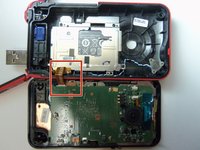
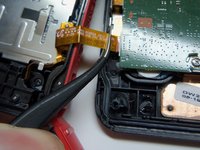
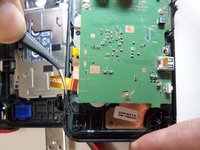
      • Pull the wire ribbon out with a pair of tweezers.

      Ask FixBot

      Add Comment

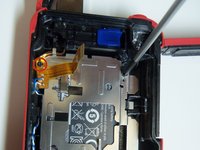
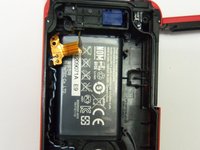
    1. Samsung HMX-W300 Front Case Replacement, Battery: step 6, image 1 of 2 Samsung HMX-W300 Front Case Replacement, Battery: step 6, image 2 of 2
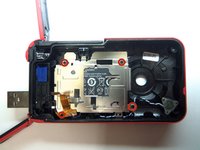
      • Remove the four screws from the battery housing using a Phillips #00 screwdriver.

      Ask FixBot

      Add Comment

    2. Samsung HMX-W300 Front Case Replacement: step 7, image 1 of 1
      • Use the iFixit opening tool to pry the battery housing open.

      Ask FixBot

      Add Comment

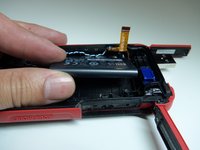
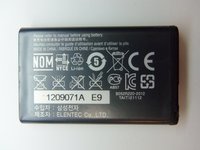
    3. Samsung HMX-W300 Front Case Replacement: step 8, image 1 of 3 Samsung HMX-W300 Front Case Replacement: step 8, image 2 of 3 Samsung HMX-W300 Front Case Replacement: step 8, image 3 of 3
      • After removing the battery housing, take the battery out.

      Ask FixBot

      Add Comment

    1. Samsung HMX-W300 Front Case Replacement, USB Port: step 9, image 1 of 3 Samsung HMX-W300 Front Case Replacement, USB Port: step 9, image 2 of 3 Samsung HMX-W300 Front Case Replacement, USB Port: step 9, image 3 of 3
      Tool used on this step:
      Tweezers
      $4.99
      Buy
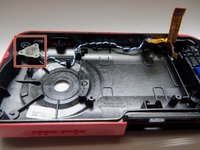
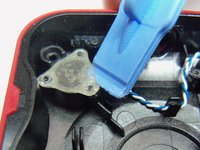
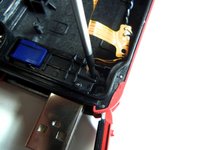
      • Use an iFixit opening tool to pry up the plastic cover.

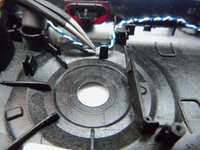
      • Use tweezers to remove the wire from the slots.

      Ask FixBot

      Add Comment

    2. Samsung HMX-W300 Front Case Replacement: step 10, image 1 of 2 Samsung HMX-W300 Front Case Replacement: step 10, image 2 of 2
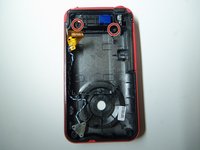
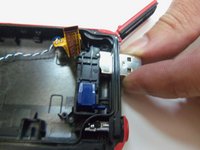
      • Remove both screws from the USB port using a Phillips #00 screwdriver.

      Ask FixBot

      Add Comment

    3. Samsung HMX-W300 Front Case Replacement: step 11, image 1 of 2 Samsung HMX-W300 Front Case Replacement: step 11, image 2 of 2
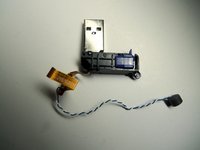
      • Push the USB port inside the case to remove it from the device.

      Ask FixBot

      Add Comment

    1. Samsung HMX-W300 Front Case Replacement, Front Case: step 12, image 1 of 1
      • The front case is separated from the rest of the device.

      Ask FixBot

      Add Comment

Conclusion

To reassemble your device, follow these instructions in reverse order.

Cancel: I did not complete this guide.

Robert

Member since: 01/21/15

966 Reputation

8 Guides authored

Team

USF Tampa, Team 9-2, Blackwell Winter 2015 Member of USF Tampa, Team 9-2, Blackwell Winter 2015

USFT-BLACKWELL-W15S9G2

4 Members

96 Guides authored

0 Guide Comments

Add Comment

View Statistics:

Past 24 Hours: 0

Past 7 Days: 4

Past 30 Days: 27

All Time: 732