Free Shipping on Domestic Orders $75+

Samsung Gear VR with Controller Motherboard Replacement

What you need

  1. Samsung Gear VR with Controller Motherboard Replacement, Controller Batteries: step 1, image 1 of 3 Samsung Gear VR with Controller Motherboard Replacement, Controller Batteries: step 1, image 2 of 3 Samsung Gear VR with Controller Motherboard Replacement, Controller Batteries: step 1, image 3 of 3
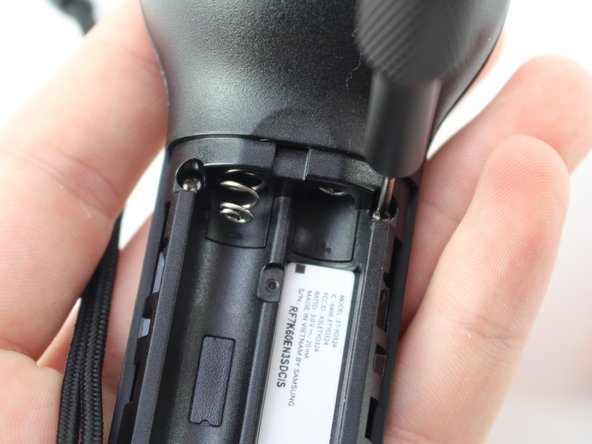
    • Turn the controller upside down to access the battery compartment.

    • The battery compartment is located on the opposite side of the buttons.

    • Press on the top of the battery plate and slide down to remove the cover.

    Ask FixBot

    Add Comment

  2. Samsung Gear VR with Controller Motherboard Replacement: step 2, image 1 of 3 Samsung Gear VR with Controller Motherboard Replacement: step 2, image 2 of 3 Samsung Gear VR with Controller Motherboard Replacement: step 2, image 3 of 3
    • Remove the AAA batteries using your fingers.

    Ask FixBot

    Add Comment

  3. Samsung Gear VR with Controller Motherboard Replacement, Controller Motherboard: step 3, image 1 of 2 Samsung Gear VR with Controller Motherboard Replacement, Controller Motherboard: step 3, image 2 of 2
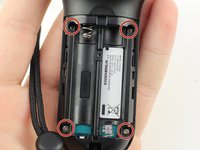
    • Remove the four 5mm Phillips #000 screws.

    Ask FixBot

    Add Comment

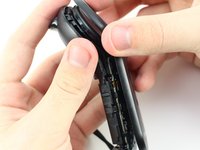
  4. Samsung Gear VR with Controller Motherboard Replacement: step 4, image 1 of 1
    • Use the metal spudger to pry the back side of the controller apart from the front.

    • You will have to use the spudger in many different spots along the divide before trying to separate the pieces.

    Ask FixBot

    Add Comment

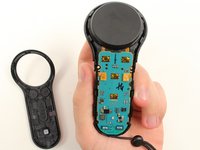
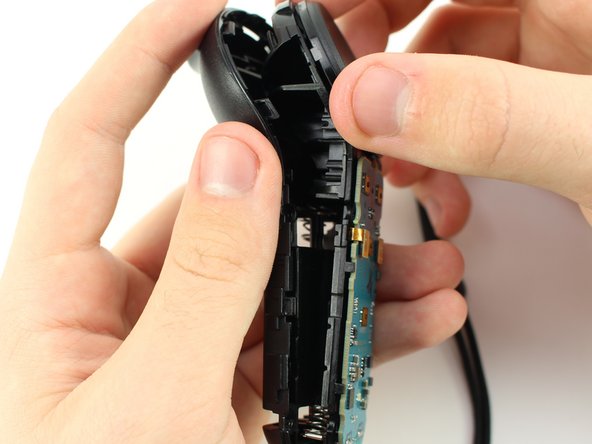
  5. Samsung Gear VR with Controller Motherboard Replacement: step 5, image 1 of 2 Samsung Gear VR with Controller Motherboard Replacement: step 5, image 2 of 2
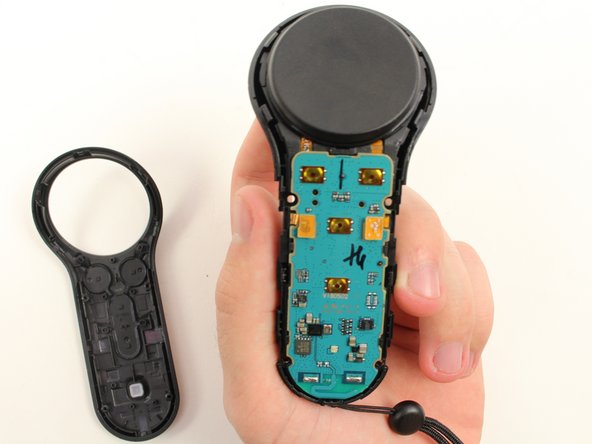
    • Pull apart the two halves of the controller to access the motherboard.

    Ask FixBot

    Add Comment

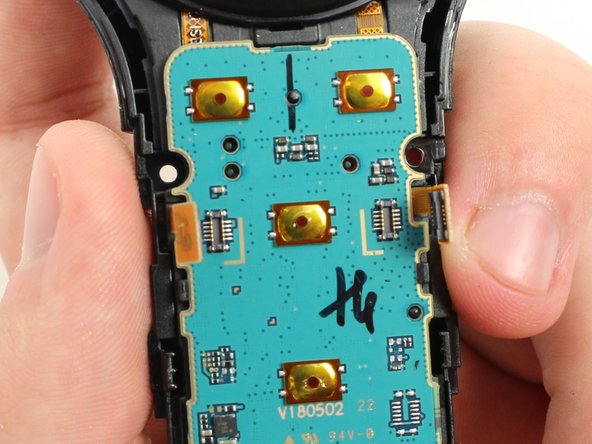
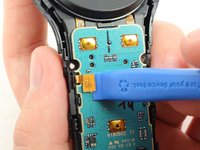
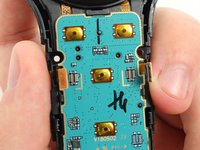
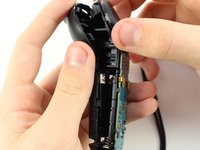
  6. Samsung Gear VR with Controller Motherboard Replacement: step 6, image 1 of 3 Samsung Gear VR with Controller Motherboard Replacement: step 6, image 2 of 3 Samsung Gear VR with Controller Motherboard Replacement: step 6, image 3 of 3
    • Pry on the two pop connectors with the plastic opening tool to detach the motherboard.

    • Separate the motherboard and trackpad from the rear part of the controller.

    Ask FixBot

    Add Comment

Conclusion

To reassemble your device, follow these instructions in reverse order.

Cancel: I did not complete this guide.

2 other people completed this guide.

Jake Criscione

Member since: 01/24/19

587 Reputation

3 Guides authored

Team

Cal Poly, Team S18-G3, White Winter 2019 Member of Cal Poly, Team S18-G3, White Winter 2019

CPSU-WHITE-W19S18G3

4 Members

7 Guides authored

0 Guide Comments

Add Comment

View Statistics:

Past 24 Hours: 1

Past 7 Days: 5

Past 30 Days: 16

All Time: 1,299