
Samsung Gear S Home Button Assembly Replacement

Luis Franco and 5 other contributors
Last updated on Jan 18, 2016
Views: 5.9K
View statistics:
- Past 24 Hours:
- 2
- Past 7 Days:
- 21
- Past 30 Days:
- 89
- All Time:
- 5,872
Comments: 14
12 comments on steps, 2 guide comments.
Go to guide commentsCompleted: 2 3
2 people have marked this guide "completed." Will you be next?
3 people have marked this guide "completed." Including you — great job!
Favorites: 3 4
3 people have favorited (and subscribed to) this guide. Will you be next?
4 people have favorited (and subscribed to) this guide — including you!
Needs Better Images
Better photos will improve this guide. Help out by taking, editing, or uploading new ones!
Introduction
Go to step 1 ↓This guide will give step by step instructions on how to replace the home button.
What you need
Tools
-
-
Spudger4.9


-
-
-
Remove the wrist strap by peeling back the rubber starting from one corner of the watch face. Continue peeling the rubber away from the watch face until the strap is completely off.
 Ask FixBot
-
-
-
Starting from an edge, wedge a metal spudger in between the screen and the chrome trim ring and pry, lifting the screen outwards.
-
-
-
Use a plastic opening tool to gently pry upwards on the plastic motherboard assembly.
-
-
-
Use a plastic opening tool to detach the glass screen/ LED Display ribbon connector from the motherboard.
-
-
-
-
-
-
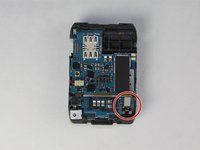
Locate the home ribbon connector attached to the wrist side (side that faces the user when wearing it) of the motherboard assembly.
-
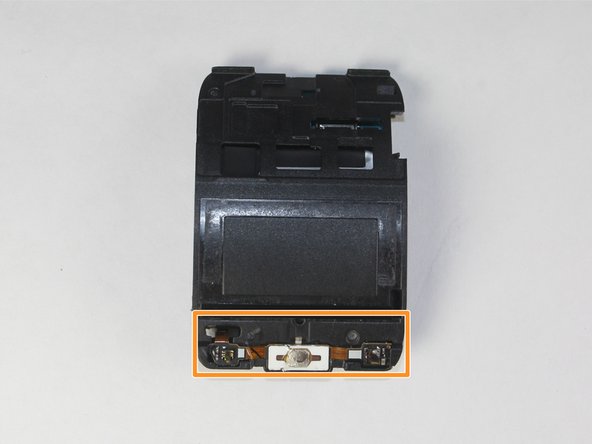
Locate the home ribbon assembly attached to the screen side of the motherboard assembly.
-
-




To reassemble your device, follow these instructions in reverse order.
Cancel: I did not complete this guide.
2 other people completed this guide.

Team

USF Tampa, Team 12-1, Blackwell Fall 2015 Member of USF Tampa, Team 12-1, Blackwell Fall 2015
USFT-BLACKWELL-F15S12G1
4 Members
60 Guides authored
2 Guide Comments
where can i buy the home buton?
I am in search of the SM-R750v Housing Back Cover, any suggestions
