
Samsung Gear Live Back Replacement

Keith Cooper and 4 other contributors
Last updated on Jul 31, 2026
Views: 2.3K
View statistics:
- Past 24 Hours:
- 3
- Past 7 Days:
- 16
- Past 30 Days:
- 95
- All Time:
- 2,277
Comments: 3
2 comments on steps, 1 guide comment.
Go to guide commentsCompleted: 0 1
No one has marked this guide "completed." Will you be the first?
1 person has marked this guide "completed." It's you — great job!
Favorites: 1 2
1 person has favorited (and subscribed to) this guide. Will you be next?
2 people have favorited (and subscribed to) this guide — including you!
Step Trimmer
This guide has unnecessary steps. Trim them to be more concise!
Introduction
Go to step 1 ↓This guide is used only as a precursor to the battery, vibrator motor, and heart rate monitor removal and replacement.
What you need


-
-
-
Press the watchband down against the work surface.
-
Press the tip of a flathead screwdriver against the edge of the spring-loaded holding pin.
-
-
-
With the spring-loaded pin pressed in, the watch band should release easily.
-
Gently pull the band away from the body of the watch.
-
Repeat steps 2 and 3 for the opposite side.
-
-
-
-
With the watch laying face-down, locate the four screws. They are located on the back of the watch, at the four corners.
-
-
-
Using a Torx-T5 screwdriver, remove each of the four 4mm screws and set them aside.
-
-
-
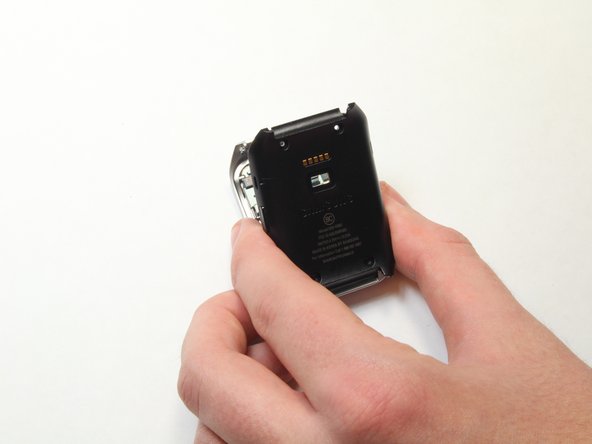
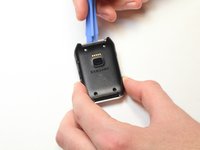
Gently work the plastic opening tool under the top edge of the watch’s back cover.
-
-
-
-
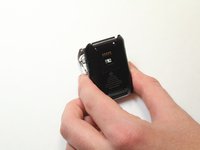
With the watch’s back cover pried loose, gently lift it away from the front half of the watch.
-
-
-
Lay both halves of the watch body assembly face down (with internal components facing up).
-
-

 Ask FixBot



To reassemble your device, follow these instructions in reverse order.

Team

USF Tampa, Team 1-7, Brown Fall 2014 Member of USF Tampa, Team 1-7, Brown Fall 2014
USFT-BROWN-F14S1G7
3 Members
72 Guides authored
