
Samsung Galaxy Watch4 Motherboard Replacement

Adriana Zwink and one other contributor
Last updated on Nov 21, 2024
Views: 4.3K
View statistics:
- Past 24 Hours:
- 8
- Past 7 Days:
- 33
- Past 30 Days:
- 159
- All Time:
- 4,295
Comments: 14
14 comments on steps.
Completed: 1 2
1 person has marked this guide "completed." Will you be next?
2 people have marked this guide "completed." Including you — great job!
Favorites: 1 2
1 person has favorited (and subscribed to) this guide. Will you be next?
2 people have favorited (and subscribed to) this guide — including you!
Introduction
Go to step 1 ↓Use this guide to replace the motherboard on your Samsung Galaxy Watch4.
What you need
Tools
-
-
Spudger4.9


-
-
-
Before starting repairs, take your watch off the charger and power it down.
-
Remove the watch band.
 Ask FixBot
-
-
-
Use a Tri-point Y00 screwdriver to remove the four 4.0 mm-long screws.
-
-
-
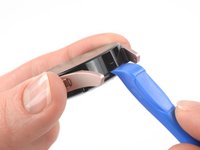
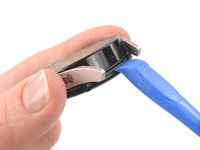
Insert an opening tool into the seam between the back cover and the metal housing.
-
Twist the opening tool to create a gap.
-
-
-
Lay the watch face down.
-
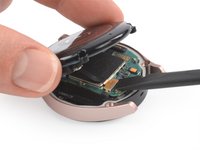
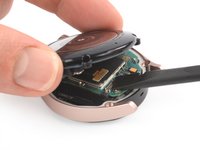
Carefully swing open the back cover by folding the back cover to the opposite site of the created gap.
-
Use the flat end of a spudger to pry up and disconnect the sensor flex cable from the motherboard.
-
-
-
-
-
Use a Phillips screwdriver to remove the 4.4 mm-long screw securing the motherboard.
-
-
-
-
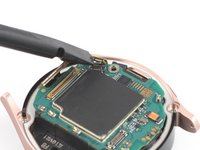
Use the flat end of a spudger to disconnect the display flex cable.
-
-
-
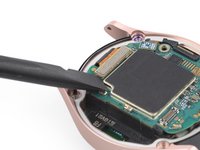
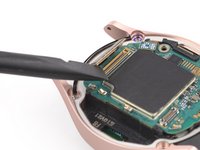
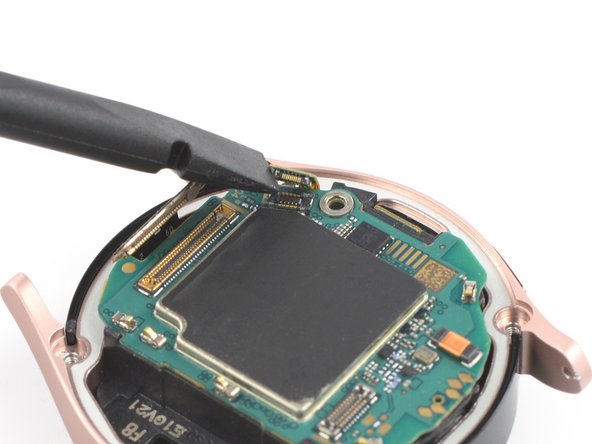
Use a spudger to disconnect the flex cable of the crown buttons.
-
-
-
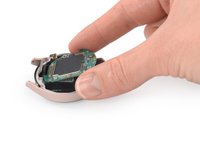
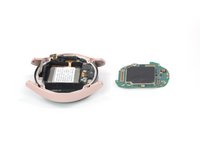
Use your fingers to lift the motherboard out from the watch assembly towards the bottom of the watch.
-
-









If possible, turn on your device and test your repair before resealing.
To reassemble your device, follow these instructions in reverse order.
Take your e-waste to an R2 or e-Stewards certified recycler.
Repair didn’t go as planned? Try some basic troubleshooting, or ask our Answers community for help.
Cancel: I did not complete this guide.
One other person completed this guide.


