Introduction
This will show you how to replace the battery in a Samsung Galaxy Stardust (SM-S766C(GP)), a smartphone distributed by TracFone. This guide exists to help people who use this cheaper smartphone as an option and need to replace the battery instead of buying a new phone. While replacing this battery, be careful not to pierce or puncture the battery as the contents are dangerous to people. Please dispose of the battery in a safe manner.
What you need
-
-
-
Hold down the power button located on the right side of the phone.
-
After five seconds, the screen will display three different options. Select the "power off" option.
 Ask FixBot
-
-
-
Place your finger or opening tool in the hole on the side of the phone.
-
Carefully pull the back casing away from the phone while keeping the phone stable.
-
-
-
-
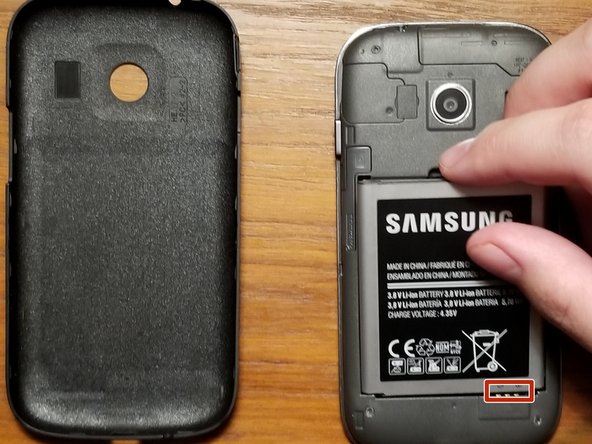
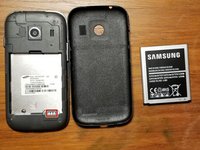
Place both the phone and the phone casing next to each other with the battery facing upwards.
-
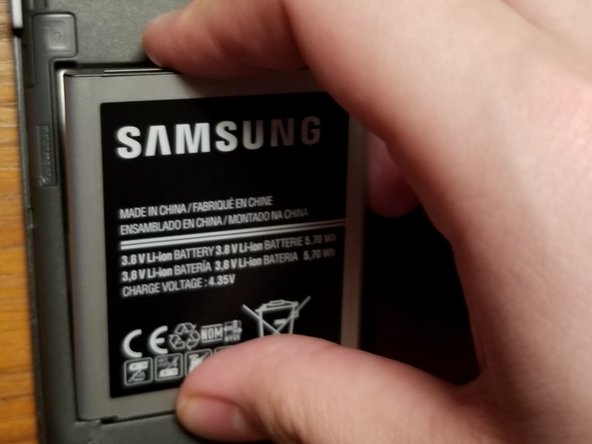
Carefully lift the battery from the indent above the battery, then place the battery next to the phone.
-
-
-
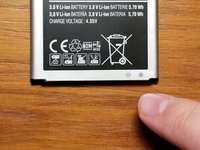
Take your new battery and look for the plus and minus signs on the bottom of the battery.
-
Line up the signs to the three strips on the bottom of the phone.
-
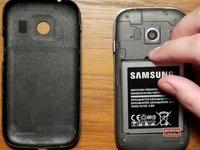
Carefully place the battery in until it is secure inside the phone.
-
-
-
Take the back of the phone and line up the circular hole to the camera.
-
Apply force to the back of the phone with your hand, until the back case snaps onto the phone and is secure.
-
-






Team

UMass Dartmouth, Team S1-G11, Sinclaire Spring 2021 Member of UMass Dartmouth, Team S1-G11, Sinclaire Spring 2021
UMASSD-SINCLAIRE-S21S1G11
1 Member
12 Guides authored
2 Guide Comments
bom dia como concertar o samsung A32
bom dia podem me mandar ,para mim e outros armenque o esquema eletrico do samsung A32=SM-A32 5M/DS
como desmontar e se possivel o esquema eletrico.
