Free Shipping on Domestic Orders $75+

Samsung Galaxy S6 Volume Buttons Replacement

What you need

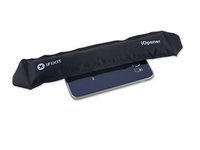
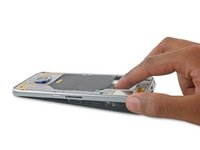
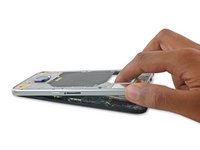
  1. Samsung Galaxy S6 Volume Buttons Replacement, SIM Card: step 1, image 1 of 2 Samsung Galaxy S6 Volume Buttons Replacement, SIM Card: step 1, image 2 of 2
    • Insert a paper clip or SIM eject tool into the hole in the SIM card slot on the power button side of the phone.

    • Press to eject the SIM card tray.

    • Don't press too hard or you may damage the SIM card tray.

    Ask FixBot

    Add Comment

  2. Samsung Galaxy S6 Volume Buttons Replacement: step 2, image 1 of 1
    • Remove the SIM card tray from the phone.

    Ask FixBot

    Add Comment

  3. Samsung Galaxy S6 Volume Buttons Replacement, Rear Glass: step 3, image 1 of 2 Samsung Galaxy S6 Volume Buttons Replacement, Rear Glass: step 3, image 2 of 2
    • Opening your phone will compromise its waterproof seals. Have replacement adhesive ready before you proceed, or take care to avoid liquid exposure if you reassemble your phone without replacing the adhesive.

    • If your glass is shattered, put packing tape over the entire panel to hold it together during the removal process.

    • Lay the heated iOpener over the rear panel for about two minutes to loosen the adhesive around the edge of the glass.

    • You may need to reheat and reapply the iOpener several times to get the phone warm enough. Follow the iOpener instructions to avoid overheating.

    • Shift the iOpener to heat the remaining section of the panel for another two minutes.

    • A hair dryer, heat gun, or hot plate may also be used, but be careful not to overheat the phone—the OLED display and internal battery are both susceptible to heat damage.

    Ask FixBot

    Add Comment

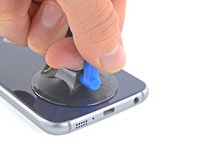
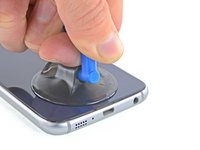
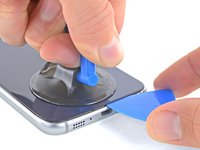
  4. Samsung Galaxy S6 Volume Buttons Replacement: step 4, image 1 of 3 Samsung Galaxy S6 Volume Buttons Replacement: step 4, image 2 of 3 Samsung Galaxy S6 Volume Buttons Replacement: step 4, image 3 of 3
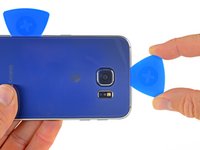
    • Once the rear glass is hot to the touch, apply a suction cup near the bottom edge of the glass.

    • Lift on the suction cup to create a small gap underneath the rear glass, and insert an opening pick into the gap.

    • Optionally, once the pick is inserted, you can add a few drops of isopropyl alcohol into the gap to help weaken the adhesive in the following steps.

    Ask FixBot

    Add Comment

  5. Samsung Galaxy S6 Volume Buttons Replacement: step 5, image 1 of 2 Samsung Galaxy S6 Volume Buttons Replacement: step 5, image 2 of 2
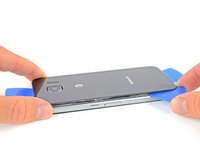
    • Slide the pick along the bottom edge of the phone to slice through the adhesive securing the rear glass.

    • Afterward, it may help to leave the pick in place and grab a second pick as you proceed to the next step. Leaving the pick inserted can help prevent the glue you just separated from re-adhering.

    • Re-heat the rear glass as needed to prevent the glue from cooling and hardening.

    Ask FixBot

    Add Comment

  6. Samsung Galaxy S6 Volume Buttons Replacement: step 6, image 1 of 3 Samsung Galaxy S6 Volume Buttons Replacement: step 6, image 2 of 3 Samsung Galaxy S6 Volume Buttons Replacement: step 6, image 3 of 3
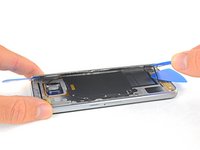
    • Repeat the heating and cutting procedure for the remaining three sides of the phone.

    • Leave an opening pick under each edge to prevent the adhesive from resealing.

    Ask FixBot

    Add Comment

  7. Samsung Galaxy S6 Volume Buttons Replacement: step 7, image 1 of 2 Samsung Galaxy S6 Volume Buttons Replacement: step 7, image 2 of 2
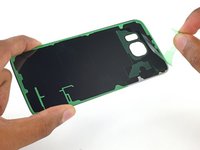
    • Use an opening pick to slice through any remaining adhesive.

    • Remove the rear glass.

    Ask FixBot

    Add Comment

  8. Samsung Galaxy S6 Volume Buttons Replacement: step 8, image 1 of 2 Samsung Galaxy S6 Volume Buttons Replacement: step 8, image 2 of 2
    Tool used on this step:
    Tweezers
    $4.99
    Buy
    • To install new rear glass:

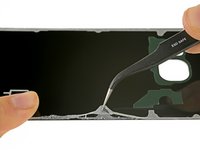
    • Use tweezers to peel away any remaining adhesive from the phone's chassis.

    • Clean the adhesion areas with high concentration isopropyl alcohol (at least 90%) and a lint-free cloth. Swipe in one direction only, not back and forth. This will help prep the surface for the new adhesive.

    • Peel the adhesive backing off of the new rear glass, carefully line up one edge of the glass against the phone chassis, and firmly press the glass onto the phone.

    • If you're reinstalling the old rear glass, or using rear glass without adhesive pre-installed, follow this guide.

    Ask FixBot

    Add Comment

  9. Samsung Galaxy S6 Volume Buttons Replacement, Midframe Assembly: step 9, image 1 of 1
    • Remove the thirteen 3.5mm Phillips #00 screws securing the midframe to the phone.

    Ask FixBot

    Add Comment

  10. Samsung Galaxy S6 Volume Buttons Replacement: step 10, image 1 of 3 Samsung Galaxy S6 Volume Buttons Replacement: step 10, image 2 of 3 Samsung Galaxy S6 Volume Buttons Replacement: step 10, image 3 of 3
    • Before you perform this step, make sure you've ejected the SIM card tray.

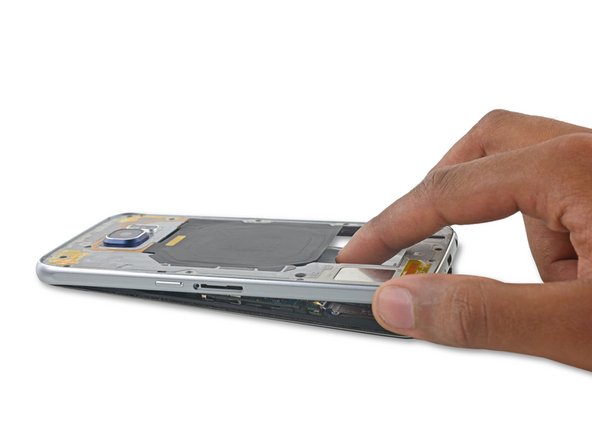
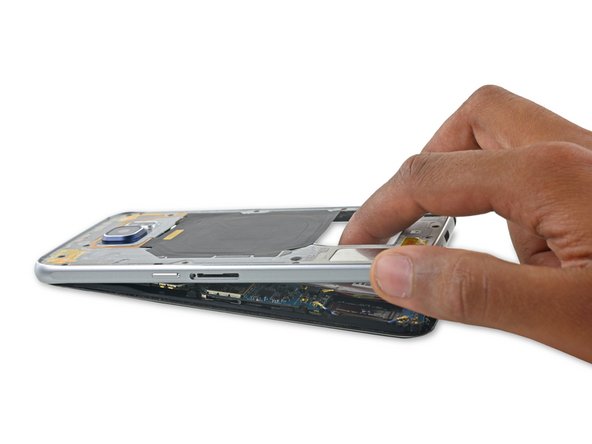
    • Firmly grasp the edge of the midframe assembly.

    • Lift up on the midframe assembly while pushing down on the battery to separate the midframe assembly from the rest of the phone.

    • While lifting the midframe, be careful to avoid snagging it on the audio jack or charging port.

    • Once the midframe is partially seperated, carefully run an opening pick around the edges of the rest of the phone to separate the top of the midframe.

    • Be careful not to accidentally insert the opening pick between the glass and display.

    • To avoid damage to the headphone jack, remove the top of the midframe first, then push the midframe downwards to disengage it from the headphone jack.

    • You may need to heat and apply an iOpener to the edges of the display to soften the display adhesive if midframe separation is difficult.

    Ask FixBot

    Add Comment

  11. Samsung Galaxy S6 Volume Buttons Replacement: step 11, image 1 of 1
    • Lift the midframe assembly up to separate it from the rest of the phone.

    Ask FixBot

    Add Comment

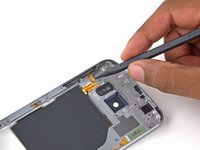
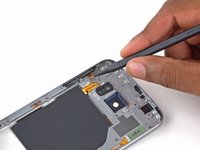
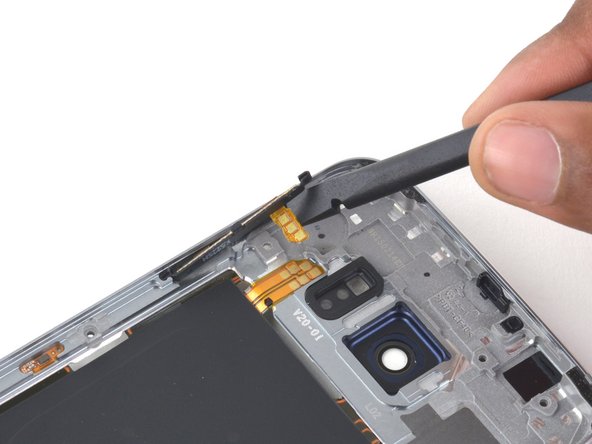
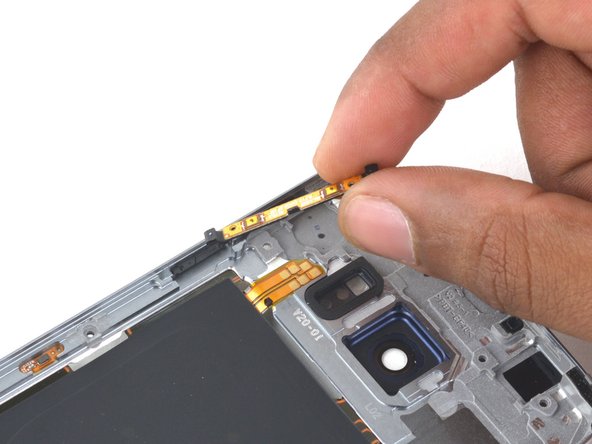
  12. Samsung Galaxy S6 Volume Buttons Replacement, Volume Buttons: step 12, image 1 of 2 Samsung Galaxy S6 Volume Buttons Replacement, Volume Buttons: step 12, image 2 of 2
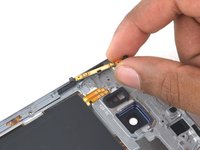
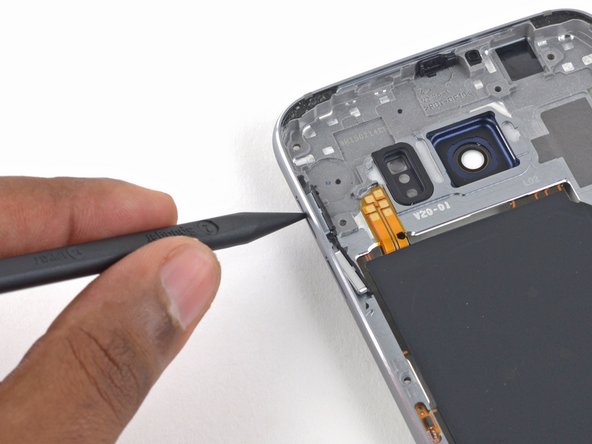
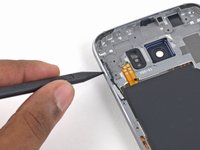
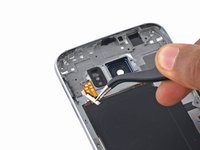
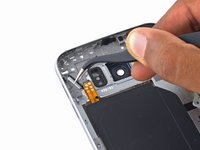
    • Use the pointed end of the spudger to pry up the volume button contact connectors.

    Ask FixBot

    Add Comment

  13. Samsung Galaxy S6 Volume Buttons Replacement: step 13, image 1 of 3 Samsung Galaxy S6 Volume Buttons Replacement: step 13, image 2 of 3 Samsung Galaxy S6 Volume Buttons Replacement: step 13, image 3 of 3
    • Use the flat end of the spudger to pry the volume buttons out of the midframe.

    Ask FixBot

    Add Comment

  14. Samsung Galaxy S6 Volume Buttons Replacement: step 14, image 1 of 3 Samsung Galaxy S6 Volume Buttons Replacement: step 14, image 2 of 3 Samsung Galaxy S6 Volume Buttons Replacement: step 14, image 3 of 3
    • Use the pointed end of the spudger to push the button covers out of the midframe.

    Ask FixBot

    Add Comment

  15. Samsung Galaxy S6 Volume Buttons Replacement: step 15, image 1 of 2 Samsung Galaxy S6 Volume Buttons Replacement: step 15, image 2 of 2
    Tool used on this step:
    Tweezers
    $4.99
    Buy
    • Use tweezers to remove the button covers.

    Ask FixBot

    Add Comment

Conclusion

To reassemble your device, follow these instructions in reverse order. When reinstalling the rear glass, refer to the rear glass adhesive replacement guide.

Cancel: I did not complete this guide.

9 other people completed this guide.

Evan Noronha

Member since: 02/05/15

229,490 Reputation

168 Guides authored

0 Guide Comments

Add Comment

View Statistics:

Past 24 Hours: 1

Past 7 Days: 20

Past 30 Days: 75

All Time: 15,392