Free Shipping on Domestic Orders $75+

Samsung Galaxy S4 Mini Speaker Replacement

What you need

    1. Samsung Galaxy S4 Mini Speaker Replacement, Battery: step 1, image 1 of 1
      • Press and hold the END key to power the phone down.

      Ask FixBot

      Add Comment

    2. Samsung Galaxy S4 Mini Speaker Replacement: step 2, image 1 of 1
      • Remove the back cover of the cell phone using a plastic opening tool.

      Ask FixBot

      Add Comment

    3. Samsung Galaxy S4 Mini Speaker Replacement: step 3, image 1 of 1
      • Pry the battery out using a plastic opening tool.

      Ask FixBot

      Add Comment

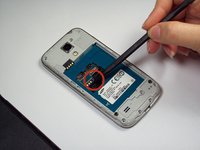
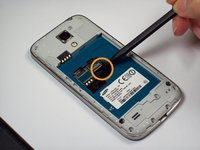
    1. Samsung Galaxy S4 Mini Speaker Replacement, Sim Card and Memory Card: step 4, image 1 of 2 Samsung Galaxy S4 Mini Speaker Replacement, Sim Card and Memory Card: step 4, image 2 of 2
      • Remove Sim Card using a tweezer or fingers

      • Remove Memory Card using a tweezer or fingers

      Ask FixBot

      Add Comment

    2. Samsung Galaxy S4 Mini Speaker Replacement, Grey Cover: step 5, image 1 of 1
      • In the back, there are 10 screws with a , which have to be removed with a small Phillips screwdriver tool.

      Ask FixBot

      Add Comment

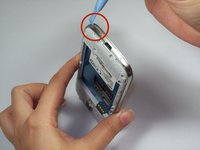
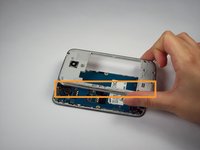
    3. Samsung Galaxy S4 Mini Speaker Replacement, Gray cover: step 6, image 1 of 3 Samsung Galaxy S4 Mini Speaker Replacement, Gray cover: step 6, image 2 of 3 Samsung Galaxy S4 Mini Speaker Replacement, Gray cover: step 6, image 3 of 3
      • Then, use the plastic opening tool around the cellphone to open the plastic gray cover

      • Exert the gray cover from the plate and screen would come out easily.

      Ask FixBot

      Add Comment

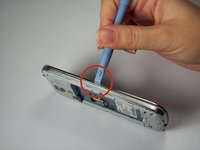
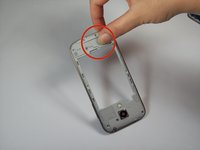
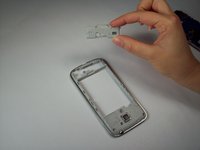
    4. Samsung Galaxy S4 Mini Speaker Replacement, Loud Speaker: step 7, image 1 of 2 Samsung Galaxy S4 Mini Speaker Replacement, Loud Speaker: step 7, image 2 of 2
      • Exert some pressure on the gray cover to separate the loud speaker from the plate.

      Ask FixBot

      Add Comment

    5. Samsung Galaxy S4 Mini Speaker Replacement, New Loud Speaker: step 8, image 1 of 1
      • Insert the new loud speaker

      Ask FixBot

      Add Comment

Conclusion

To reassemble your device, follow these instructions in reverse order.

Cancel: I did not complete this guide.

32 other people completed this guide.

Luis Ojeda

Member since: 09/23/14

1,013 Reputation

1 Guide authored

Team

USF Tampa, Team 9-2, Blackwell Fall 2014 Member of USF Tampa, Team 9-2, Blackwell Fall 2014

USFT-BLACKWELL-F14S9G2

5 Members

60 Guides authored

3 Guide Comments

my phone has sound!!!!!! thank you for the tech advice

Stevie Jackson - Reply Share

loud & clear Thanks

Maarten Brenninkmeijer - Reply Share

perfect. thankyou

rick bailey - Reply Share

Add Comment

View Statistics:

Past 24 Hours: 4

Past 7 Days: 21

Past 30 Days: 55

All Time: 14,576