Free Shipping on Domestic Orders $75+

Samsung Galaxy S4 Battery Replacement

What you need

    1. Samsung Galaxy S4 Battery Replacement, Rear Case: step 1, image 1 of 2 Samsung Galaxy S4 Battery Replacement, Rear Case: step 1, image 2 of 2
      • Pry with a plastic opening tool, or your fingernail, in the divot to the left of the rear-facing camera, near the power button.

      Ask FixBot

      Add Comment

    2. Samsung Galaxy S4 Battery Replacement: step 2, image 1 of 3 Samsung Galaxy S4 Battery Replacement: step 2, image 2 of 3 Samsung Galaxy S4 Battery Replacement: step 2, image 3 of 3
      • Lift the rear case by the corner nearest the divot and remove it from the phone.

      Ask FixBot

      Add Comment

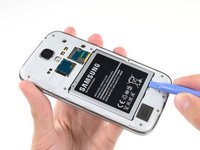
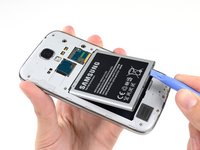
    1. Samsung Galaxy S4 Battery Replacement, Battery: step 3, image 1 of 3 Samsung Galaxy S4 Battery Replacement, Battery: step 3, image 2 of 3 Samsung Galaxy S4 Battery Replacement, Battery: step 3, image 3 of 3
      • Insert a plastic opening tool, or your finger, into the notch of the battery compartment and lift the battery upward.

      • Remove the battery from your phone.

      Ask FixBot

      Add Comment

Conclusion

To reassemble your device, follow these instructions in reverse order.

Cancel: I did not complete this guide.

102 other people completed this guide.

Sam Goldheart

Member since: 10/18/12

478,447 Reputation

538 Guides authored

Team

iFixit Member of iFixit

Staff

122 Members

72,401 Guides authored

1 Guide Comment

A great super cheap, easy fix for an older phone. Can’t thank you enough. AAA+++

Mark Cosenza - Reply Share

Add Comment

View Statistics:

Past 24 Hours: 4

Past 7 Days: 31

Past 30 Days: 167

All Time: 90,432