Introduction
In this fast fix, we will show how to replace or install a screen protector on a Samsung Galaxy S21. A broken phone screen is expensive to repair, ranging from $80 to $400, and people often throw out their cracked phones to buy new ones. Our fix will help extend the life of your phone by saving your screen from scratches and cracks that occur with daily usage. This guide will go through the removal of an old screen protector and the installation of a new one.
What you need
-
-
-
Remove the phone case and place phone on a flat, clean surface with the screen facing upward.
 Ask FixBot
-
-
-
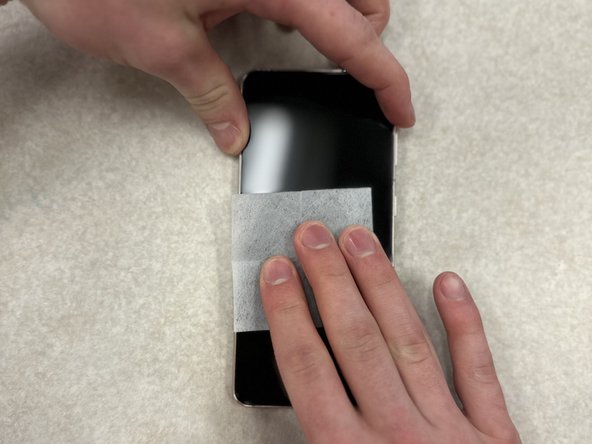
Clean the phone screen off with an alcohol wipe to remove any fingerprints and dust from the screen.
-
-
-
-
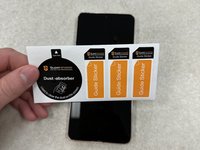
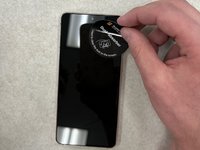
Use stickers or tape to remove any dust particles that may have settled on the phone screen.
-
-
-
Peel back the protective layer on the screen protector, and carefully line up the camera cutout with the front-facing camera, laying the top of the screen protector onto the phone screen.
-
-
-
Let the rest of the screen protector fall onto the screen, ensuring that the screen protector is square with the phone screen.
-
-
-
Press the screen protector into the screen with your fingers, starting in the middle of the screen and working outwards.
-
-
-
Work out any bubbles with the scraper/card by applying firm pressure into the screen protector and slowly sliding towards the nearest edge.
-
-






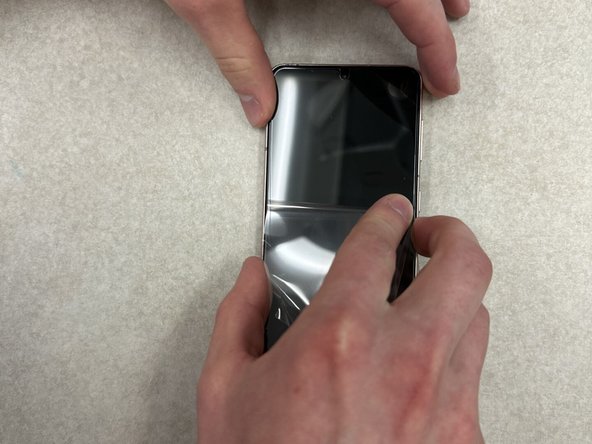


Now you have a brand-new screen protector! Enjoy the fresh look.
Cancel: I did not complete this guide.
One other person completed this guide.

Team

University of Wisconsin Eau Claire, Team 1-6, Cameron Spring 2024 Member of University of Wisconsin Eau Claire, Team 1-6, Cameron Spring 2024
UWEC-CAMERON-S24S1G6
3 Members
12 Guides authored
1 Guide Comment
One thing I add is to double check for fine dust particles under good lighting before applying the new protector on the S21, even tiny particles of dust are noticeable once it’s on. Also helps to apply it slowly from one edge rather than dropping it flat to avoid trapped air.
