Introduction
This guide will allow any user of the Samsung Galaxy S Blaze to properly replace the volume rocker. Replacing the volume rocker in a Samsung Galaxy S Blaze is an easy process with no surprises.
Keep in mind to be careful while handling the screws for the phone, as they will damage easily.
What you need
-
-
-
Start by removing the back plate to expose the battery by pulling the back and front plates apart.
 Ask FixBot
-
-
-
-
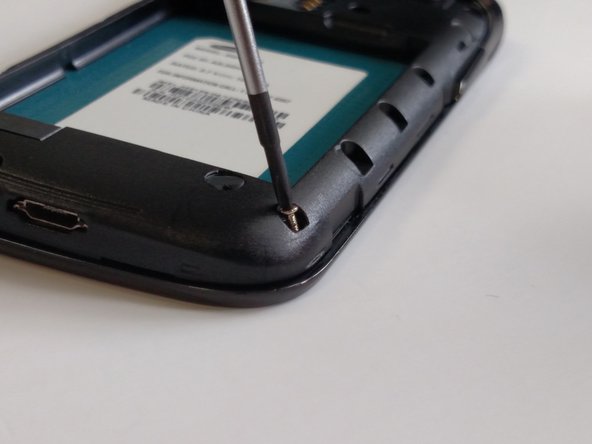
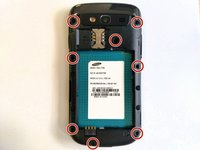
Using a Phillips Head Screwdriver size 00. Remove all eight 4mm screws from the frame.
-
-
-
Remove the frame from the phone by prying it off with the iFixit blue plastic opening tool.
-
Work around the phone with the tool until the frame is off.
-
-
-
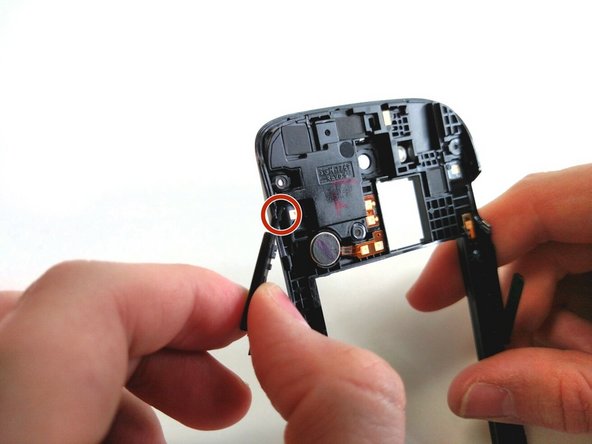
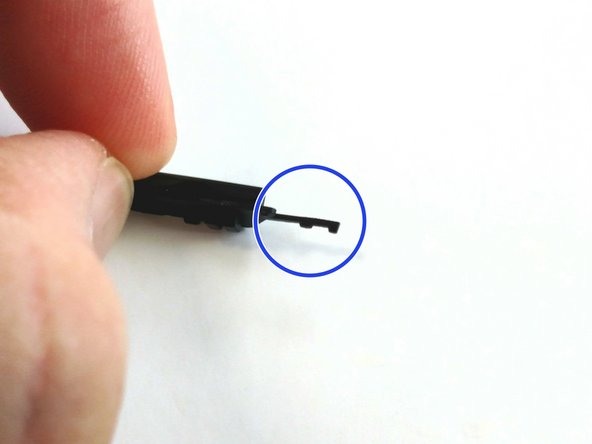
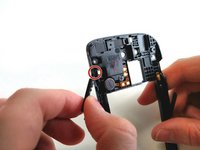
Carefully unhook the prongs from the frame by pulling to the side and remove the volume rocker.
-
-



To reassemble your device, follow these instructions in reverse order.
If there is something wrong with your device, try this: Samsung Galaxy S Blaze 4G Troubleshooting
Cancel: I did not complete this guide.
One other person completed this guide.

Team

Sam Houston State, Team 11-1, Blackburne Winter 2015 Member of Sam Houston State, Team 11-1, Blackburne Winter 2015
SHSU-BLACKBURNE-W15S11G1
3 Members
84 Guides authored
