Free Shipping on Domestic Orders $75+

Samsung Galaxy Note5 Display Replacement

What you need

  1. Samsung Galaxy Note5 Display Replacement, SIM Card Tray: step 1, image 1 of 1
    • Insert a SIM Ejector Tool into the small hole on the left side of the top edge of the device.

    • Press down until the SIM Card Tray begins to protrude out of the device.

    Ask FixBot

    Add Comment

  2. Samsung Galaxy Note5 Display Replacement: step 2, image 1 of 1
    • Remove the SIM Card Tray from the slot.

    Ask FixBot

    Add Comment

  3. Samsung Galaxy Note5 Display Replacement, Display: step 3, image 1 of 1
    • Heat the back of the device with a heat gun for two minutes.

    Ask FixBot

    Add Comment

  4. Samsung Galaxy Note5 Display Replacement: step 4, image 1 of 1
    • Once the device is very warm to the touch, place a suction cup near the bottom of the back of the device.

    • Make sure to place the suction cup on the flat part of the glass.

    • Gently pull upwards on the suction cup to separate the rear glass from the body of the phone.

    • While pulling upwards, insert a pick under the rear glass

    Ask FixBot

    Add Comment

  5. Samsung Galaxy Note5 Display Replacement: step 5, image 1 of 1
    • Keeping the pick under the rear glass, move the pick along the bottom edge of the device to cut the adhesive.

    Ask FixBot

    Add Comment

  6. Samsung Galaxy Note5 Display Replacement: step 6, image 1 of 1
    • Repeat the previous heating and cutting procedure for the remaining three sides of the phone.

    • Leave a pick on each side as you continue to the next to prevent the adhesive from resealing.

    Ask FixBot

    Add Comment

  7. Samsung Galaxy Note5 Display Replacement: step 7, image 1 of 1
    • Once all adhesive has been cut, gently lift up the rear glass to remove it.

    Ask FixBot

    Add Comment

  8. Samsung Galaxy Note5 Display Replacement: step 8, image 1 of 1
    • Remove the S-Pen from the bottom of the device.

    Ask FixBot

    Add Comment

  9. Samsung Galaxy Note5 Display Replacement: step 9, image 1 of 2 Samsung Galaxy Note5 Display Replacement: step 9, image 2 of 2
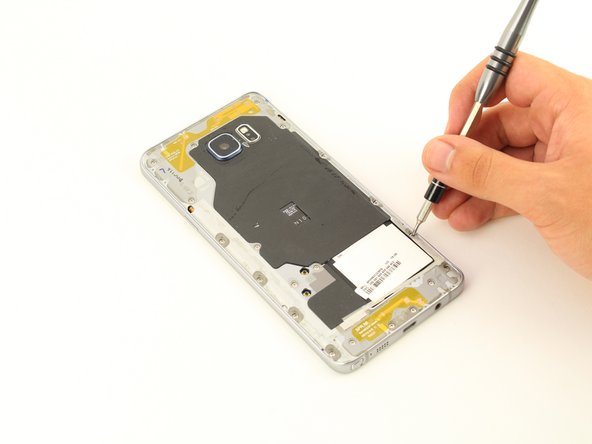
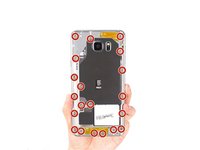
    • Remove 20 5mm screws with a Phillips #1 Screwdriver.

    Ask FixBot

    Add Comment

  10. Samsung Galaxy Note5 Display Replacement: step 10, image 1 of 3 Samsung Galaxy Note5 Display Replacement: step 10, image 2 of 3 Samsung Galaxy Note5 Display Replacement: step 10, image 3 of 3
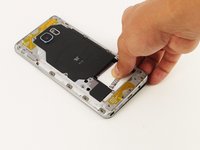
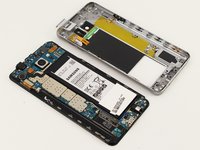
    • Grip the back of the device and press down on the white square to remove the middle housing.

    Ask FixBot

    Add Comment

  11. Samsung Galaxy Note5 Display Replacement: step 11, image 1 of 1
    • Loosen the two signal cable connectors.

    Ask FixBot

    Add Comment

  12. Samsung Galaxy Note5 Display Replacement: step 12, image 1 of 3 Samsung Galaxy Note5 Display Replacement: step 12, image 2 of 3 Samsung Galaxy Note5 Display Replacement: step 12, image 3 of 3
    Tool used on this step:
    Tweezers
    $4.99
    Buy
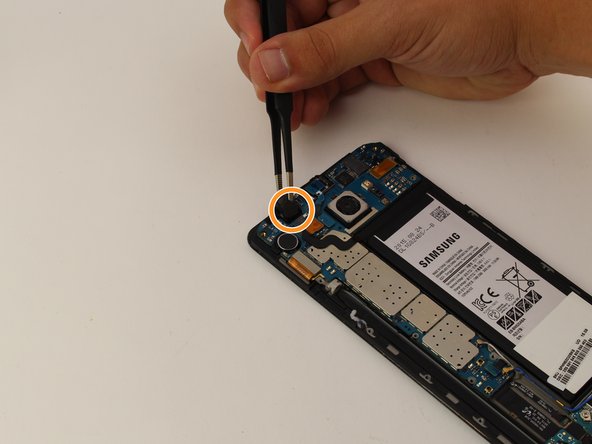
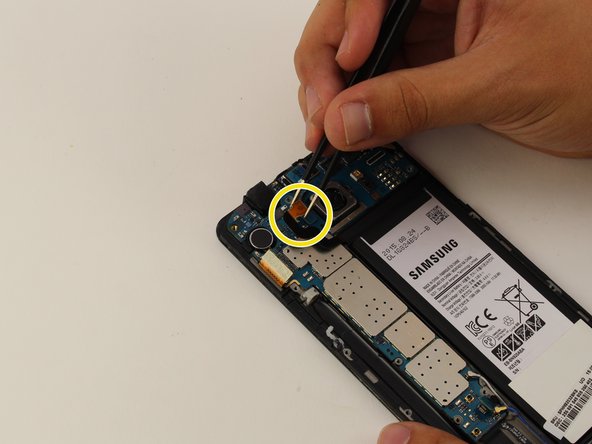
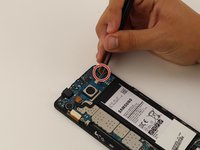
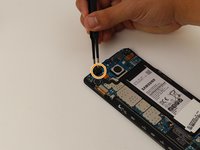
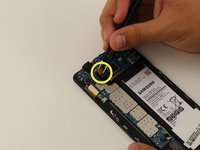
    • To disconnect flexes, carefully pull up on the exposed tab with tweezers.

    • Disconnect the battery flex.

    • Disconnect the earpiece flex.

    • Disconnect the battery flex.

    Ask FixBot

    Add Comment

  13. Samsung Galaxy Note5 Display Replacement: step 13, image 1 of 1
    • Remove the teal navigation button flex.

    Ask FixBot

    Add Comment

  14. Samsung Galaxy Note5 Display Replacement: step 14, image 1 of 1
    • Gently lift up the motherboard from the top end to remove.

    • Make sure all flexes are disconnected before removing the motherboard. If the motherboard does not easily detach, remove any connected flexes.

    Ask FixBot

    Add Comment

  15. Samsung Galaxy Note5 Display Replacement: step 15, image 1 of 3 Samsung Galaxy Note5 Display Replacement: step 15, image 2 of 3 Samsung Galaxy Note5 Display Replacement: step 15, image 3 of 3
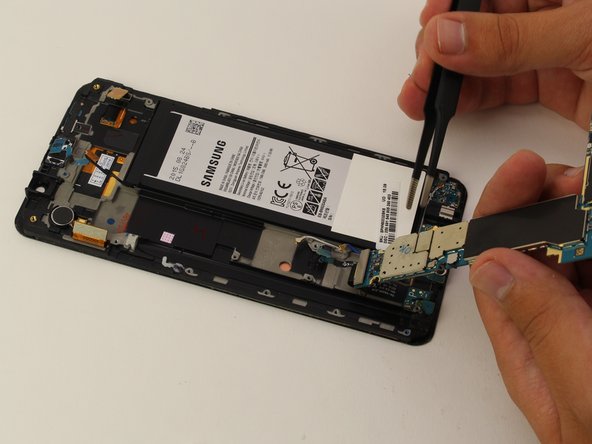
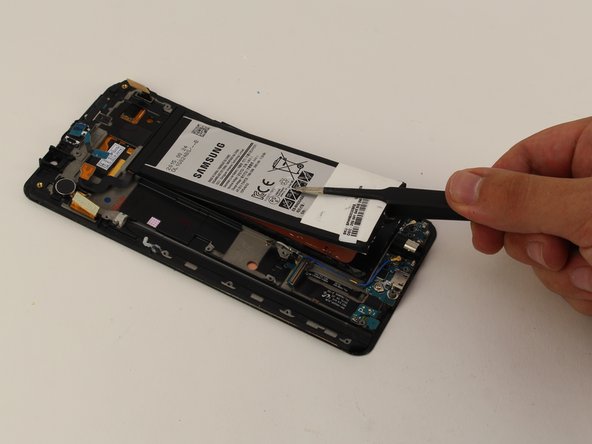
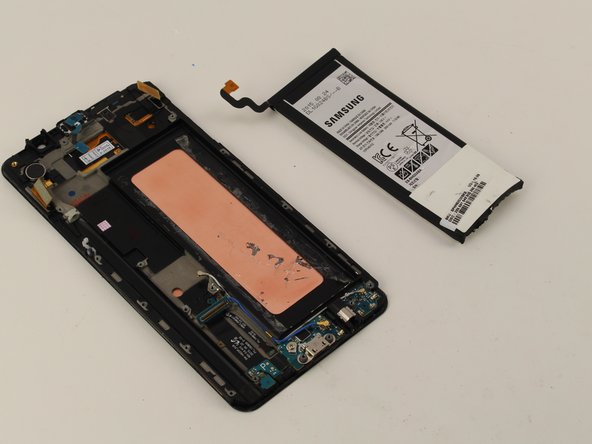
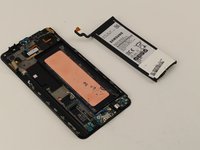
    • With the motherboard removed, slowly pry off the battery with tweezers, starting at the bottom.

    • Be careful not to puncture the battery as this could cause permanent damage.

    Ask FixBot

    Add Comment

  16. Samsung Galaxy Note5 Display Replacement: step 16, image 1 of 1
    • Heat the display for two minutes with a heat gun.

    Ask FixBot

    Add Comment

  17. Samsung Galaxy Note5 Display Replacement: step 17, image 1 of 1
    • Once the display is very warm to the touch, slide a pick between the LCD and the LCD shield on the bottom edge of the device.

    • Slide the pick across the bottom to cut through the adhesive.

    Ask FixBot

    Add Comment

  18. Samsung Galaxy Note5 Display Replacement: step 18, image 1 of 1
    • The display is now removed.

    Ask FixBot

    Add Comment

Conclusion

To reassemble your device, follow these instructions in reverse order.

Cancel: I did not complete this guide.

41 other people completed this guide.

Alexander Laucius

Member since: 04/19/18

1,662 Reputation

2 Guides authored

Team

Cal Poly, Team S25-G17, Maness Spring 2018 Member of Cal Poly, Team S25-G17, Maness Spring 2018

CPSU-MANESS-S18S25G17

4 Members

6 Guides authored

6 Guide Comments

Worked like a charm

Ronald Sapp - Reply Share

How does one bond everything back together?

lcplthomasc - Reply Share

I am working in fixing my own Note 5. I have heard that double-sided tape made specifically for this task are best. You can find different options here: https://www.magazingsm.ro/adeziv-geam-si...

Cristina - Reply Share

I have now replaced the display on my Note 5 and actually I didn’t even use the glue I bought. The original glue is quite a lot and the new display comes with glue on the back of it. Thanks again, Alexander, for your helpful instructions!

Cristina - Reply Share

This was very helpful. Many thanks to the author. may God add many years to his life.

Peterson - Reply Share

Add Comment

View Statistics:

Past 24 Hours: 4

Past 7 Days: 39

Past 30 Days: 121

All Time: 26,991