Free Shipping on Domestic Orders $75+

Samsung Galaxy Note II Speaker Enclosure Replacement

What you need

    1. Samsung Galaxy Note II Speaker Enclosure Replacement, Stylus: step 1, image 1 of 2 Samsung Galaxy Note II Speaker Enclosure Replacement, Stylus: step 1, image 2 of 2
      • Grasp the end of the stylus and remove it from its slot in the midframe.

      Ask FixBot

      Add Comment

    1. Samsung Galaxy Note II Speaker Enclosure Replacement, Rear Case: step 2, image 1 of 2 Samsung Galaxy Note II Speaker Enclosure Replacement, Rear Case: step 2, image 2 of 2
      • Pry with a plastic opening tool, or your fingernail, in the divot to the left of the rear-facing camera, near the power button.

      Ask FixBot

      Add Comment

    2. Samsung Galaxy Note II Speaker Enclosure Replacement: step 3, image 1 of 3 Samsung Galaxy Note II Speaker Enclosure Replacement: step 3, image 2 of 3 Samsung Galaxy Note II Speaker Enclosure Replacement: step 3, image 3 of 3
      • Lift the rear case by the corner nearest the divot and remove it from the phone.

      Ask FixBot

      Add Comment

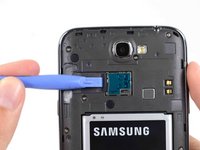
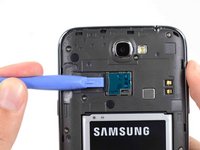
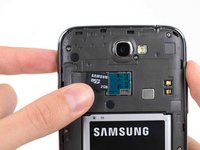
    1. Samsung Galaxy Note II Speaker Enclosure Replacement, MicroSD Card: step 4, image 1 of 3 Samsung Galaxy Note II Speaker Enclosure Replacement, MicroSD Card: step 4, image 2 of 3 Samsung Galaxy Note II Speaker Enclosure Replacement, MicroSD Card: step 4, image 3 of 3
      • If you have an SD card inserted, use the flat end of a spudger, or your fingernail, to press the microSD card slightly deeper into its slot until you hear a click.

      • After the click, release the card and it will pop out of its slot.

      • Remove the microSD card.

      • For reassembly, push the microSD card into the slot until it clicks in place.

      Ask FixBot

      Add Comment

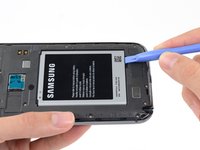
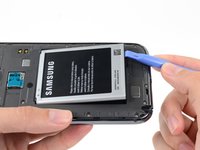
    1. Samsung Galaxy Note II Speaker Enclosure Replacement, Battery: step 5, image 1 of 2 Samsung Galaxy Note II Speaker Enclosure Replacement, Battery: step 5, image 2 of 2
      • Insert a plastic opening tool, or your finger, into the notch of the battery compartment and lift the battery upward.

      Ask FixBot

      Add Comment

    2. Samsung Galaxy Note II Speaker Enclosure Replacement: step 6, image 1 of 1
      • Remove the battery from the midframe.

      Ask FixBot

      Add Comment

    1. Samsung Galaxy Note II Speaker Enclosure Replacement, Midframe: step 7, image 1 of 1
      • Remove the eleven 4.0 mm Phillips #00 screws securing the midframe to the display assembly.

      Ask FixBot

      Add Comment

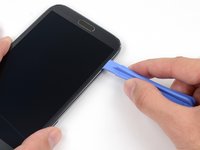
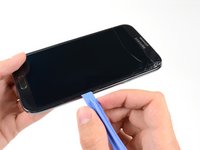
    2. Samsung Galaxy Note II Speaker Enclosure Replacement: step 8, image 1 of 3 Samsung Galaxy Note II Speaker Enclosure Replacement: step 8, image 2 of 3 Samsung Galaxy Note II Speaker Enclosure Replacement: step 8, image 3 of 3
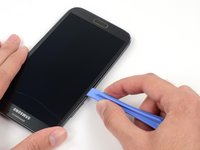
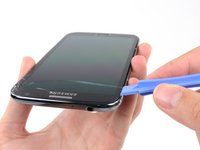
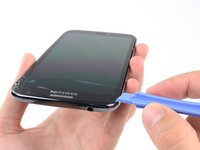
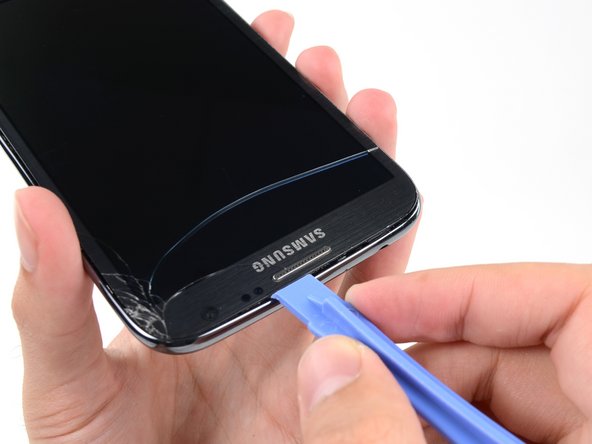
      • Insert your plastic opening tool between the midframe and front panel assembly on the side of the phone.

      • Slide the plastic opening tool down the seam.

      Ask FixBot

      Add Comment

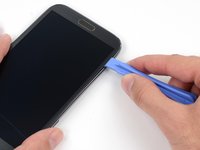
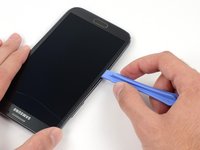
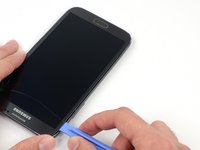
    3. Samsung Galaxy Note II Speaker Enclosure Replacement: step 9, image 1 of 3 Samsung Galaxy Note II Speaker Enclosure Replacement: step 9, image 2 of 3 Samsung Galaxy Note II Speaker Enclosure Replacement: step 9, image 3 of 3
      • Continue to run the plastic opening tool down the seam.

      Ask FixBot

      Add Comment

    4. Samsung Galaxy Note II Speaker Enclosure Replacement: step 10, image 1 of 2 Samsung Galaxy Note II Speaker Enclosure Replacement: step 10, image 2 of 2
      • Carefully pry around the corner with a plastic opening tool.

      Ask FixBot

      Add Comment

    5. Samsung Galaxy Note II Speaker Enclosure Replacement: step 11, image 1 of 2 Samsung Galaxy Note II Speaker Enclosure Replacement: step 11, image 2 of 2
      • Pry along the top of the phone with a plastic opening tool.

      Ask FixBot

      Add Comment

    6. Samsung Galaxy Note II Speaker Enclosure Replacement: step 12, image 1 of 2 Samsung Galaxy Note II Speaker Enclosure Replacement: step 12, image 2 of 2
      • Push the plastic opening tool down to free the corner of the midframe from the display assembly.

      Ask FixBot

      Add Comment

    7. Samsung Galaxy Note II Speaker Enclosure Replacement: step 13, image 1 of 2 Samsung Galaxy Note II Speaker Enclosure Replacement: step 13, image 2 of 2
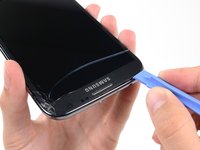
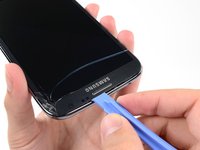
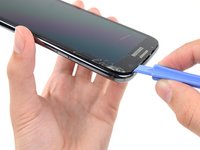
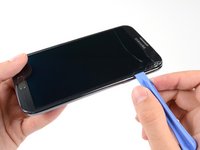
      • Free the clips along the power button side of the phone.

      • Lastly, free the two clips along the top and bottom edge of battery compartment.

      Ask FixBot

      Add Comment

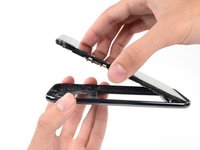
    8. Samsung Galaxy Note II Speaker Enclosure Replacement: step 14, image 1 of 2 Samsung Galaxy Note II Speaker Enclosure Replacement: step 14, image 2 of 2
      • Lift the display assembly out of the midframe.

      Ask FixBot

      Add Comment

    1. Samsung Galaxy Note II Speaker Enclosure Replacement, Speaker Enclosure: step 15, image 1 of 1
      • Remove the 3 mm Phillips #00 screw from the speaker enclosure.

      Ask FixBot

      Add Comment

    2. Samsung Galaxy Note II Speaker Enclosure Replacement: step 16, image 1 of 1
      • Remove the speaker enclosure.

      Ask FixBot

      Add Comment

Conclusion

To reassemble your device, follow these instructions in reverse order.

Cancel: I did not complete this guide.

9 other people completed this guide.

Sam Goldheart

Member since: 10/18/12

478,462 Reputation

538 Guides authored

Team

iFixit Member of iFixit

Staff

122 Members

72,401 Guides authored

1 Guide Comment

This is an awesome guide! Cheers Sam. I have never done any electrical fixes before so I was a phone fixing virgin. I bought both the tools and the speaker for £5.80 on ebay, followed your guide carefully and had no problems. It was an easy process. Thanks to the confidence I had in your guide I didn’t have to go and buy a new phone so you saved me the £180 I thought I was going to have to spend!

Cheers, Nick (UK)

Nick Village - Reply Share
Add Comment

View Statistics:

Past 24 Hours: 5

Past 7 Days: 31

Past 30 Days: 120

All Time: 14,728