Free Shipping on Domestic Orders $75+

Samsung Galaxy Note 4 Motherboard Replacement

What you need

  1. Samsung Galaxy Note 4 Motherboard Replacement, Rear Case: step 1, image 1 of 2 Samsung Galaxy Note 4 Motherboard Replacement, Rear Case: step 1, image 2 of 2
    • Insert a fingernail or plastic opening tool into the divot to the left of the rear-facing camera.

    • Gently pry and twist the flexible rear cover off the back of the phone.

    Ask FixBot

    Add Comment

  2. Samsung Galaxy Note 4 Motherboard Replacement, Battery: step 2, image 1 of 1
    • Insert a fingernail or plastic opening tool into the recess in the bottom right corner of the battery and lift upward.

    • Remove the battery.

    Ask FixBot

    Add Comment

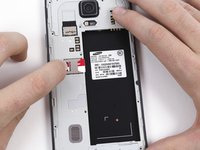
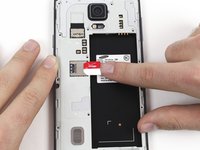
  3. Samsung Galaxy Note 4 Motherboard Replacement, SIM Card: step 3, image 1 of 2 Samsung Galaxy Note 4 Motherboard Replacement, SIM Card: step 3, image 2 of 2
    • Remove the SIM card by first pushing the card slightly out of its housing, then pulling it the rest of the way.

    Ask FixBot

    Add Comment

  4. Samsung Galaxy Note 4 Motherboard Replacement, Midframe: step 4, image 1 of 1
    • Remove the sixteen 4.0 mm Phillips #00 screws securing the midframe to the display assembly.

    • Grasp the cap of the S Pen and remove it from its slot in the midframe.

    Ask FixBot

    Add Comment

  5. Samsung Galaxy Note 4 Motherboard Replacement: step 5, image 1 of 3 Samsung Galaxy Note 4 Motherboard Replacement: step 5, image 2 of 3 Samsung Galaxy Note 4 Motherboard Replacement: step 5, image 3 of 3
    • Insert a plastic opening tool between the midframe and the display assembly.

    • Work the plastic opening tool around the perimeter of the phone to break the adhesive.

    • This adhesive is relatively weak, so no heat gun should be necessary.

    • Be careful to not separate the front glass panel from the rest of the display assembly, as it is still held together with adhesive.

    Ask FixBot

    Add Comment

  6. Samsung Galaxy Note 4 Motherboard Replacement: step 6, image 1 of 1
    • Use a plastic opening tool to loosen the clasps around the battery housing.

    Ask FixBot

    Add Comment

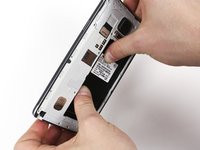
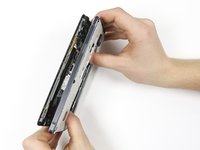
  7. Samsung Galaxy Note 4 Motherboard Replacement: step 7, image 1 of 3 Samsung Galaxy Note 4 Motherboard Replacement: step 7, image 2 of 3 Samsung Galaxy Note 4 Motherboard Replacement: step 7, image 3 of 3
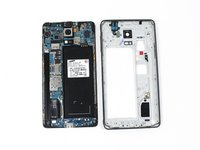
    • Push on the battery housing to separate the midframe from the display assembly.

    • You will have to apply a reasonable amount of pressure to separate the two parts.

    • If your new midframe does not come with a headphone jack assembly, you'll need to transfer the one from the old midframe into the new one. It can be pried loose with plastic opening tools, as it is held in place with several plastic pins.

    Ask FixBot

    Add Comment

  8. Samsung Galaxy Note 4 Motherboard Replacement, Motherboard: step 8, image 1 of 1
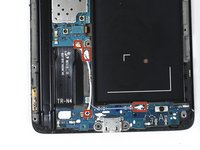
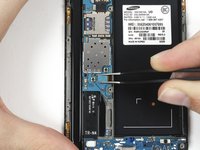
    • Remove the two 2.9 mm Phillips #00 screws.

    Ask FixBot

    Add Comment

  9. Samsung Galaxy Note 4 Motherboard Replacement: step 9, image 1 of 2 Samsung Galaxy Note 4 Motherboard Replacement: step 9, image 2 of 2
    Tool used on this step:
    Tweezers
    $4.99
    Buy
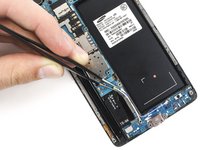
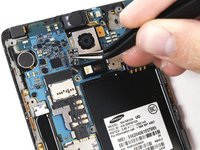
    • Use a set of tweezers to remove the two antenna cables.

    Ask FixBot

    Add Comment

  10. Samsung Galaxy Note 4 Motherboard Replacement: step 10, image 1 of 3 Samsung Galaxy Note 4 Motherboard Replacement: step 10, image 2 of 3 Samsung Galaxy Note 4 Motherboard Replacement: step 10, image 3 of 3
    • Use a set of tweezers or the flat end of a spudger to disconnect the two ribbon cable connectors.

    Ask FixBot

    Add Comment

  11. Samsung Galaxy Note 4 Motherboard Replacement: step 11, image 1 of 1
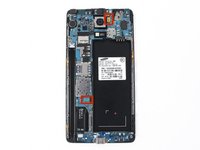
    • Gently lift the motherboard out of the phone.

    Ask FixBot

    Add Comment

Conclusion

To reassemble your device, follow these instructions in reverse order.

Cancel: I did not complete this guide.

113 other people completed this guide.

Geoff Wacker

Member since: 09/30/13

92,846 Reputation

89 Guides authored

67 Guide Comments

Are all variants of the note 4 the same? An att mobo could go into a vzw/sprint body or vice versa?

Jeb - Reply Share

I would also really like an answer to this question

pcwireless - Reply Share

No. Even Samsung wouldn't accept even a paid repair because parts between models are incompatible.

I've tried to have an SM-910G here and if you are to replace it with an SM-910C, you'll also need to replace the front and back cameras.

Ian Troy Alvaran - Reply Share

I have done a few Note 4 motherboard replacements...about 10 or so. I have not been able to simply "To reassemble your device, follow these instructions in reverse order." I always have to separate the screen from the mid frame in order to plug the 2 top ribbon cables back to the motherboard. I can't figure out a way to get the ribbon cables plugged back in without doing so. This screen separation process is very tedious, long, and stressful as it could crack the AMOLED screen if you're not careful. If someone can show me exactly how to simply, "To reassemble your device, follow these instructions in reverse order" it'll make it a lot easier for me. Thanks.

KengkoyFlip - Reply Share

Agreed. That screen was by far the most difficult screen ive ever removed from a phone. It would be SOOO much easier if it were broken and you didn't care.

trentmrobertson - Reply Share

Add Comment

View Statistics:

Past 24 Hours: 2

Past 7 Days: 31

Past 30 Days: 104

All Time: 150,778