Free Shipping on Domestic Orders $75+

Samsung Galaxy Grand Prime Micro USB Port Replacement

What you need

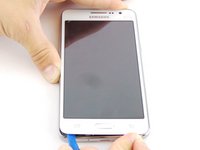
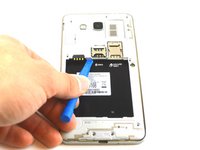
    1. Samsung Galaxy Grand Prime Micro USB Port Replacement, Battery: step 1, image 1 of 3 Samsung Galaxy Grand Prime Micro USB Port Replacement, Battery: step 1, image 2 of 3 Samsung Galaxy Grand Prime Micro USB Port Replacement, Battery: step 1, image 3 of 3
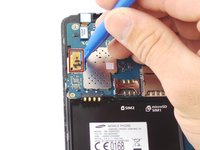
      • Remove the back cover of phone by lifting up on the back cover tab with the blue plastic opening tool.

      • Go around the edge of the back cover to completely remove it.

      Ask FixBot

      Add Comment

    2. Samsung Galaxy Grand Prime Micro USB Port Replacement, Remove the battery.: step 2, image 1 of 3 Samsung Galaxy Grand Prime Micro USB Port Replacement, Remove the battery.: step 2, image 2 of 3 Samsung Galaxy Grand Prime Micro USB Port Replacement, Remove the battery.: step 2, image 3 of 3
      • Remove the old battery by lifting up on the thumb tab.

      • Periodically clean the brass terminals on the battery and the phone. Place a minute amount of ISO on a Q-tip and gingerly clean the connections.

      Ask FixBot

      Add Comment

    1. Samsung Galaxy Grand Prime Micro USB Port Replacement, Midframe: step 3, image 1 of 3 Samsung Galaxy Grand Prime Micro USB Port Replacement, Midframe: step 3, image 2 of 3 Samsung Galaxy Grand Prime Micro USB Port Replacement, Midframe: step 3, image 3 of 3
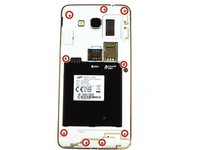
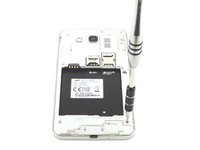
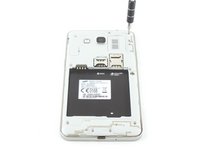
      • Remove the nine 4mm screws screws from the midframe with a Phillips #000 screwdriver.

      Ask FixBot

      Add Comment

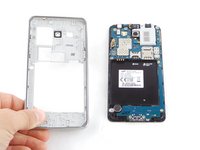
    2. Samsung Galaxy Grand Prime Micro USB Port Replacement: step 4, image 1 of 2 Samsung Galaxy Grand Prime Micro USB Port Replacement: step 4, image 2 of 2
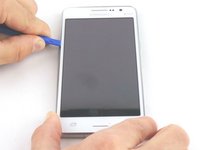
      • Wedge the blue plastic opening tool in between the front and side panel.

      • Move the blue plastic opening tool around the edges between the front and side panel.

      Ask FixBot

      Add Comment

    3. Samsung Galaxy Grand Prime Micro USB Port Replacement: step 5, image 1 of 2 Samsung Galaxy Grand Prime Micro USB Port Replacement: step 5, image 2 of 2
      • Make sure that you detach the mid-frame from the inside too.

      Ask FixBot

      Add Comment

    1. Samsung Galaxy Grand Prime Micro USB Port Replacement, Headphone Jack/Speaker Assembly: step 6, image 1 of 2 Samsung Galaxy Grand Prime Micro USB Port Replacement, Headphone Jack/Speaker Assembly: step 6, image 2 of 2
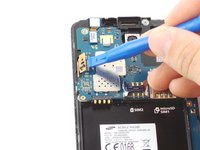
      • Unhook the ribbon cable clip with the plastic opening tool and remove the audio jack.

      Ask FixBot

      Add Comment

    1. Samsung Galaxy Grand Prime Micro USB Port Replacement, Earpiece Speaker: step 7, image 1 of 2 Samsung Galaxy Grand Prime Micro USB Port Replacement, Earpiece Speaker: step 7, image 2 of 2
      • Use the plastic opening tool to unhook the ribbon cable clip.

      Ask FixBot

      Add Comment

    2. Samsung Galaxy Grand Prime Micro USB Port Replacement: step 8, image 1 of 2 Samsung Galaxy Grand Prime Micro USB Port Replacement: step 8, image 2 of 2
      Tool used on this step:
      Tweezers
      $4.99
      Buy
      • Gently pull on the connector with the tweezers until the speaker comes off.

      Ask FixBot

      Add Comment

    1. Samsung Galaxy Grand Prime Micro USB Port Replacement, Motherboard: step 9, image 1 of 2 Samsung Galaxy Grand Prime Micro USB Port Replacement, Motherboard: step 9, image 2 of 2
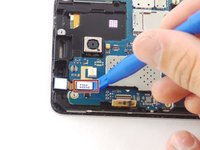
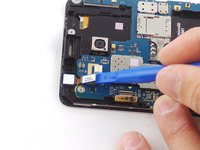
      • Unhook the other ribbon cable clip to the screen with the blue plastic opening tool.

      Ask FixBot

      Add Comment

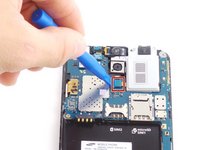
    2. Samsung Galaxy Grand Prime Micro USB Port Replacement: step 10, image 1 of 3 Samsung Galaxy Grand Prime Micro USB Port Replacement: step 10, image 2 of 3 Samsung Galaxy Grand Prime Micro USB Port Replacement: step 10, image 3 of 3
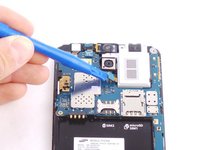
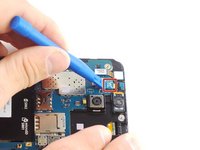
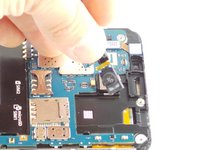
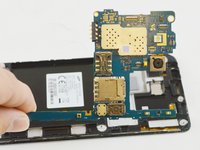
      • Unhook the ribbon cable clip to the front camera.

      • Lift the motherboard up and out of the device.

      Ask FixBot

      Add Comment

    3. Samsung Galaxy Grand Prime Micro USB Port Replacement: step 11, image 1 of 2 Samsung Galaxy Grand Prime Micro USB Port Replacement: step 11, image 2 of 2
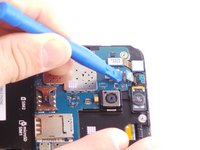
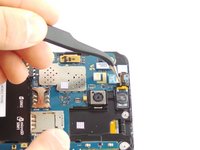
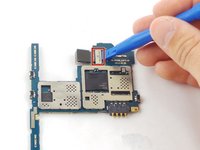
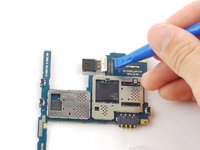
      • Remove the motherboard and unhook the ribbon cable clip to the back camera.

      Ask FixBot

      Add Comment

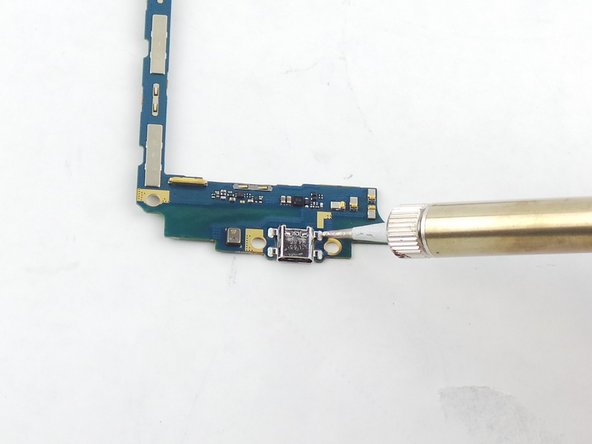
    1. Samsung Galaxy Grand Prime Micro USB Port Replacement, Micro USB Port: step 12, image 1 of 3 Samsung Galaxy Grand Prime Micro USB Port Replacement, Micro USB Port: step 12, image 2 of 3 Samsung Galaxy Grand Prime Micro USB Port Replacement, Micro USB Port: step 12, image 3 of 3
      • Using a soldering iron to solder off the charging port.

      • Be careful soldering iron gets extremely hot.

      Ask FixBot

      Add Comment

Conclusion

To reassemble your device, follow these instructions in reverse order.

Cancel: I did not complete this guide.

35 other people completed this guide.

Kyle Ruff

Member since: 02/04/16

6,853 Reputation

5 Guides authored

Team

USF Tampa, Team 17-3, Blackwell Winter 2016 Member of USF Tampa, Team 17-3, Blackwell Winter 2016

USFT-BLACKWELL-W16S17G3

3 Members

72 Guides authored

0 Guide Comments

Add Comment

View Statistics:

Past 24 Hours: 4

Past 7 Days: 27

Past 30 Days: 124

All Time: 36,090