Free Shipping on Domestic Orders $75+

Samsung Galaxy Core Prime Back Camera Replacement

What you need

  1. Samsung Galaxy Core Prime Back Camera Replacement, Battery: step 1, image 1 of 1
    • Turn the smartphone off by using the power button on the right-hand side.

    Ask FixBot

    Add Comment

  2. Samsung Galaxy Core Prime Back Camera Replacement: step 2, image 1 of 1
    • Turn the smartphone over so that the rear camera is face up.

    Ask FixBot

    Add Comment

  3. Samsung Galaxy Core Prime Back Camera Replacement: step 3, image 1 of 1
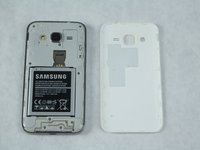
    • Use your fingernail or a flat tool to lift the back cover.

    Ask FixBot

    Add Comment

  4. Samsung Galaxy Core Prime Back Camera Replacement: step 4, image 1 of 2 Samsung Galaxy Core Prime Back Camera Replacement: step 4, image 2 of 2
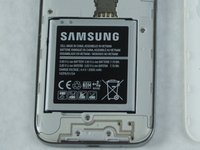
    • Locate the battery near the bottom of the phone. The battery is square, flat, and is labeled 'SAMSUNG'.

    Ask FixBot

    Add Comment

  5. Samsung Galaxy Core Prime Back Camera Replacement: step 5, image 1 of 1
    • Use your fingernail or a flat tool to lift the battery out.

    Ask FixBot

    Add Comment

  6. Samsung Galaxy Core Prime Back Camera Replacement, Rear Camera: step 6, image 1 of 2 Samsung Galaxy Core Prime Back Camera Replacement, Rear Camera: step 6, image 2 of 2
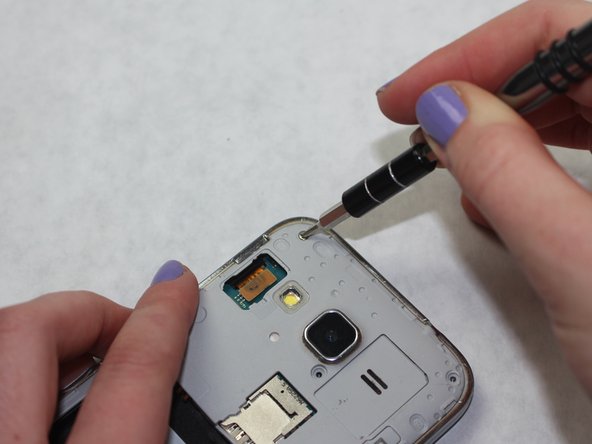
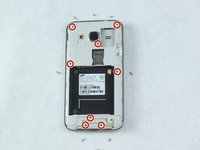
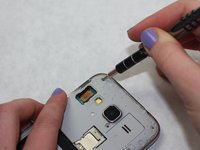
    • Use a Phillips #00 screw driver to remove all eight 4mm screws from the midframe.

    Ask FixBot

    Add Comment

  7. Samsung Galaxy Core Prime Back Camera Replacement: step 7, image 1 of 1
    • Heat the frame with a heat gun or hair dryer until the adhesive is loose.

    • Take care when using these heat tools.

    Ask FixBot

    Add Comment

  8. Samsung Galaxy Core Prime Back Camera Replacement: step 8, image 1 of 1
    Tool used on this step:
    iFixit Opening Tool
    $1.99
    Buy
    Ask FixBot

    Add Comment

  9. Samsung Galaxy Core Prime Back Camera Replacement: step 9, image 1 of 2 Samsung Galaxy Core Prime Back Camera Replacement: step 9, image 2 of 2
    Tool used on this step:
    Tweezers
    $4.99
    Buy
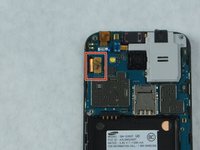
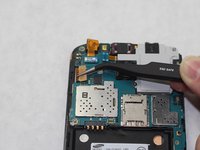
    • Disconnect the power ribbon on the left side of the phone either with your fingers or tweezers

    Ask FixBot

    Add Comment

  10. Samsung Galaxy Core Prime Back Camera Replacement: step 10, image 1 of 1
    Tool used on this step:
    iFixit Opening Tool
    $1.99
    Buy
    Ask FixBot

    Add Comment

  11. Samsung Galaxy Core Prime Back Camera Replacement: step 11, image 1 of 2 Samsung Galaxy Core Prime Back Camera Replacement: step 11, image 2 of 2
    Tool used on this step:
    Metal Spudger
    $2.99
    Buy
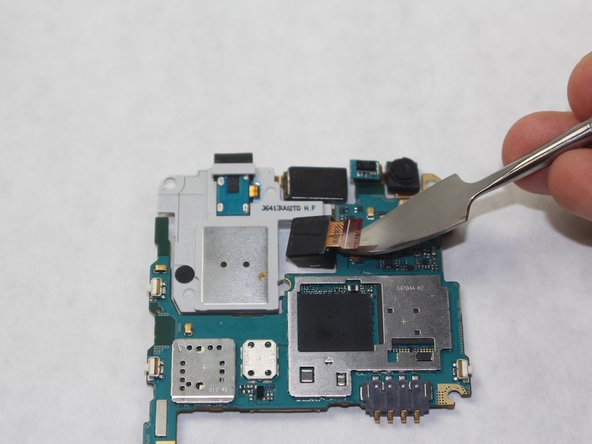
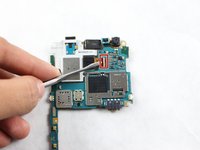
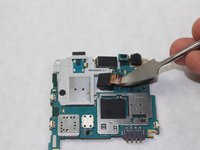
    • Turn the Motherboard over and disconnect the ribbon connecting the camera to the Motherboard with an iFixit Metal Spudger.

    Ask FixBot

    Add Comment

Conclusion

To reassemble your device, follow these instructions in reverse order.

Cancel: I did not complete this guide.

3 other people completed this guide.

Adrian Sanchez

Member since: 10/09/18

187 Reputation

1 Guide authored

0 Guide Comments

Add Comment

View Statistics:

Past 24 Hours: 0

Past 7 Days: 7

Past 30 Days: 38

All Time: 1,903