Free Shipping on Domestic Orders $75+

Samsung Galaxy A7 (2018) Front Camera Replacement

What you need

Video Overview

    1. Samsung Galaxy A7 (2018) Front Camera Replacement, Reset Camera App: step 1, image 1 of 3 Samsung Galaxy A7 (2018) Front Camera Replacement, Reset Camera App: step 1, image 2 of 3 Samsung Galaxy A7 (2018) Front Camera Replacement, Reset Camera App: step 1, image 3 of 3
      • At the beginning reset the Camera app.

      • To reset the camera app go to "Settings", "Apps", "Camera"

      • Select "Storage", then "Clear cache" and "Clear data".

      • Now "Force stop" the app and test the camera.

      Ask FixBot

      Add Comment

    2. Samsung Galaxy A7 (2018) Front Camera Replacement, Factory reset: step 2, image 1 of 3 Samsung Galaxy A7 (2018) Front Camera Replacement, Factory reset: step 2, image 2 of 3 Samsung Galaxy A7 (2018) Front Camera Replacement, Factory reset: step 2, image 3 of 3
      • Now it's time to do Factory reset.

      • backup data

      • Go to "Settings", "General management", "Factory data reset", "Reset" and follow the instruction.

      • Try if camera works

      Ask FixBot

      Add Comment

    3. Samsung Galaxy A7 (2018) Front Camera Replacement, Battery cover and Middle frame removal: step 3, image 1 of 3 Samsung Galaxy A7 (2018) Front Camera Replacement, Battery cover and Middle frame removal: step 3, image 2 of 3 Samsung Galaxy A7 (2018) Front Camera Replacement, Battery cover and Middle frame removal: step 3, image 3 of 3
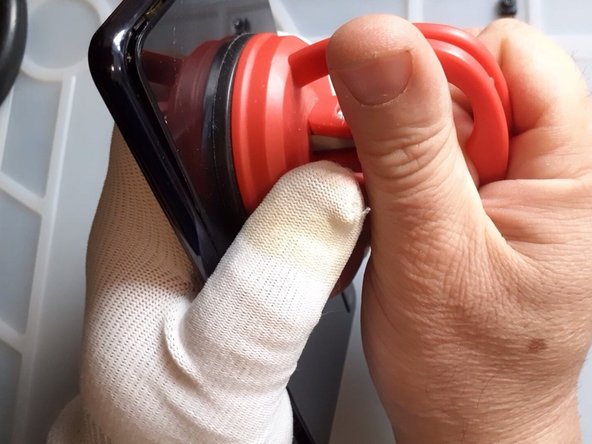
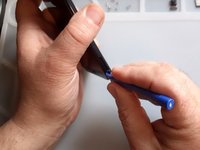
      • Use hot air to warm the device.

      • Use Suction cup and plastic tools to separate the battery cover.

      Ask FixBot

      Add Comment

    4. Samsung Galaxy A7 (2018) Front Camera Replacement, Middle frame removal: step 4, image 1 of 2 Samsung Galaxy A7 (2018) Front Camera Replacement, Middle frame removal: step 4, image 2 of 2
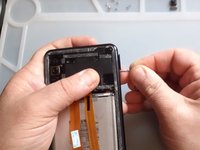
      • Remove the SIM Tray.

      • Use plastic tool to remove the middle frame.

      Ask FixBot

      Add Comment

    5. Samsung Galaxy A7 (2018) Front Camera Replacement, Front camera replacement: step 5, image 1 of 3 Samsung Galaxy A7 (2018) Front Camera Replacement, Front camera replacement: step 5, image 2 of 3 Samsung Galaxy A7 (2018) Front Camera Replacement, Front camera replacement: step 5, image 3 of 3
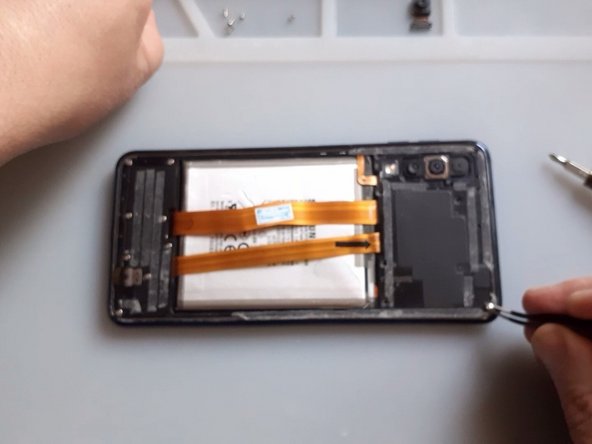
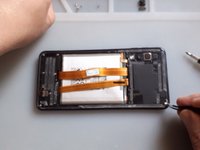
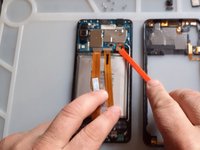
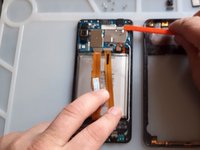
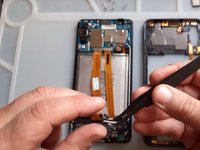
      • Disconnect the battery.

      • Replace the front camera.

      Ask FixBot

      Add Comment

Conclusion

To reassemble your device, follow these instructions in reverse order.

Cancel: I did not complete this guide.

One other person completed this guide.

ZFix

Member since: 12/09/13

197,561 Reputation

330 Guides authored

Team

Master Techs Member of Master Techs

Community

334 Members

8,250 Guides authored

0 Guide Comments

Add Comment

View Statistics:

Past 24 Hours: 1

Past 7 Days: 8

Past 30 Days: 39

All Time: 3,215