
Samsung Epix LCD Display Replacement

Mark Wyse and 8 other contributors
Last updated on Jul 5, 2023
Views: 2.4K
View statistics:
- Past 24 Hours:
- 3
- Past 7 Days:
- 15
- Past 30 Days:
- 98
- All Time:
- 2,442
Comments: 0
No one has left comments on this guide. Will you be first?
Go to guide commentsCompleted: 1 2
1 person has marked this guide "completed." Will you be next?
2 people have marked this guide "completed." Including you — great job!
Favorites: 0 1
No one has favorited (and subscribed to) this guide. Will you be the first?
1 person has favorited (and subscribed to) this guide — and that's you!
Bullets!
Better coordination with markups and the color/type of bullets will help make this guide more clear!
Better Introduction
Improve this guide by completing or revising its introduction.
Missing Details
Some of this guide's details are missing. Help users by adding tools, difficulty, or time.
Introduction
Go to step 1 ↓This guide shows you how to access the LCD display inside your phone.
What you need
Tools
-
Spudger4.9


-
-
-
Just below the phone's camera, press the button and hold it
-
While the button is held down, slide the back panel off to remove it completely.
 Ask FixBot
-
-
-
Grasp the bottom corners of the battery with two fingers and gently lift.
-
Gently lift the battery and remove it from the phone.
-
-
-
-
-
Remove the rubber screw cover in the top left corner by prying upwards with an opening tool.
-
-
-
Use a Phillips #00 screwdriver to remove the six screws on the back of the phone.
-
-
-
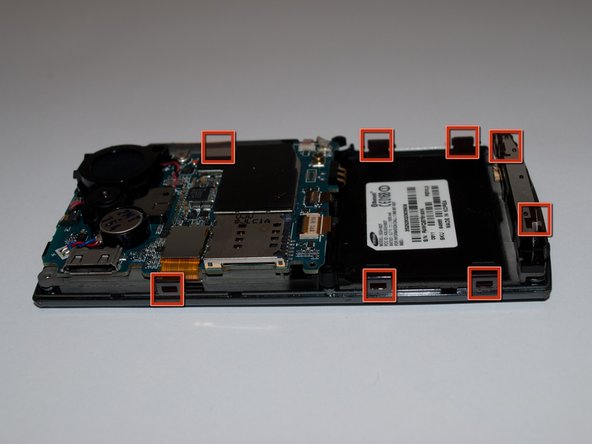
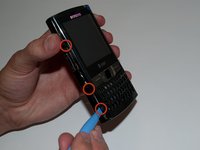
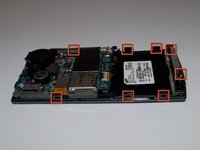
Slide the opening tool along the seam on the side of the phone and turn it slightly to unhook the eight clips.
-
-
-
Once all eight of the clips have been unhooked, lift the back panel off of the phone.
-
-
-
-
Using an opening tool or spudger, pry under the lower left and right corners of the LCD screen.
-
-




To reassemble your device, follow these instructions in reverse order.
Cancel: I did not complete this guide.
One other person completed this guide.

Team

Cal Poly, Team 15-15, Regan Spring 2011 Member of Cal Poly, Team 15-15, Regan Spring 2011
CPSU-REGAN-S11S15G15
5 Members
60 Guides authored
