
Samsung CLP-300 Fuser Unit Replacement

Heather Howard and 3 other contributors
Last updated on Jul 25, 2019
Views: 11K
View statistics:
- Past 24 Hours:
- 3
- Past 7 Days:
- 29
- Past 30 Days:
- 117
- All Time:
- 10,917
Comments: 4
2 comments on steps, 2 guide comments.
Go to guide commentsCompleted: 2 3
2 people have marked this guide "completed." Will you be next?
3 people have marked this guide "completed." Including you — great job!
Favorites: 0 1
No one has favorited (and subscribed to) this guide. Will you be the first?
1 person has favorited (and subscribed to) this guide — and that's you!
Needs Better Images
Better photos will improve this guide. Help out by taking, editing, or uploading new ones!
Introduction
Go to step 1 ↓Follow these steps to replace the fuser unit by taking off the back cover of your Samsung CLP-300.
What you need
Tools

-
-
-
Turn the printer off and wait a few minutes for it to cool.
-
Turn printer around so that you are looking at the rear panel.
 Ask FixBot
-
-
-
-
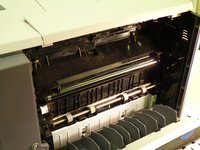
Slide fuser unit out of the printer.
-
Remove packaging from new fuser unit.
-
Insert new fuser unit.
-
-


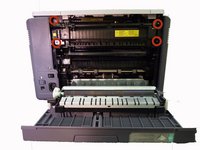
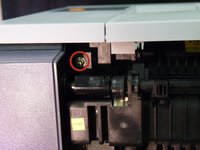

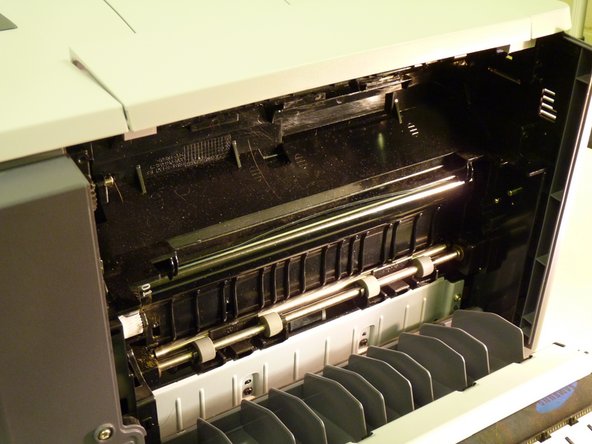
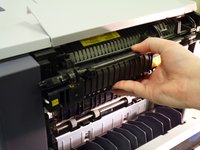
To reassemble your device, follow these instructions in reverse order.
Cancel: I did not complete this guide.
2 other people completed this guide.

Team

University of Maine, Team 1-1, Diaz Fall 2014 Member of University of Maine, Team 1-1, Diaz Fall 2014
UMAINE-DIAZ-F14S1G1
3 Members
48 Guides authored
2 Guide Comments
how do you unplug the old fuser unit and plug in the new fuser unit - you don’t show how to do that.
The plug in on the left side, no need to unplug it because it is part of the fuser unit.
