Free Shipping on Domestic Orders $75+

Samsung BD-H5100 Power Cord Replacement

What you need

    1. Samsung BD-H5100 Power Cord Replacement, Power Cord: step 1, image 1 of 1
      • Use the Phillips Head #2 screwdriver to remove the three 10mm screws on the back panel.

      Ask FixBot

      Add Comment

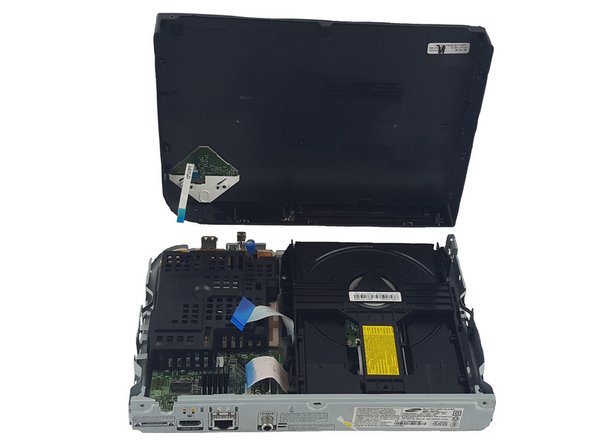
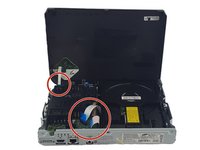
    2. Samsung BD-H5100 Power Cord Replacement: step 2, image 1 of 3 Samsung BD-H5100 Power Cord Replacement: step 2, image 2 of 3 Samsung BD-H5100 Power Cord Replacement: step 2, image 3 of 3
      • Use the plastic spudger to pry open the top panel.

      • Be careful not to break the ribbon connecting the motherboard on the bottom panel to the top panel.

      Ask FixBot

      Add Comment

    3. Samsung BD-H5100 Power Cord Replacement: step 3, image 1 of 2 Samsung BD-H5100 Power Cord Replacement: step 3, image 2 of 2
      • Pull the ribbons gently from one corner by the blue tabs to remove it.

      Ask FixBot

      Add Comment

    4. Samsung BD-H5100 Power Cord Replacement: step 4, image 1 of 1
      • Use a Phillips Head #2 to remove the two 7.5mm screws on the black cover.

      Ask FixBot

      Add Comment

    5. Samsung BD-H5100 Power Cord Replacement: step 5, image 1 of 1
      • Remove the black cover.

      Ask FixBot

      Add Comment

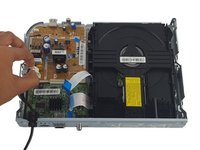
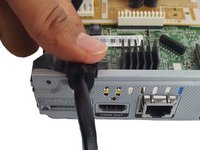
    6. Samsung BD-H5100 Power Cord Replacement: step 6, image 1 of 2 Samsung BD-H5100 Power Cord Replacement: step 6, image 2 of 2
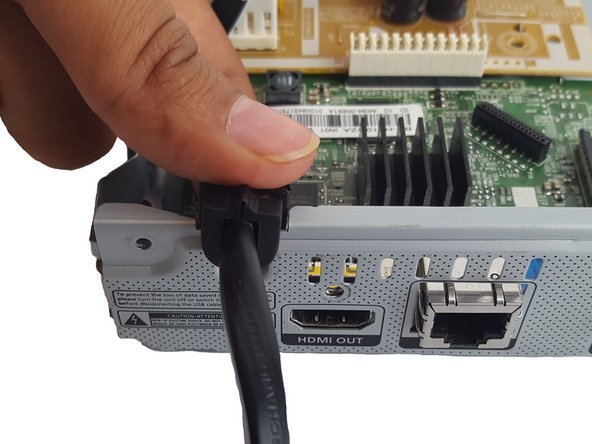
      • Pinch the white clip and pull straight up on the power cord.

      • Remove power cord.

      Ask FixBot

      Add Comment

Conclusion

To reassemble your device, follow these instructions in reverse order.

Cancel: I did not complete this guide.

Mira Patel

Member since: 10/11/16

580 Reputation

5 Guides authored

Team

USF Tampa, Team 1-2, Leahy Fall 2016 Member of USF Tampa, Team 1-2, Leahy Fall 2016

USFT-LEAHY-F16S1G2

3 Members

10 Guides authored

0 Guide Comments

Add Comment

View Statistics:

Past 24 Hours: 0

Past 7 Days: 7

Past 30 Days: 23

All Time: 462