Introduction
If you carry a Samsung Admire, this guide can help you step by step on how to replace your phone's screen if it ever cracks, feels in any way uncomfortable, or is unadjusted.
Before using this guide make sure:
- to have the correct Samsung Admire phone model (Samsung Admire SCH-R720)
- to power off your phone completely and disconnect any external power sources
- to have the screen replacement ready ( please complete research to make sure you have correct screen replacement)
*
What you need
-
-
-
Slide your fingernail or plastic opening tool under the slit and pull the cover up.
 Ask FixBot
-
-
-
Place your fingernail or plastic tool into the hole beneath the camera and carefully lift out the battery.
-
-
-
Use a Phillips #00 precision screwdriver to remove the six screws from the back of the phone.
-
-
-
-
Use the plastic opening tool to remove the inside back cover.
-
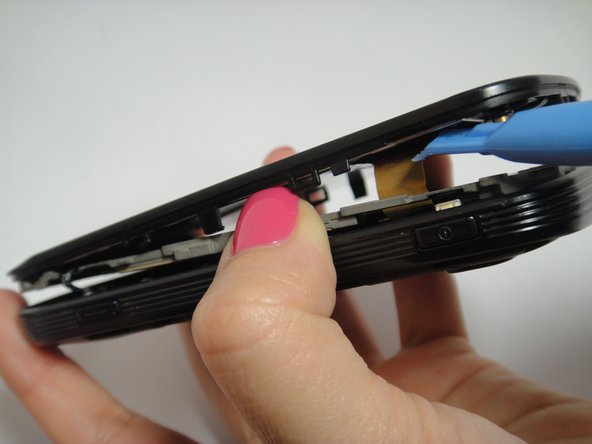
Use the plastic opening to pry the front and the back case apart.
-
As you lift the cover, move the plastic tool around the phone to pry up all of the screen.
-
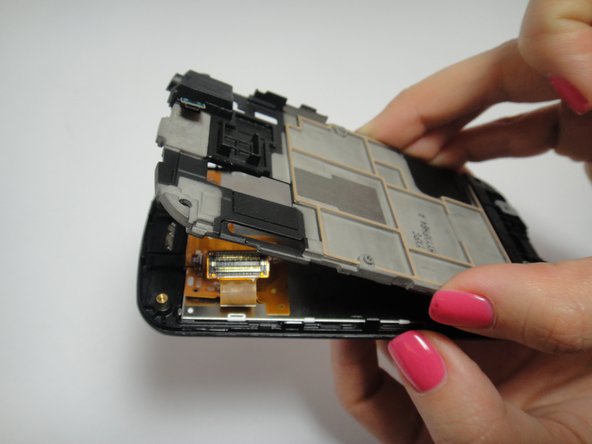
Carefully disconnect the ribbon cables and slowly lift the inside back cover to remove it.
-
-
-
Lift the motherboard slowly.
-
Carefully disconnect the volume button from the motherboard.
-
Disconnect the two ribbon cables from the back of the motherboard.
-
-
-
Use the plastic opening tool to unlatch the ribbon cable to disconnect it.
-
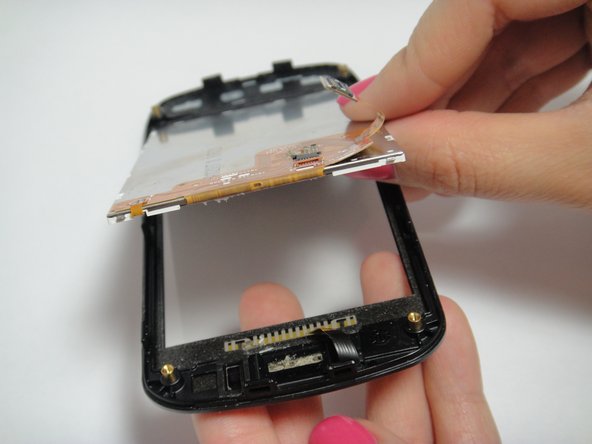
Place the plastic opening tool under the edge of the screen and lift the screen up carefully.
-
-








To reassemble your device, follow these instructions in reverse order.
Cancel: I did not complete this guide.
12 other people completed this guide.

Team

USF Tampa, Team 7-5, Remmell Winter 2015 Member of USF Tampa, Team 7-5, Remmell Winter 2015
USFT-REMMELL-W15S7G5
4 Members
48 Guides authored
