Free Shipping on Domestic Orders $75+

Samsung ASV09PSBAN Circuit Board Replacement

What you need

    1. Samsung ASV09PSBAN Circuit Board Replacement, Circuit Board: step 1, image 1 of 1
      • Turn off the power from the circuit breaker.

      Ask FixBot

      Add Comment

    2. Samsung ASV09PSBAN Circuit Board Replacement: step 2, image 1 of 3 Samsung ASV09PSBAN Circuit Board Replacement: step 2, image 2 of 3 Samsung ASV09PSBAN Circuit Board Replacement: step 2, image 3 of 3
      • Carefully remove the front grille panel by placing your hands at the top of the air intake cover.

      Ask FixBot

      Add Comment

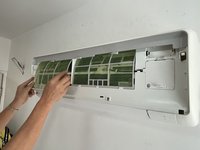
    3. Samsung ASV09PSBAN Circuit Board Replacement: step 3, image 1 of 1
      • Use your hands to remove the air filters.

      • Clean the air intake screen with a vacuum if necessary.

      Ask FixBot

      Add Comment

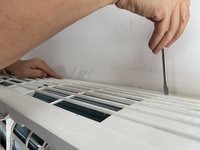
    4. Samsung ASV09PSBAN Circuit Board Replacement: step 4, image 1 of 3 Samsung ASV09PSBAN Circuit Board Replacement: step 4, image 2 of 3 Samsung ASV09PSBAN Circuit Board Replacement: step 4, image 3 of 3
      • Remove the screw from the small panel on the right side.

      • Remove the cover.

      Ask FixBot

      Add Comment

    5. Samsung ASV09PSBAN Circuit Board Replacement: step 5, image 1 of 2 Samsung ASV09PSBAN Circuit Board Replacement: step 5, image 2 of 2
      • Disconnect the black wire from the unit.

      Ask FixBot

      Add Comment

    6. Samsung ASV09PSBAN Circuit Board Replacement: step 6, image 1 of 3 Samsung ASV09PSBAN Circuit Board Replacement: step 6, image 2 of 3 Samsung ASV09PSBAN Circuit Board Replacement: step 6, image 3 of 3
      • Disconnect the two parts of the white wire.

      Ask FixBot
      Add Comment

    7. Samsung ASV09PSBAN Circuit Board Replacement: step 7, image 1 of 3 Samsung ASV09PSBAN Circuit Board Replacement: step 7, image 2 of 3 Samsung ASV09PSBAN Circuit Board Replacement: step 7, image 3 of 3
      • Remove two screws from each side of the front panel.

      Ask FixBot

      Add Comment

    8. Samsung ASV09PSBAN Circuit Board Replacement: step 8, image 1 of 3 Samsung ASV09PSBAN Circuit Board Replacement: step 8, image 2 of 3 Samsung ASV09PSBAN Circuit Board Replacement: step 8, image 3 of 3
      • Completely remove the front panel.

      • If you can not remove it easily, use a spudger to carefully pry it open.

      Ask FixBot

      Add Comment

    9. Samsung ASV09PSBAN Circuit Board Replacement: step 9, image 1 of 3 Samsung ASV09PSBAN Circuit Board Replacement: step 9, image 2 of 3 Samsung ASV09PSBAN Circuit Board Replacement: step 9, image 3 of 3
      • Remove the old circuit board from the three notches holding it in place.

      • Thread the bundled white wire through the slot and remove the circuit board completely from the unit.

      • Install a new circuit board.

      Ask FixBot

      Add Comment

    10. Samsung ASV09PSBAN Circuit Board Replacement: step 10, image 1 of 2 Samsung ASV09PSBAN Circuit Board Replacement: step 10, image 2 of 2
      • Reinstall the front panel.

      • Replace the two screws on each side of the front panel.

      Ask FixBot

      Add Comment

    11. Samsung ASV09PSBAN Circuit Board Replacement: step 11, image 1 of 3 Samsung ASV09PSBAN Circuit Board Replacement: step 11, image 2 of 3 Samsung ASV09PSBAN Circuit Board Replacement: step 11, image 3 of 3
      • Reconnect the white wires.

      • Thread the black wire through the slots.

      Ask FixBot

      Add Comment

    12. Samsung ASV09PSBAN Circuit Board Replacement: step 12, image 1 of 1
      • Reinstall the small cover.

      Ask FixBot

      Add Comment

    13. Samsung ASV09PSBAN Circuit Board Replacement: step 13, image 1 of 2 Samsung ASV09PSBAN Circuit Board Replacement: step 13, image 2 of 2
      • Reinstall the filter.

      Ask FixBot

      Add Comment

    14. Samsung ASV09PSBAN Circuit Board Replacement: step 14, image 1 of 2 Samsung ASV09PSBAN Circuit Board Replacement: step 14, image 2 of 2
      • Restore the power to check if the unit is functioning.

      Ask FixBot

      Add Comment

    15. Samsung ASV09PSBAN Circuit Board Replacement: step 15, image 1 of 3 Samsung ASV09PSBAN Circuit Board Replacement: step 15, image 2 of 3 Samsung ASV09PSBAN Circuit Board Replacement: step 15, image 3 of 3
      • If the unit is functioning, turn the fan off, and reinstall the front grille panel.

      • At the end, you can turn it on again.

      Ask FixBot

      Add Comment

Finish Line

Cancel: I did not complete this guide.

2 other people completed this guide.

Jenny

Member since: 03/22/21

290 Reputation

1 Guide authored

1 Guide Comment

I am having problem like different way, if I set temperature from 23'C to 17'C than only outdoor unit (compressor unit) start working. Even though it's started, but I feel the temperature like 29 'C only. What will be the problem? Suggest me..

Kishore Kumar S - Reply Share

Add Comment

View Statistics:

Past 24 Hours: 3

Past 7 Days: 46

Past 30 Days: 147

All Time: 4,471