Free Shipping on Domestic Orders $75+

Samsung A3 2016 Model - A310F Display / LCD Replacement

What you need

    1. Samsung A3 2016 Model - A310F Display / LCD Replacement, Display / LCD: step 1, image 1 of 1
      • Remove the SIM tray from the phone.

      Ask FixBot

      Add Comment

    2. Samsung A3 2016 Model - A310F Display / LCD Replacement, Removing the battery cover: step 2, image 1 of 1
      • Use a heat gun or iOpener to heat the back of the phone.

      • Insert a spudger or thin bladed tool between the batery cover and frame.

      • Slide all the way around to release the adhesive holding the cover.

      • The battery cover is also glass and can break if too much pressure is applied when removeing.

      Ask FixBot

      Add Comment

    3. Samsung A3 2016 Model - A310F Display / LCD Replacement: step 3, image 1 of 2 Samsung A3 2016 Model - A310F Display / LCD Replacement: step 3, image 2 of 2
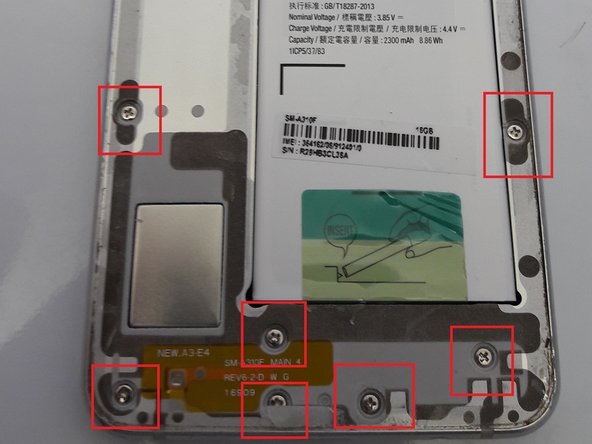
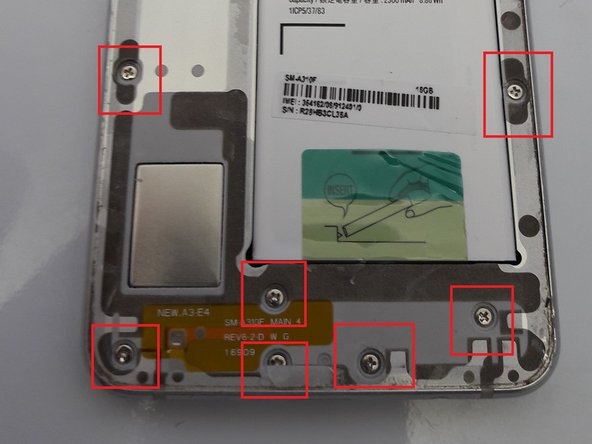
      • Remove all 16 screws from the housing

      Ask FixBot

      Add Comment

    4. Samsung A3 2016 Model - A310F Display / LCD Replacement: step 4, image 1 of 1
      • Hold the edge of the housing and push on the battery to release the display and mainboard from the housing.

      • You may need to go around the edge of the glass with a pick to remove any remaining adhesive

      Ask FixBot

      Add Comment

    5. Samsung A3 2016 Model - A310F Display / LCD Replacement: step 5, image 1 of 1
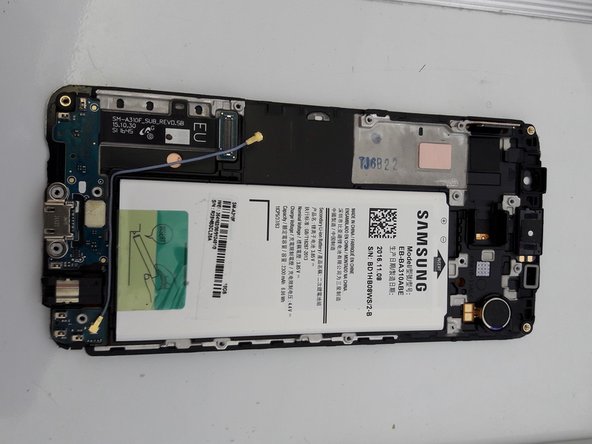
      • Remove the Philips screw securing the mainboard.

      • Remove the cable attached to the mainboard

      • Disconnect the display and camera connectors from the mainboard

      Ask FixBot

      Add Comment

    6. Samsung A3 2016 Model - A310F Display / LCD Replacement: step 6, image 1 of 2 Samsung A3 2016 Model - A310F Display / LCD Replacement: step 6, image 2 of 2
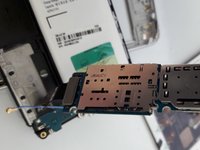
      • Disconnect the daughter board from the mainboard

      Ask FixBot

      Add Comment

    7. Samsung A3 2016 Model - A310F Display / LCD Replacement: step 7, image 1 of 1
      • Using a heatgun, heat the front of the display.

      • Use a spudger or pick to work the display and LCD free from the plastic housing. NOTE: The LCD is also glued to the frame and will probably break as well.

      • When mounting the new display, the display cable slots through a gap in the plastic frame and attaches to the mainboard.

      Ask FixBot

      Add Comment

    8. Samsung A3 2016 Model - A310F Display / LCD Replacement: step 8, image 1 of 3 Samsung A3 2016 Model - A310F Display / LCD Replacement: step 8, image 2 of 3 Samsung A3 2016 Model - A310F Display / LCD Replacement: step 8, image 3 of 3
      • Reattach the daughter board connector to the mainboard.

      • When re-inserting the mainboard, use a plastic spudger to push the battery pins in so the mainboard sits properly in the frame and the pins make a good contact with the battery.

      • Re-connect the display connector, camera and cable to the mainboard.

      • Screw the mainboard to the frame

      Ask FixBot

      Add Comment

    9. Samsung A3 2016 Model - A310F Display / LCD Replacement: step 9, image 1 of 1
      • Turn the phone on and test the display before removing the adhesive on the back of the display.

      • If everything works, remove the adhesive and attach the display to the plastic frame.

      • Push the display into the metal housing so it fits snugly.

      Ask FixBot

      Add Comment

    10. Samsung A3 2016 Model - A310F Display / LCD Replacement: step 10, image 1 of 2 Samsung A3 2016 Model - A310F Display / LCD Replacement: step 10, image 2 of 2
      • Replace the 16 screws that were removed in step 3.

      • Replace the battery cover and you are done.

      Ask FixBot

      Add Comment

Conclusion

To reassemble your device, follow these instructions in reverse order.

Cancel: I did not complete this guide.

5 other people completed this guide.

Harvey

Member since: 02/15/16

6,450 Reputation

10 Guides authored

0 Guide Comments

Add Comment

View Statistics:

Past 24 Hours: 4

Past 7 Days: 24

Past 30 Days: 82

All Time: 4,452