
SPOT X SPOTXB Battery Replacement

Yasser and 4 other contributors
Last updated on Dec 18, 2024
Views: 1.2K
View statistics:
- Past 24 Hours:
- 1
- Past 7 Days:
- 15
- Past 30 Days:
- 84
- All Time:
- 1,176
Comments: 3
3 comments on steps.
Completed: 1 2
1 person has marked this guide "completed." Will you be next?
2 people have marked this guide "completed." Including you — great job!
Favorites: 0 1
No one has favorited (and subscribed to) this guide. Will you be the first?
1 person has favorited (and subscribed to) this guide — and that's you!
Introduction
Go to step 1 ↓If your SPOT X SPOT XB Satellite Messenger isn't charging correctly or not turning on, you can replace its battery to maintain proper operation and extend the life of the device. This guide will walk you through a few simple steps to safely remove your old battery and install a new one.
What you need
Tools


-
-
-
Turn off the device completely by holding the power button for 10-20 seconds to force a shutdown.
 Ask FixBot
-
-
-
Remove the seven 4.1 mm screws from the back of the device using a T4 Torx screwdriver.
-
-
-
-
-
-
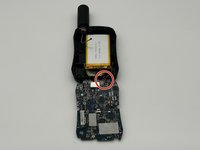
Desolder the battery cables from the motherboard.
-
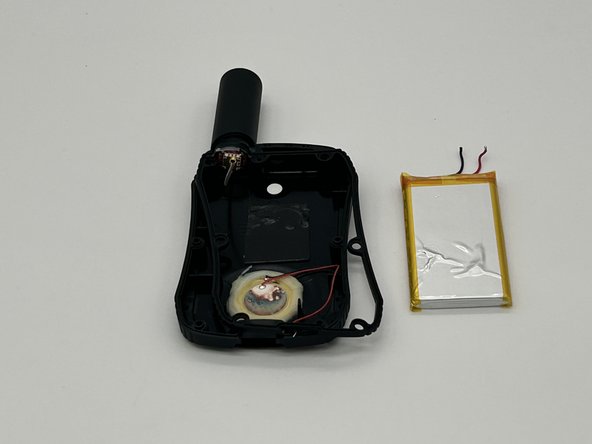
Remove the battery from the device.
-
-


To reassemble your device, follow these instructions in reverse order.
Cancel: I did not complete this guide.
One other person completed this guide.

Team

University of North Texas, Team 4-2, Harold Fall 2024 Member of University of North Texas, Team 4-2, Harold Fall 2024
UNT-HAROLD-F24S4G2
4 Members
48 Guides authored
