
SPOT X SPOTXB Antenna Replacement

Tyler_Brown and 4 other contributors
Last updated on Dec 18, 2024
Views: 418
View statistics:
- Past 24 Hours:
- 1
- Past 7 Days:
- 14
- Past 30 Days:
- 63
- All Time:
- 418
Comments: 0
No one has left comments on this guide. Will you be first?
Go to guide commentsCompleted: 2 3
2 people have marked this guide "completed." Will you be next?
3 people have marked this guide "completed." Including you — great job!
Favorites: 0 1
No one has favorited (and subscribed to) this guide. Will you be the first?
1 person has favorited (and subscribed to) this guide — and that's you!
Introduction
Go to step 1 ↓If your Spot X SPOTXB's antenna is damaged, it will affect the device's functionality by losing signal connection. It's essential to replace the faulty antenna as the entire device relies on it, and for that, you might require opening up the device. The steps are relatively easy, but you need to be cautious while opening the device, and you should remember to unplug the device from any external power sources to avoid electrical hazards.
What you need
Tools

-
-
-
Turn off the device completely by holding the power button for 10-20 seconds to force a shutdown.
 Ask FixBot
-
-
-
Remove the seven 4.1 mm screws from the back of the device using a T4 Torx screwdriver.
-
-
-
-
Gently unplug the antenna connector from the device's internal board.
-
Remove the antenna from the device.
-
-

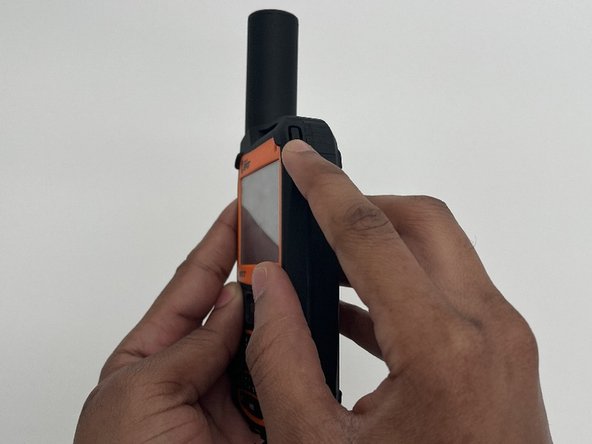
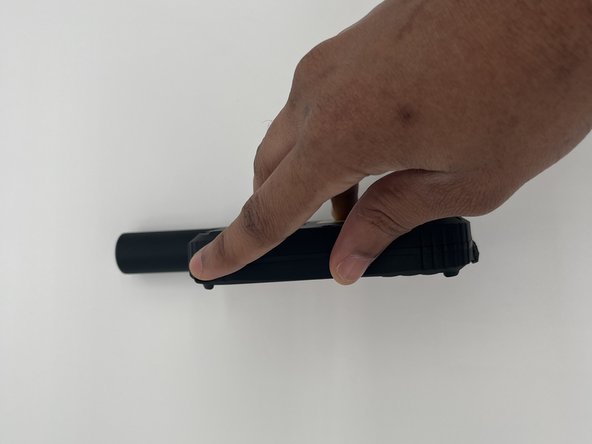


To reassemble your device, follow these instructions in reverse order.
Cancel: I did not complete this guide.
2 other people completed this guide.

Team

University of North Texas, Team 4-2, Harold Fall 2024 Member of University of North Texas, Team 4-2, Harold Fall 2024
UNT-HAROLD-F24S4G2
4 Members
48 Guides authored
