Introduction
This is the guide for removing the back panel on the SGIN X15S.
What you need
-
-
-
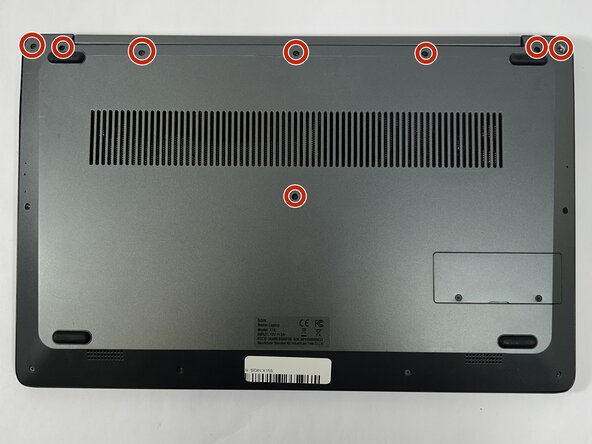
Remove the eight top and middle 7.3 mm screws using the Phillips #0 screwdriver.
-
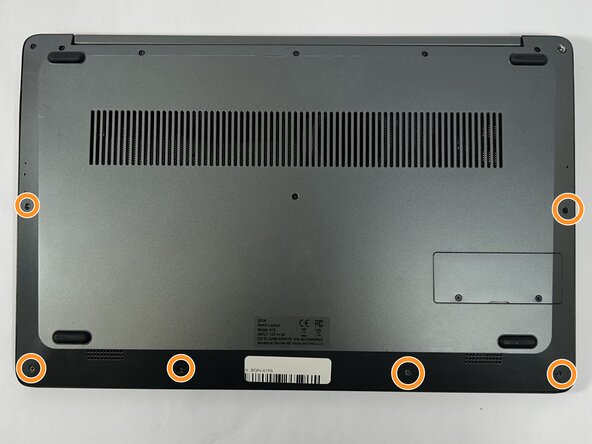
Remove the six bottom and side 4.4 mm screws using the Phillips #0 screwdriver.
 Ask FixBot
-
-
-
-
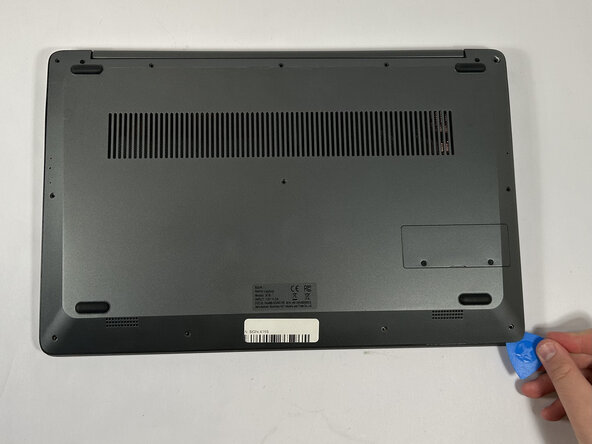
Use the nylon spudger to gently pry a bit of the back panel open. With the opening pick, go all the way around until the back panel is loose.
-
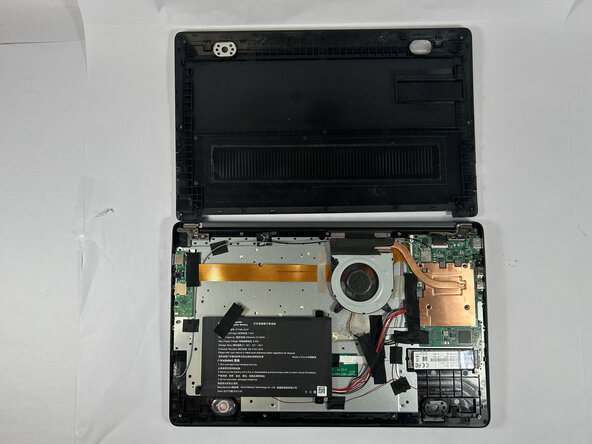
Pull the back panel off the laptop.
-
-





To reassemble your device, follow these instructions in reverse order.
Cancel: I did not complete this guide.
One other person completed this guide.

Team

Idaho State University, Team 1-1, Watkins Spring 2025 Member of Idaho State University, Team 1-1, Watkins Spring 2025
ISU-WATKINS-S25S1G1
3 Members
108 Guides authored
