Introduction
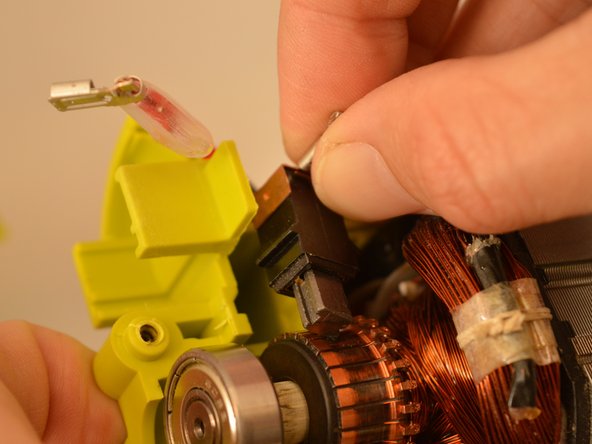
Brush assemblies that are worn out or broken might be the cause of your Ryobi RS290G orbital sander's sporadic operation or failure to turn on. To replace the brush assemblies and have your sander operating properly again, follow this tutorial.
The motor's smooth operation is made possible by the brush assemblies' ability to carry electrical current. These brushes may deteriorate or get filthy over time, which might result in power loss or uneven performance.
Check the brushes for noticeable wear or carbon buildup before following this method. Light debris can be removed using compressed air or a little brush. Replacement is required if the brushes appear burnt, chipped, or short.
To avoid electric shock, unplug the sander and detach it from any power source before starting.
What you need
-
-
Remove two 20mm and one 16mm Phillips #2 screws from the housing assembly and exhaust port.
 Ask FixBot
-
-
-
-
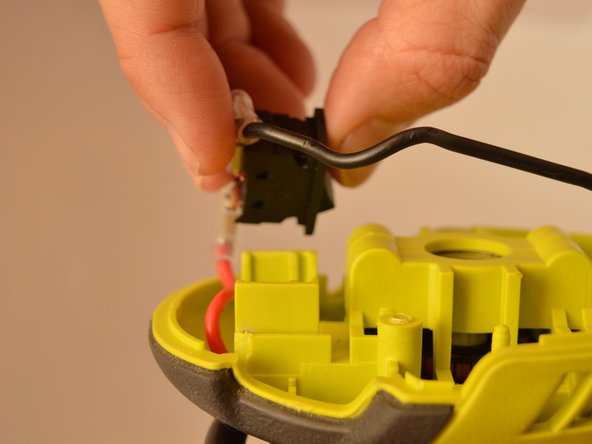
Slide the power switch out of the housing assembly by carefully gripping the power switch and slide upward from the base.
-
-
-
Carefully slide the housing assembly apart, avoiding damage or pulling on wires.
-




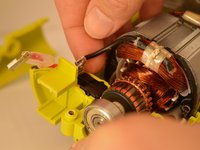
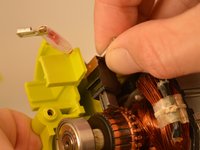


To reassemble your device, follow these instructions in reverse order.

Team

Embry-Riddle Aeronautical University, Team S22-G5, Branham Fall 2019 Member of Embry-Riddle Aeronautical University, Team S22-G5, Branham Fall 2019
ERAU-BRANHAM-F19S22G5
4 Members
5 Guides authored
